
The problem
In a lot of small UAE businesses, the real numbers get a proper look twice a year: when the VAT return is due and when the accountant closes the books. In between, decisions run on the bank balance and gut feel.
The data is already sitting there. Sales are in the POS or a spreadsheet, costs are in the bank statement, and the delivery apps send a payout report every week. What’s missing is someone who reads all of it once a month and says what changed and what needs a decision. A part-time CFO is out of reach for most owners. A Claude Pro subscription and one good prompt get you a decent first draft of that monthly review.
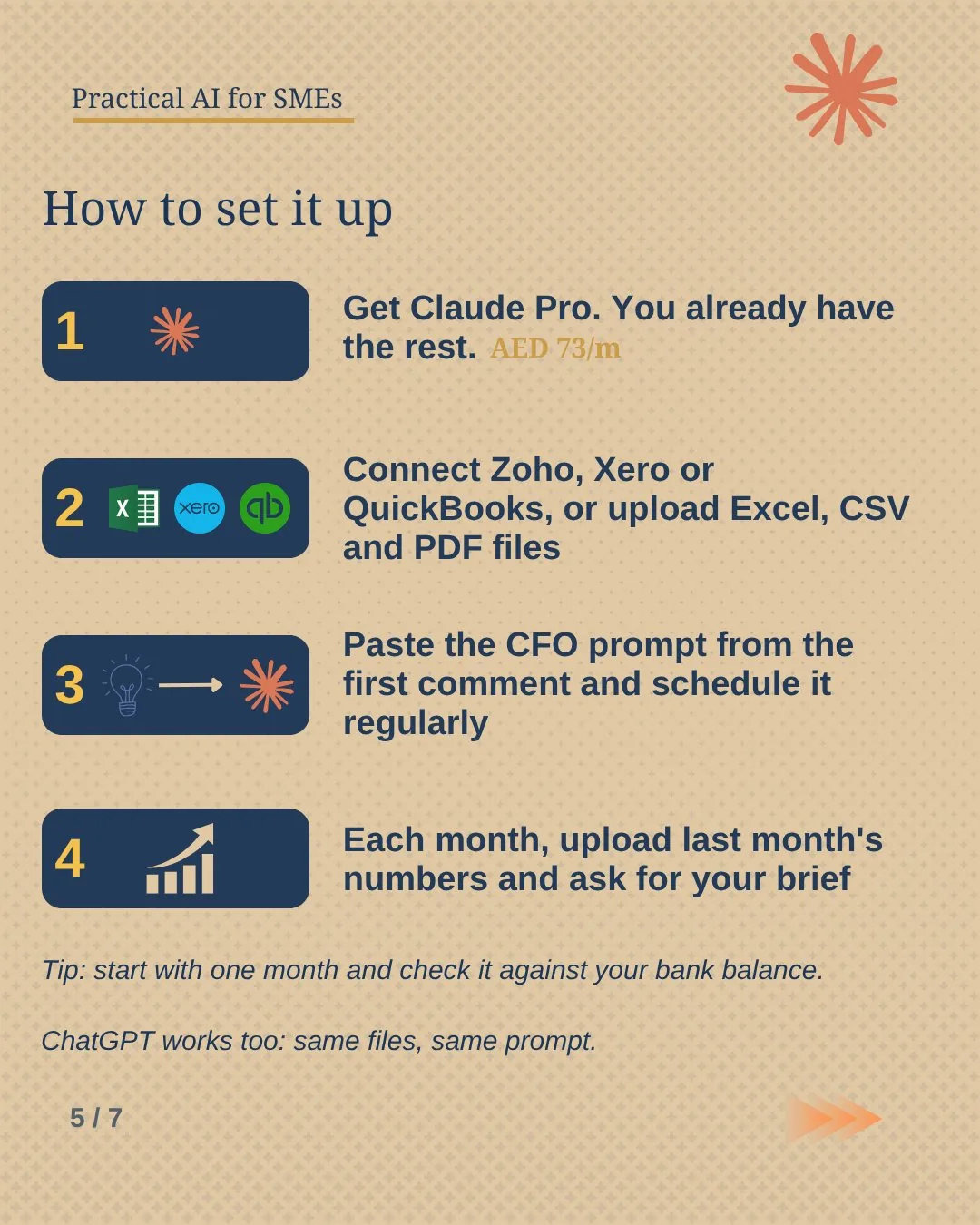
What you need
- Claude Pro
About USD 20 a month. Use the desktop app to connect your accounting software. Uploading files works on the web and phone too.~73 AED / mo - Your numbers
An Excel or Google Sheets sales file, last month’s bank statement, card and delivery app payout reports, supplier billsFree - Your accounting app (optional)
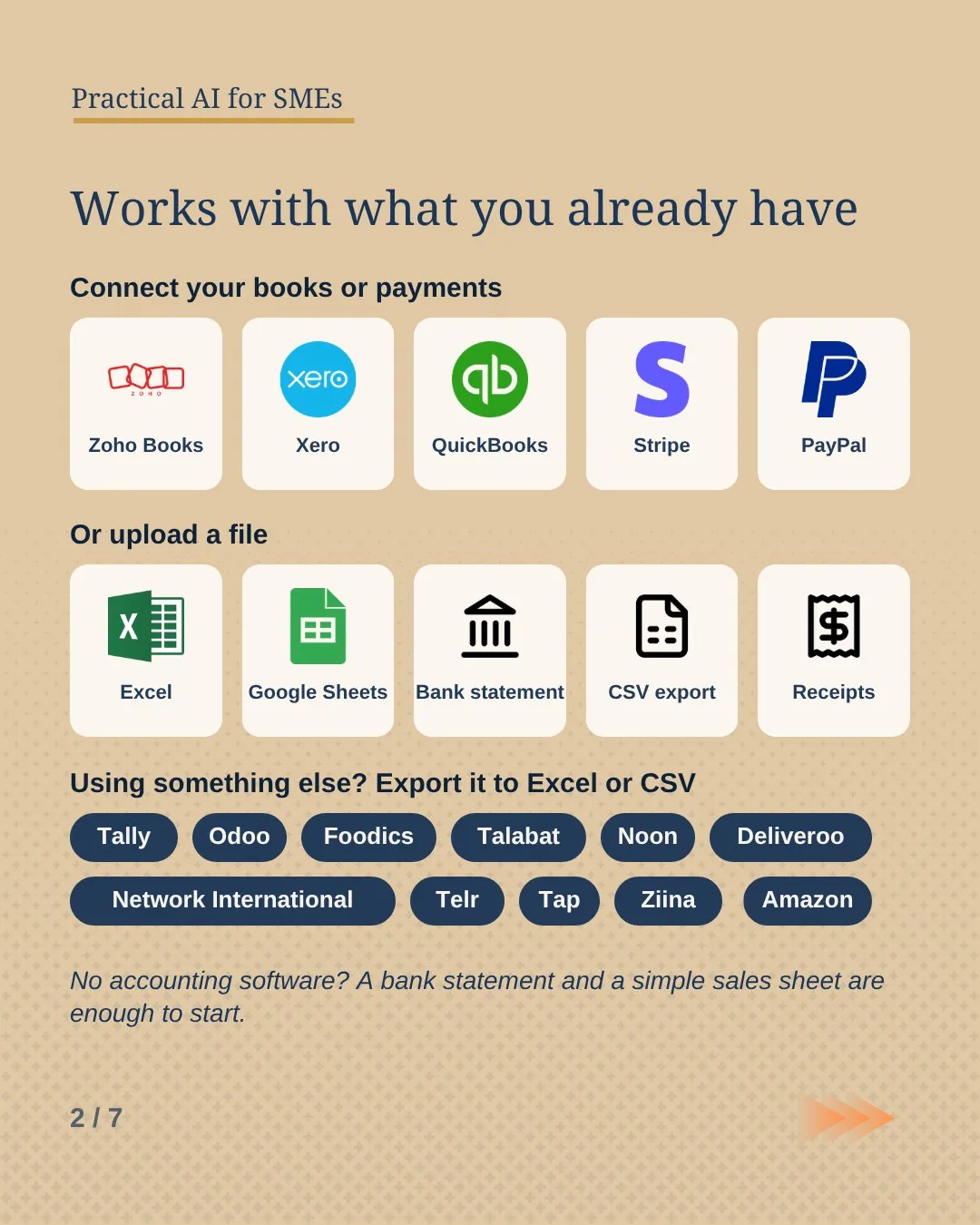
QuickBooks, Xero, Stripe and PayPal connect through the Claude for Small Business plugin. Zoho Books connects through Zoho’s own MCP connector. Tally or anything else: export to Excel.Your plan - The CFO prompt
Further down this page. Copy it once and keep it in a Claude Project.Free
How it works
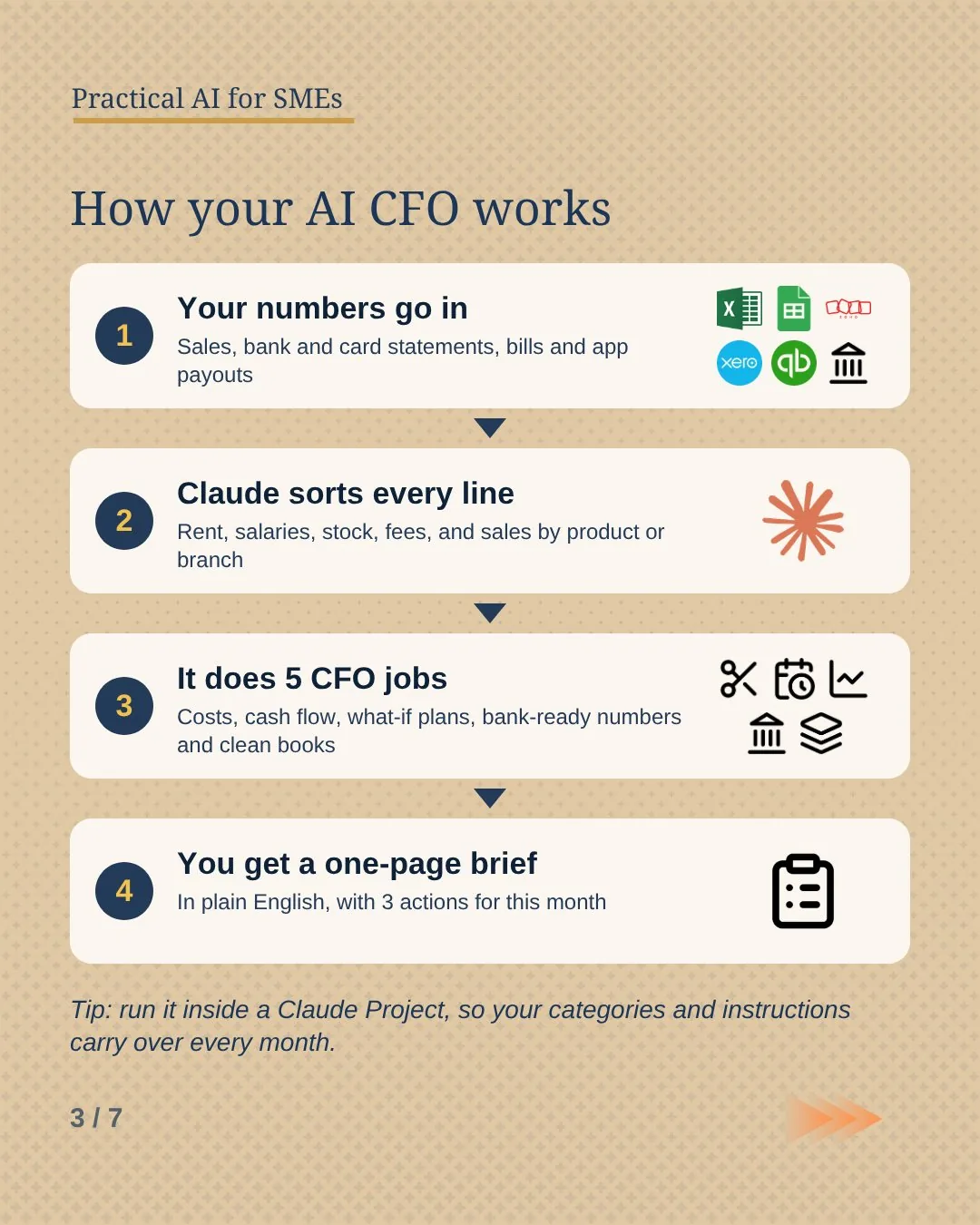
- Collect last month’s files. Sales report, bank statement, payout reports and any bills. Excel or CSV reads more accurately than a scanned PDF.
- Upload them or connect your books. Remove account numbers and IBANs from anything you upload.
- Paste the CFO prompt. Claude sorts every line into rent, salaries, stock, fees, subscriptions and sales by product or branch, and shows you the table first.
- Read the brief and check it. Match the closing bank balance and total sales against your own records before you act on anything.
- Save it as a Project. Next month you upload the new files into the same Project and your categories carry over.
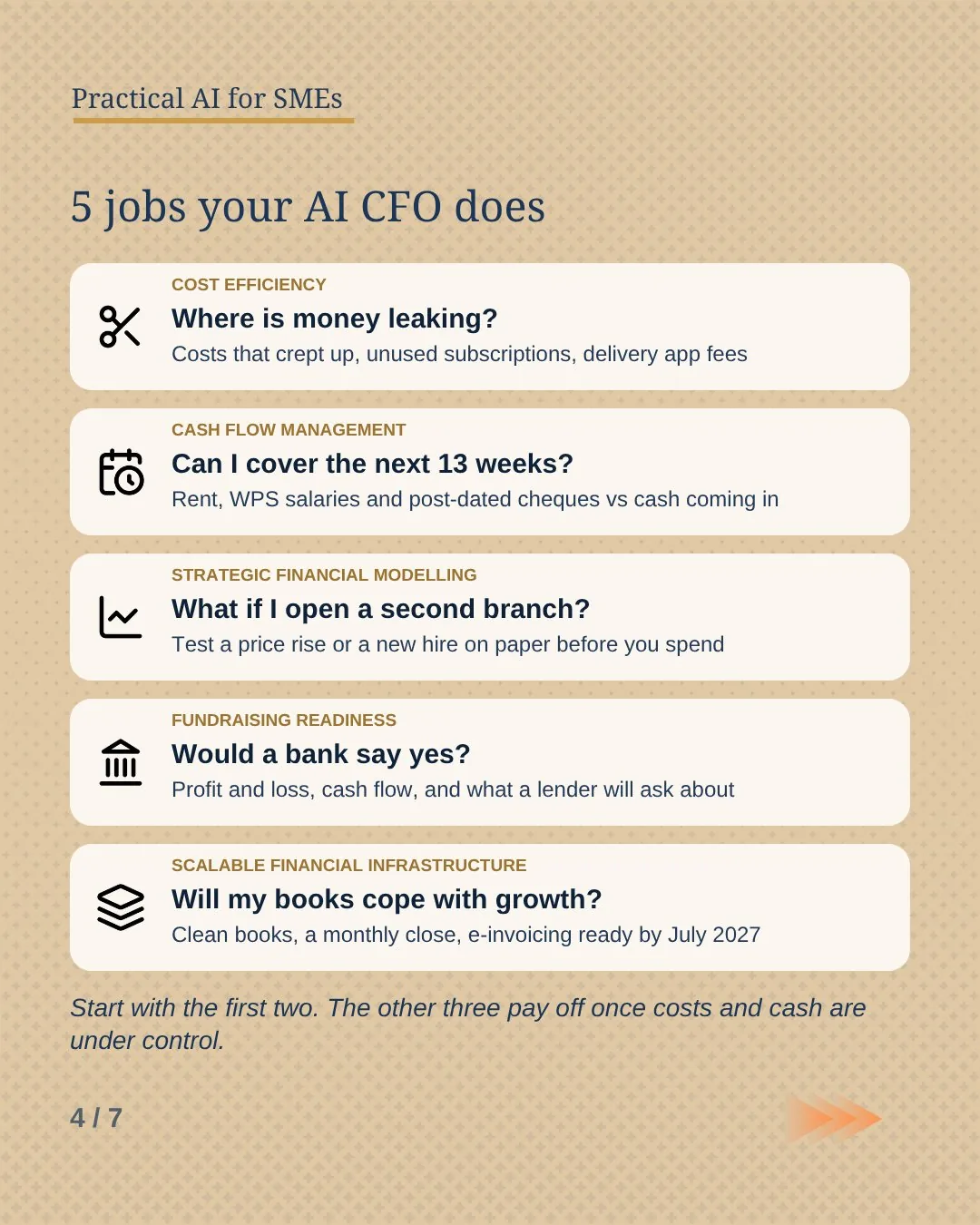
Five jobs your AI CFO does
-
1 · Cost efficiency
Where is money leaking?
Your top five costs and what moved since last month, plus profit by product after fees. Rent and salaries rarely surprise anyone. The line that crept up 15% while nobody was looking is the one worth finding, along with subscriptions nobody uses and the supplier who quietly raised prices. An item that sells well on a delivery app can lose money once commission, card fees and packaging come off.
-
2 · Cash flow management
Can I cover the next 13 weeks?
A week-by-week view of cash in the bank and money owed to you against what is due: rent, WPS salaries, supplier payments and post-dated cheques. In the UAE a bounced cheque is a serious problem, so you want to see a short week a month before it arrives. Give Claude your list of upcoming cheques and rent dates, because they won’t be in last month’s statement. Unpaid invoices come sorted by age, with a suggested order to chase them.
-
3 · Strategic financial modelling
What if I open a second branch?
Name one decision: a 10% price rise, a new salesperson, a second branch. Claude builds a simple model with a best, expected and worst case, so you can see how long the cash lasts in the bad version before you commit. Treat it as a planning tool. The inputs are your estimates, and the output is only as good as they are.
-
4 · Fundraising readiness
Would a bank say yes?
Whether it’s a business loan, trade finance or an investor, the first ask is the same: a clean profit and loss, a cash flow statement and an explanation for anything unusual. Claude drafts these from your monthly numbers and lists the questions a lender is likely to ask, so you fix the gaps before the meeting. The bank will still want statements prepared by your accountant, and often audited accounts.
-
5 · Scalable financial infrastructure
Will my books cope with growth?
A fixed list of categories that stays the same every month, and a short checklist to close the month. It keeps tax visible too: VAT collected minus VAT paid, and a provision for 9% Corporate Tax on profit above AED 375,000. E-invoicing is next. Businesses with revenue under AED 50 million go live on 1 July 2027 and need to appoint an accredited service provider by 31 March 2027 (KPMG summary). Clean categories now make that switch much easier.
Start with the first two. The other three pay off once costs and cash are under control.
What the brief looks like
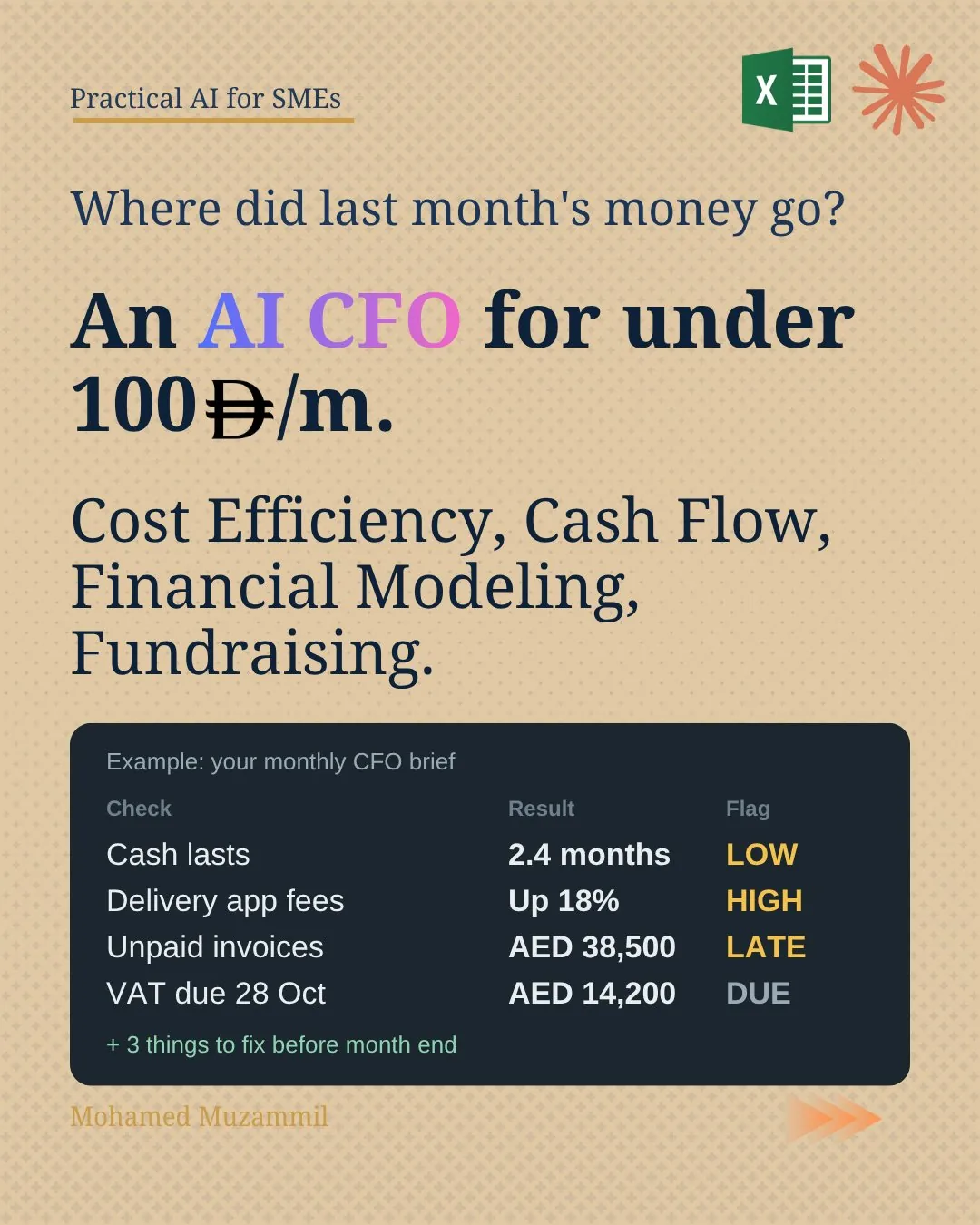
Made-up numbers for a small café, to show the shape of the output:
| Check | Result | Flag |
|---|---|---|
| Sales for September | AED 186,400, down 4% on August | Watch |
| Cash in bank | Covers 2.4 months of fixed costs | Low |
| Delivery app fees | AED 21,900, up 18% | High |
| Unpaid invoices | AED 38,500 across three catering clients, one over 60 days | Late |
| VAT for the quarter | About AED 14,200, due by 28 October | Due |
Three things to fix this month:
- Two items lose money on delivery. Raise their delivery price or take them off the app.
- Call the catering client who is past 60 days before sending another order.
- Cancel two software subscriptions nobody has logged into since July (AED 640 a month).
Where to get your numbers
Bank statement. Most UAE business banking apps let you download a statement as PDF or Excel. Pick Excel when you can.
Tally. Export the Day Book or the Profit and Loss report to Excel.
Foodics or your POS. Download the sales report by product and by branch for the month.
Talabat, Noon, Deliveroo, Careem, Amazon. Download the payout or settlement statements from the seller or partner portal. These show the commission and fees the sales report hides.
Card terminal and payment links. Network International, Telr, Tap and Ziina all give you a settlement report. This is where card fees show up.
QuickBooks, Xero or Zoho Books. Connect them, or export the Profit and Loss and the aged receivables report.
If you have none of this, start with the bank statement and a simple sheet of daily sales. That is enough for a first brief.
A monthly routine
- First Monday of the month: download last month’s bank statement and sales report.
- Remove account numbers and IBANs.
- Open your "Monthly CFO" Project in Claude, upload the files and run the prompt. Once you trust the output, you can schedule it as a recurring task.
- Check three numbers yourself: closing bank balance, total sales and total VAT.
- Pick the three actions and put each one in your calendar with a name next to it.
Run jobs 1 and 2 every month. Run jobs 3 to 5 once a quarter, or before a big decision or a bank meeting. After two or three months, ask Claude to compare the briefs. Trends show up faster than in any single month.
The prompt
Act as my CFO. I run a small business in the UAE. I've attached last month's sales, bank statement and bills (or connected my books). Use AED.

First, sort every line into: sales by product or branch, rent, salaries, stock, app and card fees, subscriptions, other. Show the table. Ask me about anything unclear instead of guessing.

Then do 5 jobs:
1. Costs: where is money leaking? Top 5 costs vs last month, unused subscriptions, supplier price rises, profit by product after fees.
2. Cash: week by week for the next 13 weeks. Cash in bank and money owed to me vs rent, WPS salaries and post-dated cheques. Flag any short week.
3. What-if: model one decision I name (price rise, new hire or second branch). Show best, expected and worst case.
4. Bank-ready: a simple profit and loss and cash flow statement, plus the questions a lender would ask and the gaps.
5. Clean books: a fixed list of categories, a monthly close checklist, VAT and 9% Corporate Tax (on profit above AED 375,000) to set aside, and what to fix before e-invoicing.

End with one page: the 5 numbers that matter and 3 actions for this month. Show your workings. Flag what my accountant should check.
⚠️ Good to know
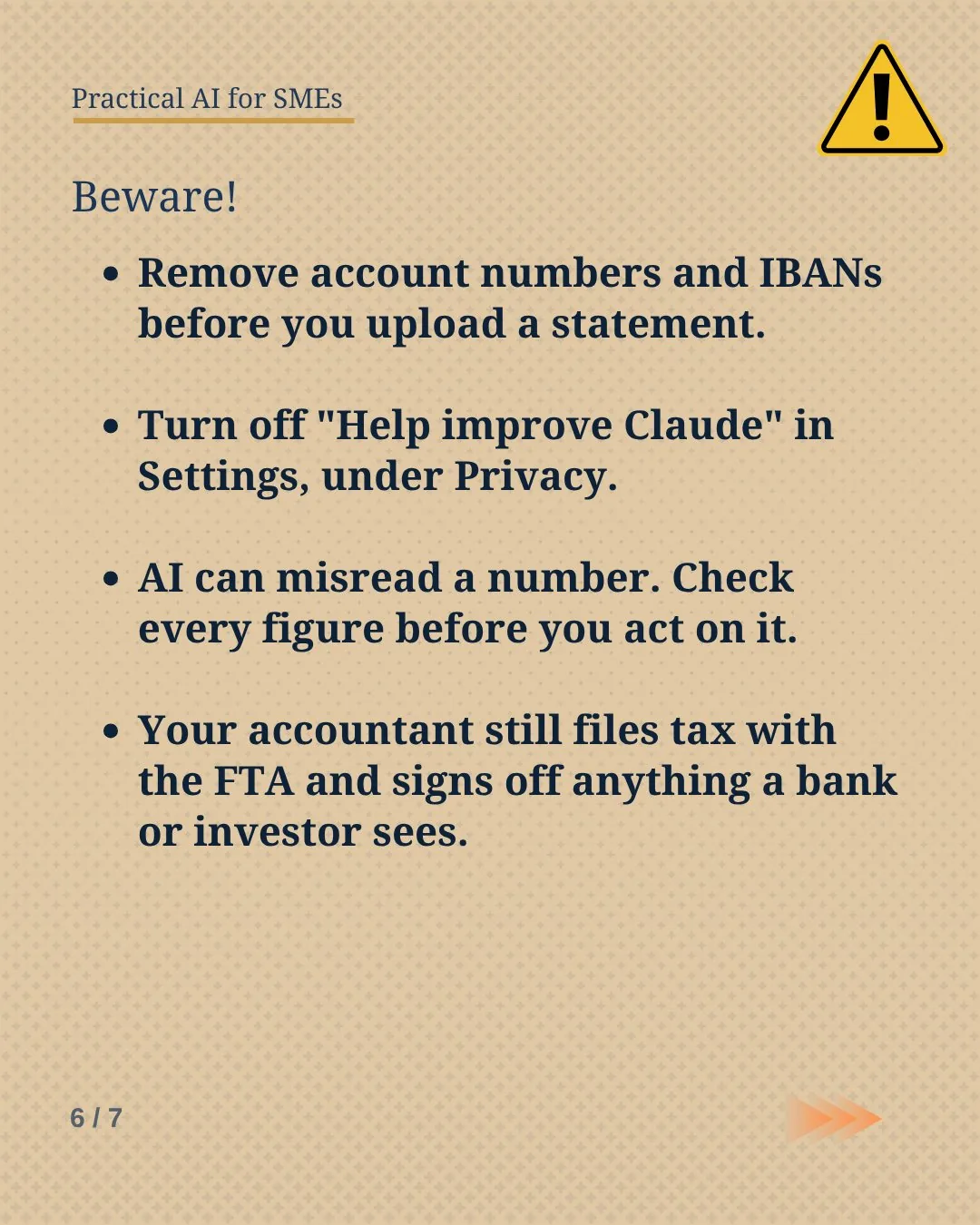
- Strip the sensitive parts. Remove account numbers, IBANs and staff salary details before you upload.
- Training setting. If you don’t want your chats used to improve Claude’s models, turn off "Help improve Claude" in Settings, under Privacy.
- Check before you act. Claude can misread a scanned PDF or a merged cell. Match the totals against your bank before you move money or cut a supplier.
- It doesn’t replace your accountant. The tax numbers are estimates for planning. Your accountant or tax agent still files VAT and Corporate Tax with the FTA, and should sign off anything a bank or investor sees.
- One month at a time. Large files use up Claude’s usage limits quickly. Upload a month, not a year.
- Connectors need the desktop app. The Small Business plugin runs in the Claude desktop app on Pro, Max or Team plans.
Rather have it done for you?
We can set up an AI CFO for your business on the tools you already use, and agree with you what needs your approval. Send us a WhatsApp message: an AI receptionist replies first with a few questions, then a person takes it from there.
Tried it on your own numbers?Tell me which of the five jobs saved you the most time, or where it got something wrong.