The problem
When you sell through Fulfilment by Amazon, your stock sits in Amazon’s warehouse and you see it only through reports. Most owners open those reports after something has already gone wrong.
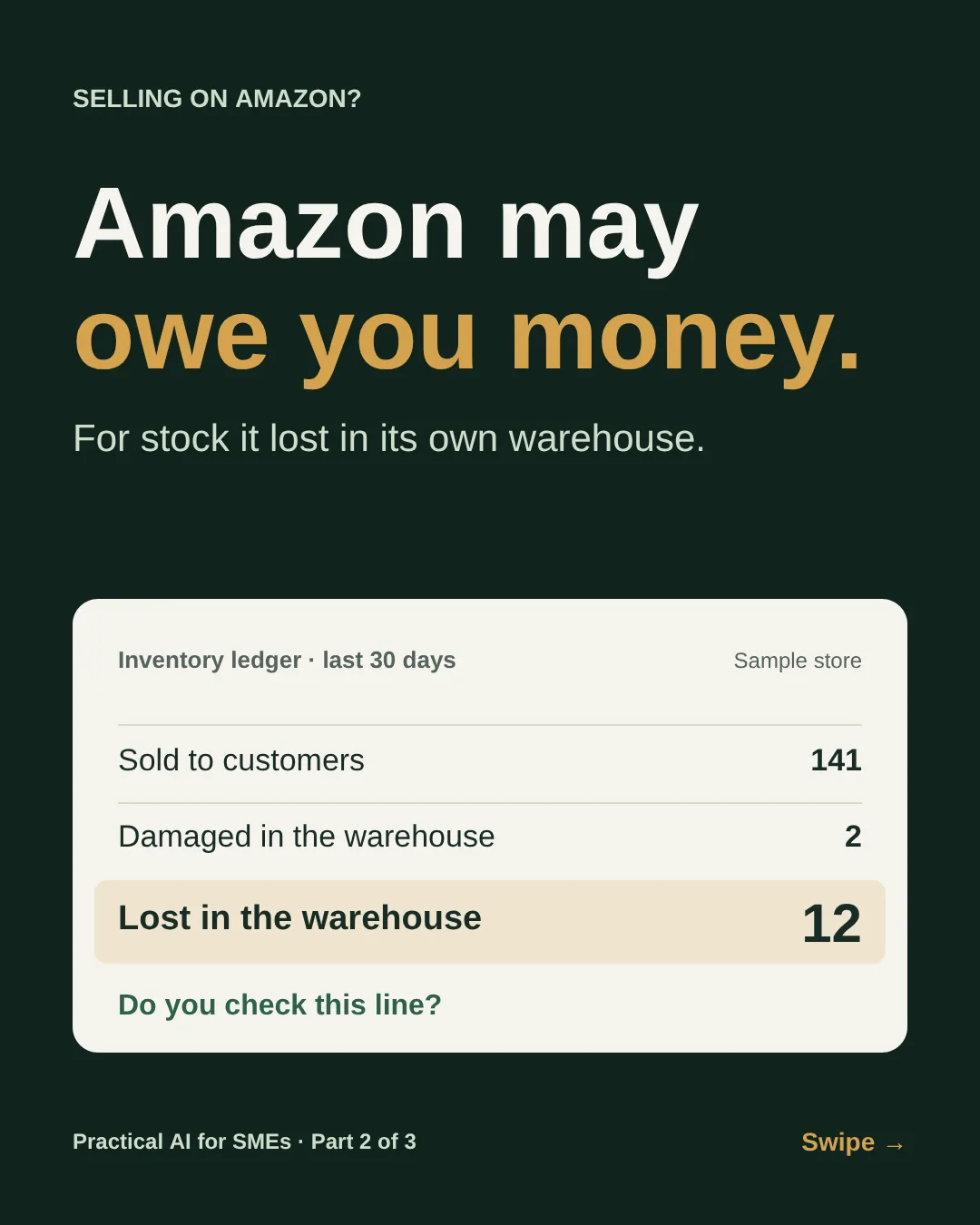
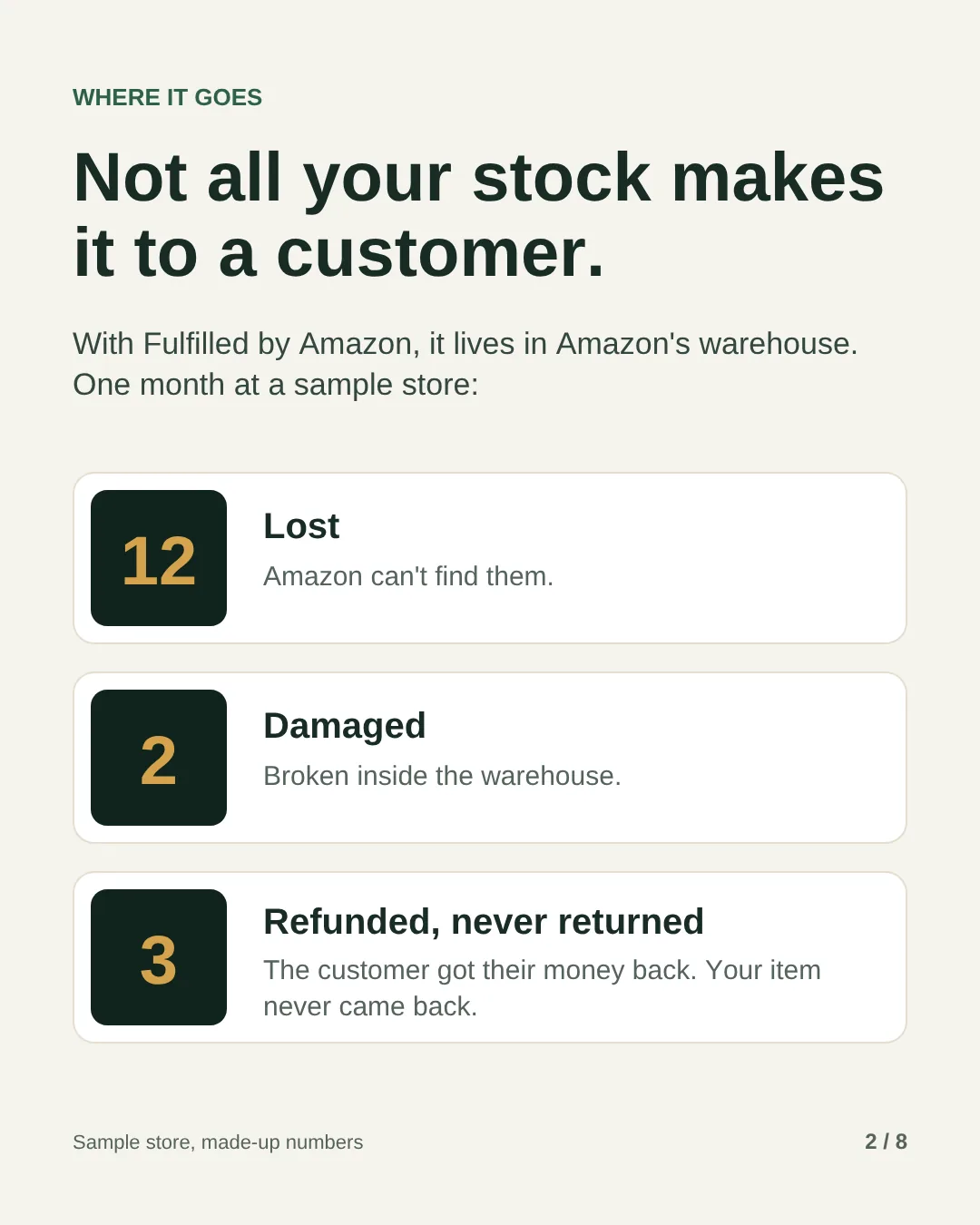
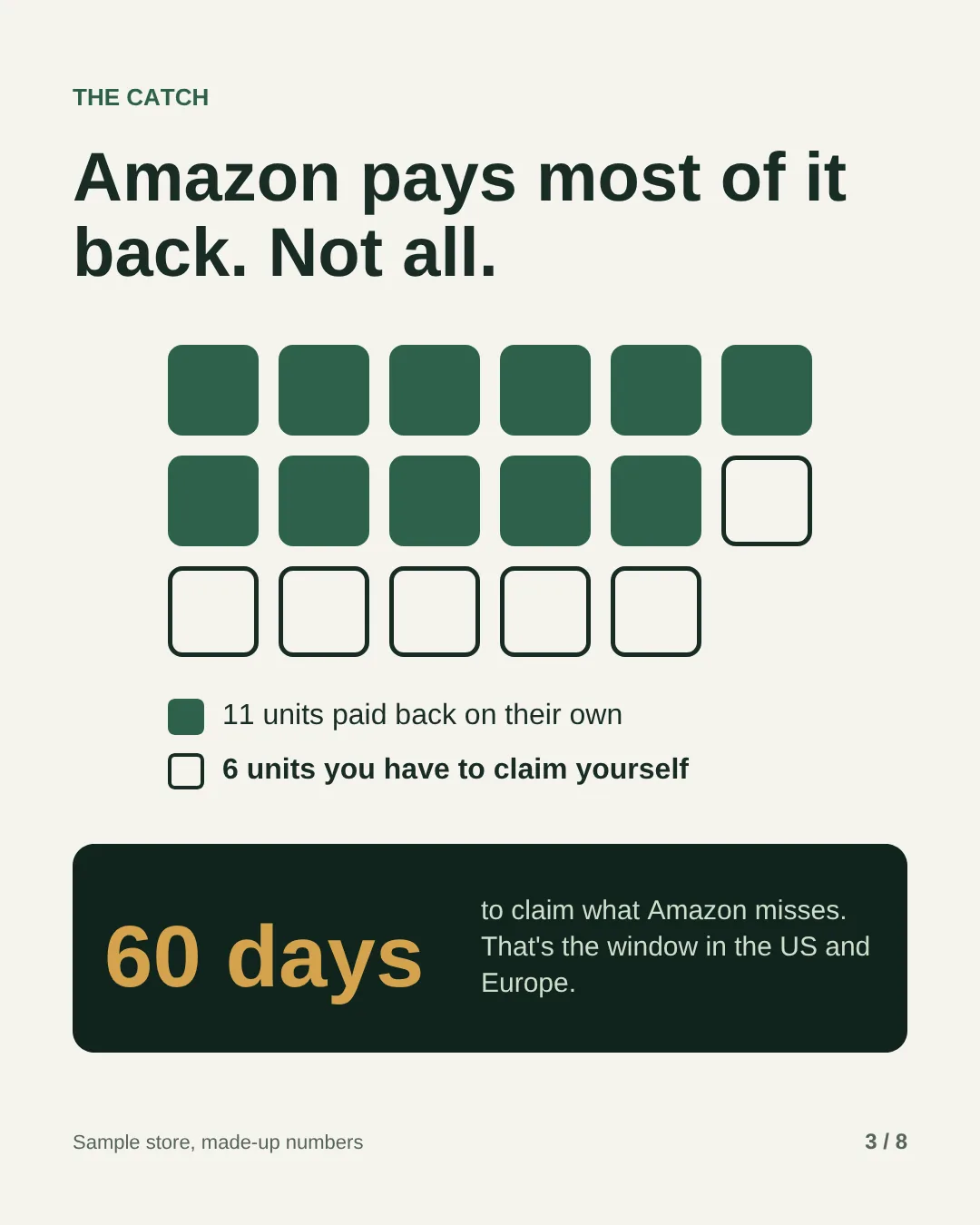
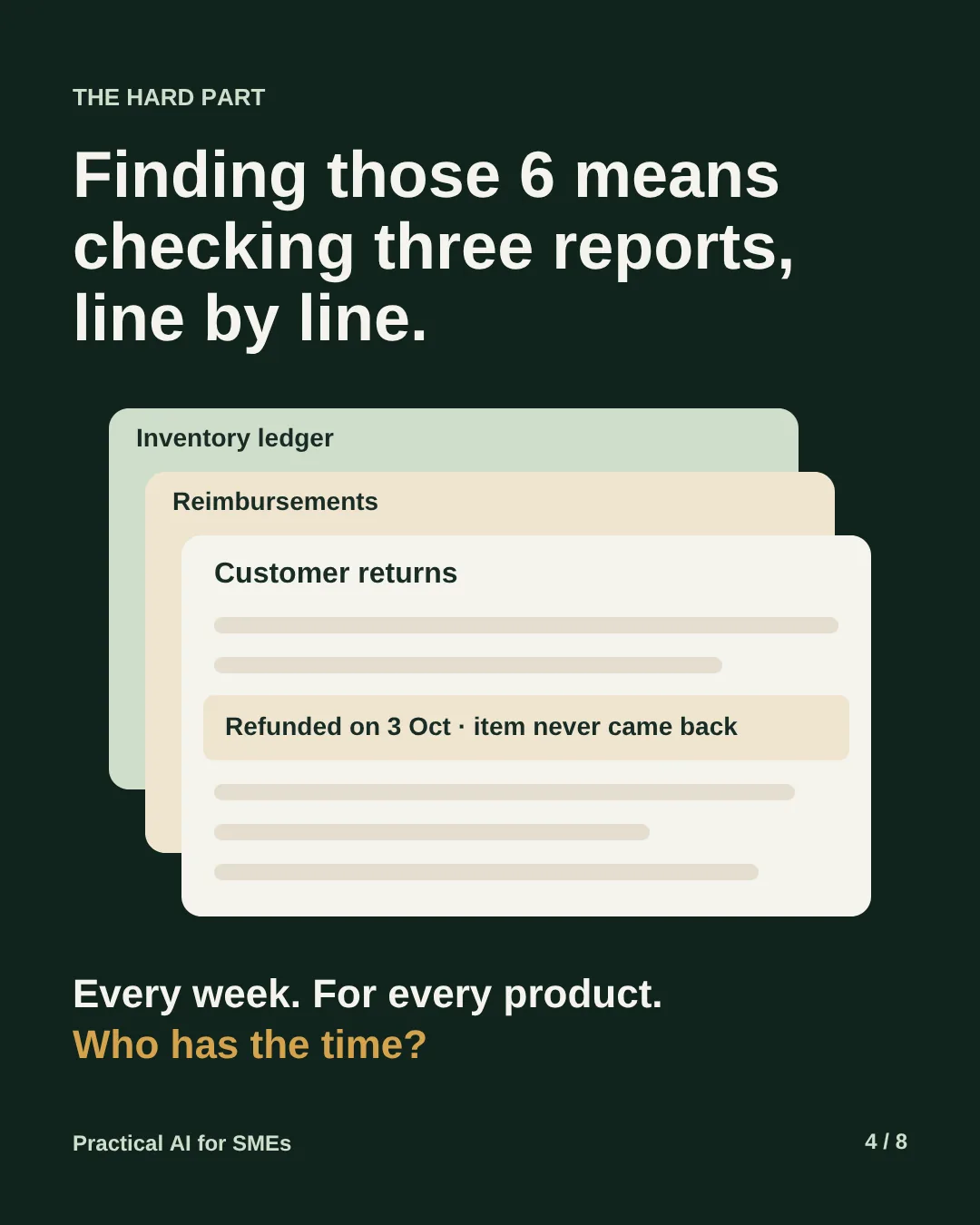
The most visible leak is stock Amazon loses. Units go missing on the shelf, get damaged in handling, or are refunded to a customer who never sends them back. Amazon pays most of these back on its own. The ones it misses only show up when you compare the inventory ledger, the reimbursements report and customer returns line by line. In the US and Europe, sellers now have 60 days to claim what Amazon misses, so a check at the end of the quarter is already too late for some of it.
It isn’t the only leak. A bestseller runs out two weeks before White Friday because nobody checked how many weeks of stock were left. Slow stock sits for months and builds up storage fees. Units sit in the warehouse with no active listing, so nobody can buy them. And the same product keeps coming back with the same complaint, because the return reasons sit in a report nobody reads.
This guide hands all of that to one AI employee. Every Monday it reads the reports, drafts the claims and lists the decisions: what to reorder, what to clear and what to fix. You send the claims and make the calls.
It’s the second of three AI employees for Amazon sellers. Part 1, the growth manager, looks after ads, listings and sales. Both run on the same setup, so the monthly cost is shared. Part 3, the account manager, will cover payouts, fees and disputes.
What you need
- Claude Pro
The brain. It runs on a schedule, even when your laptop is off.~75 AED / mo - Windsor.ai Basic
Connects Seller Central to Claude. Free for the first 30 days. This job only needs Seller Central, so if you set up Part 1 it uses the connection you already have.~85 AED / mo - Amazon Seller Central with FBA
Your own account, with stock in Amazon’s warehouse. The AI reads it through the official connection and never logs in for you.You have it - Your cost per unit and reorder lead time
From your supplier invoices and your last few deliveries.You have it - The job description
Further down this page. Fill in your numbers and save it as a weekly task.Free
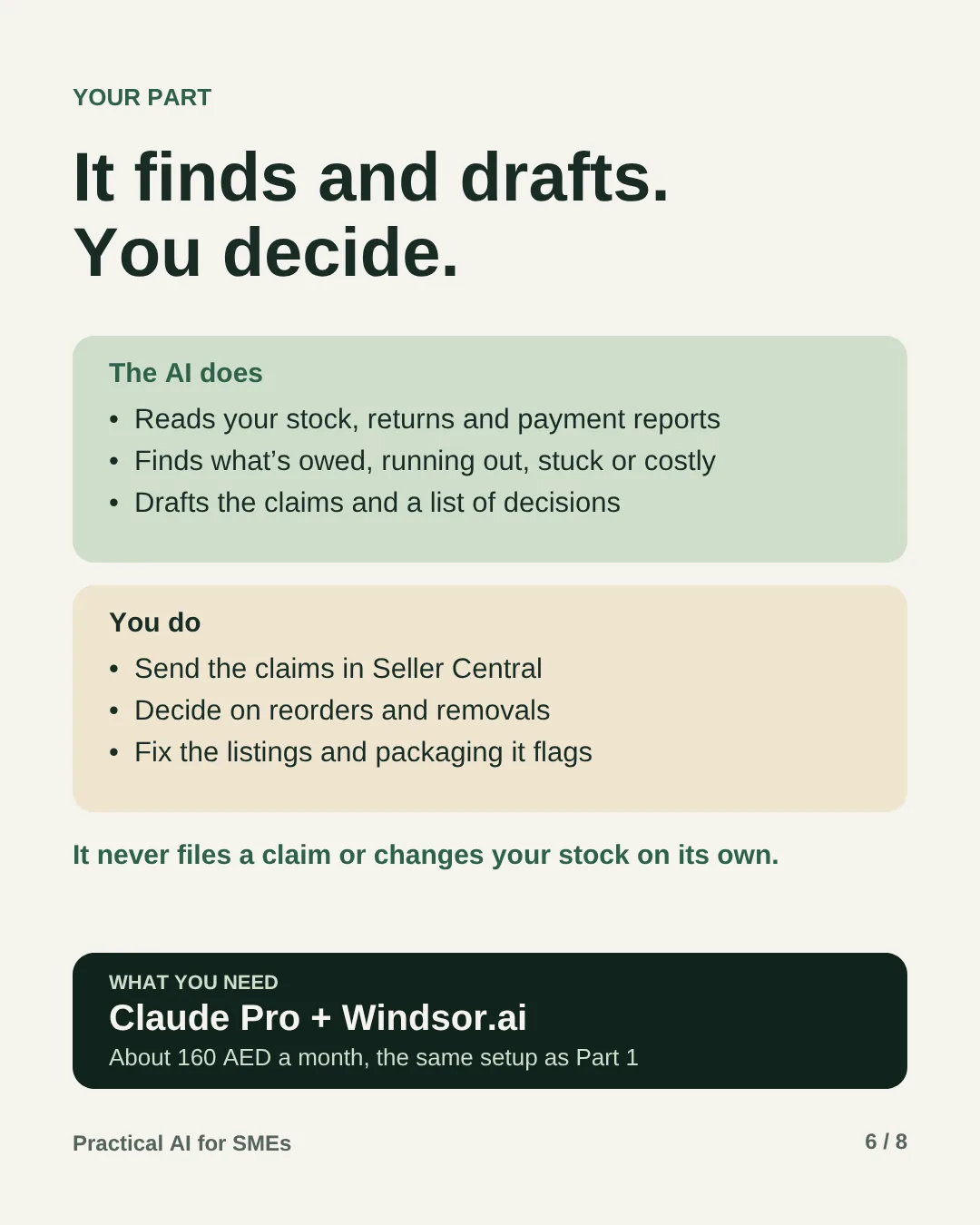
That’s about 160 AED a month, shared by all three AI employees in the series.
How it works
-
One-time Setup
Connect it and brief it
Connect Seller Central in Windsor, add Windsor to Claude, then paste the job description with your cost per unit, how long a reorder takes to reach Amazon’s warehouse, and when stock counts as slow.
-
Every Monday You send
Money Amazon owes you
It finds units Amazon lost, damaged or refunded without a return and hasn’t paid back, checks the case IDs so nothing is claimed twice, and drafts each claim ready to paste.
-
Every Monday Your call
Stock health
It flags products that will run out before a reorder could arrive, slow stock building up storage fees, units that can’t sell, such as stock with no active listing, and deliveries Amazon received short.
-
Every Monday Your call
Returns
It lists the products customers send back most, with the top reasons in the customers’ own words, and suggests one fix: the listing, the size information or the packaging.
Your rule: it reads and drafts. It never files a claim, creates a removal order, changes a price or a listing, or touches your stock.
What lands on your phone every Monday
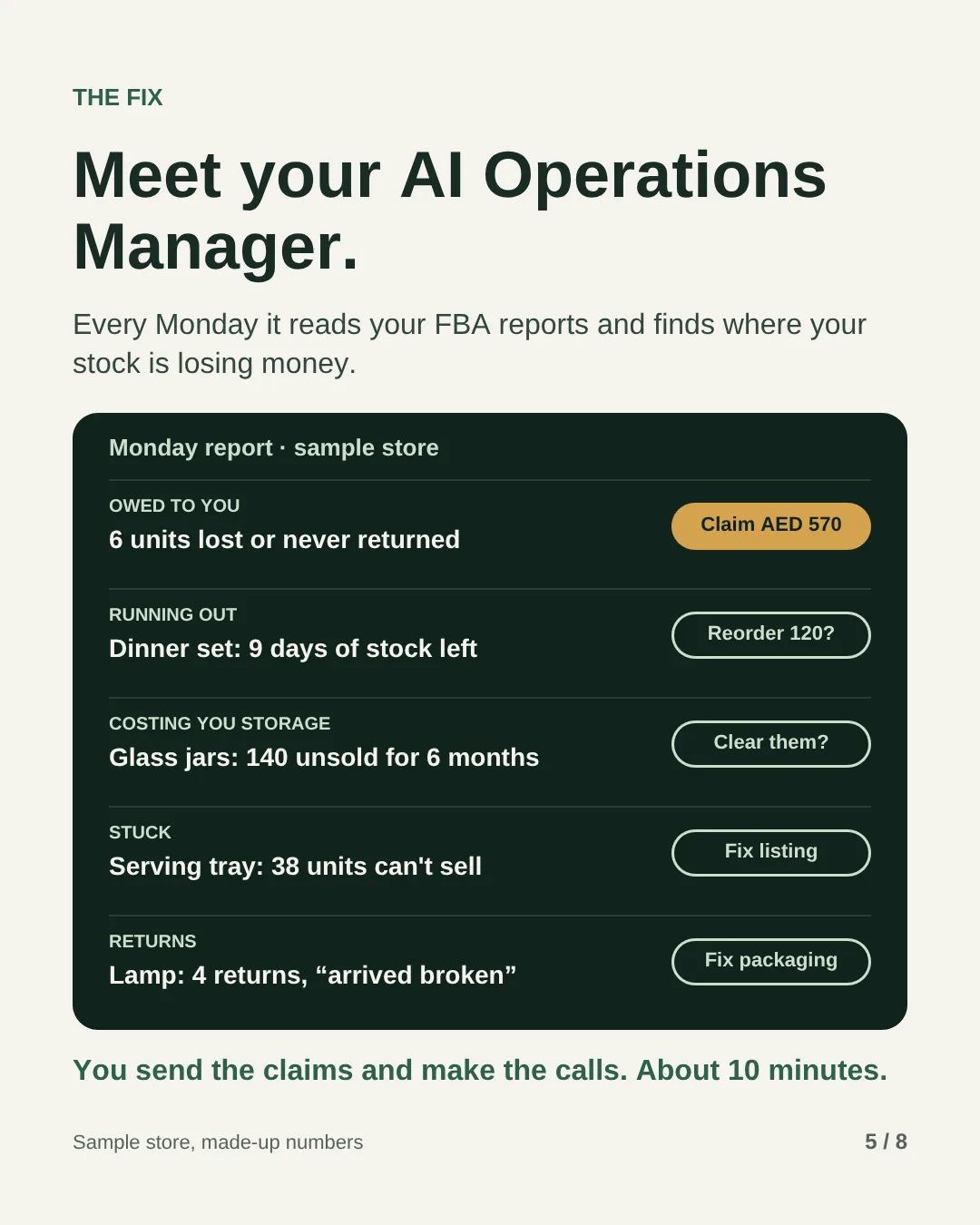
Made-up numbers for a sample home goods store, the same one as on the slides. Money comes first.
| This week | Result | Status |
|---|---|---|
| Owed to you | 6 units lost or refunded without a return. Claims drafted | Ready to send |
| Already paid | 2 damaged units, paid back by Amazon | Nothing to do |
| Running out | Dinner set: 9 days of stock left. Suggested reorder: 120 units | Your call |
| Costing you storage | Glass jar set: 140 units unsold for 6 months. Clear with a deal, or remove? | Your call |
| Stuck | Serving tray: 38 units in stock with no active listing | Fix listing |
| Returns | Table lamp: 4 returns this month, 3 say “arrived broken” | Fix packaging |
To claim: 6 units, AED 570 at selling price. Amazon may pay back less than that. In the US, it now pays lost and damaged units at your cost, not the selling price, which is why the report shows both.
Each claim comes ready to paste. This is what one looks like, with a made-up reference ID:
- SKU
- DIN-SET-12, 12-piece dinner set
- Units
- 2
- Marked lost
- 14 August, reference ID 123456789
- Paid back
- Nothing yet, and no case ID in the reimbursements report
- Request
- Please reimburse the 2 units marked lost in your warehouse on 14 August. They have not been found or reimbursed.
How to set it up, step by step
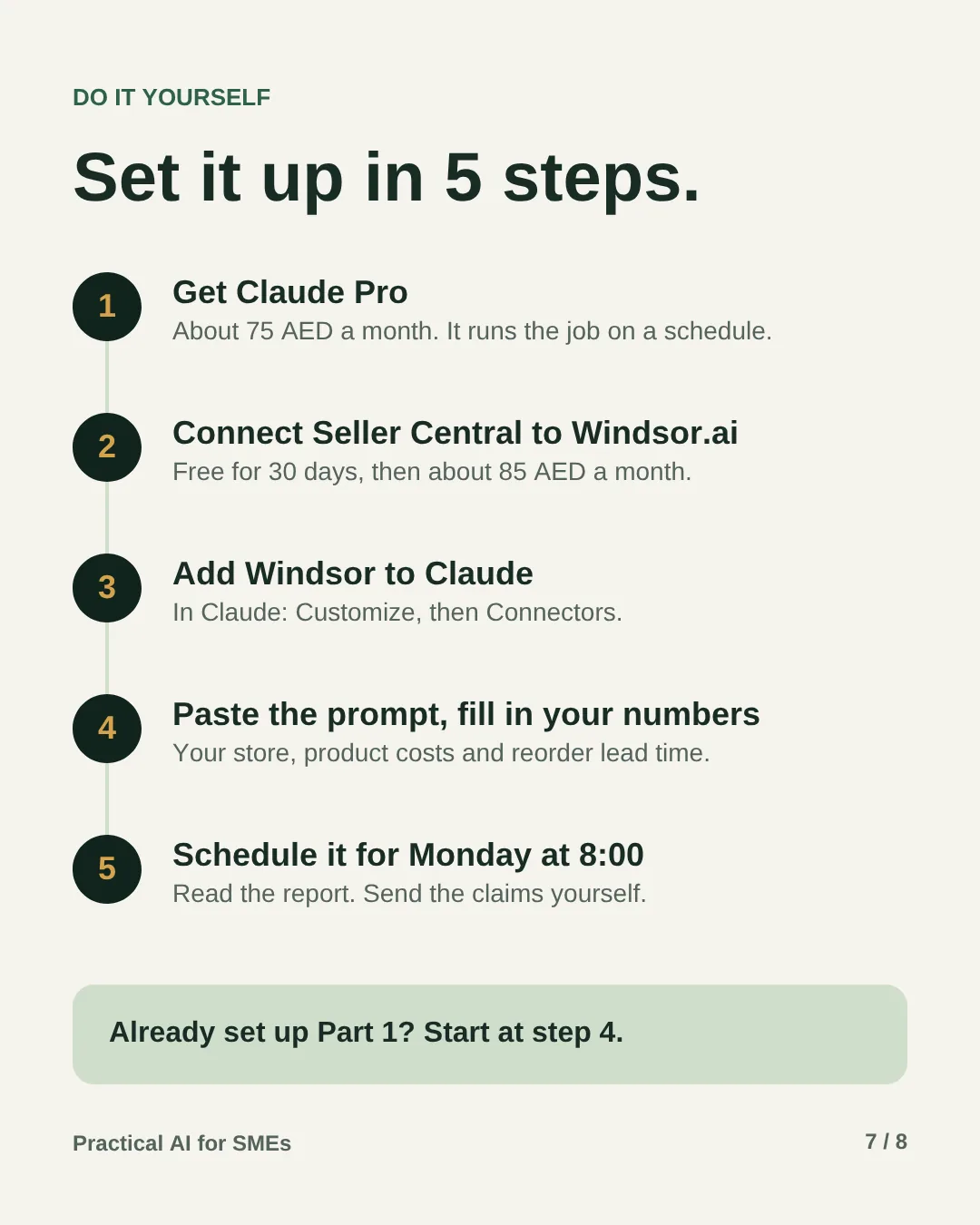
Allow about an hour the first time. Steps 1 to 3 connect everything. If you already run the growth manager from Part 1, they’re done: start at step 4. Open a step to see exactly what to do and how to tell it worked.
Before you start, have these ready
- Your main Seller Central login, or a user who’s allowed to authorise apps.
- A card for Claude Pro. Windsor.ai starts with a 30-day free trial.
- What each product costs you, from your supplier invoices.
- How many days a reorder takes, from placing it to stock being ready to sell at Amazon.
Get Claude Pro5 minutes · about 75 AED a month
Go to claude.ai, sign in and upgrade to Pro, which is USD 20 a month. Scheduled tasks need a paid plan. They run in the cloud, so they carry on while your computer is asleep.
Done when: you can see Scheduled in Claude’s sidebar.
Connect Seller Central to Windsor.ai10 minutes · free for 30 days
- Sign up at windsor.ai. The 30-day free trial is enough to finish this guide. After that, Basic is USD 23 a month, about 85 AED.
- Add Amazon Seller Central as a data source. Amazon opens its own sign-in and approval screen, so your password stays with Amazon.
- Choose the UAE marketplace. If you’re asked for a region, Amazon groups the UAE under Europe.
Done when: Windsor lists Seller Central as connected.
Add Windsor to Claude and test it10 minutes
- In Claude, open Customize, then Connectors. Search for Windsor and click Add.
- Sign in with your Windsor account when asked.
- Start a new chat and ask:
Using Windsor, show my Amazon.ae inventory ledger for the last 30 days: units lost, damaged and found, by SKU. Then list the 5 products with the fewest weeks of stock left. Don’t change anything.
Done when: both answers match what you see in Seller Central: the inventory ledger in the Fulfilment reports, and your FBA inventory page. If they don’t, fix the connection before you go on.
Fill in the job description15 minutes
Copy the prompt below and replace everything in [brackets]:
- Cost per unit. What each SKU costs you to buy and get into the UAE. If you import, include shipping and customs duty.
- Reorder lead time. Days from placing an order with your supplier to the stock being ready to sell at Amazon. Count the days Amazon takes to check stock in, not just the shipping.
- Waiting periods. The 7 days before it claims a lost unit and the 45 days before it claims a refund with no return are sensible starting points. Shorten them if your marketplace gives you less time to claim.
- Slow stock. 180 days in Amazon’s warehouse is a sensible starting point. Make it shorter if your products are seasonal.
- Return alert. 5% of units sold is a sensible starting point. Lower it for products where every return hurts, such as anything fragile.
Done when: no [brackets] are left.
Run it once and check its work20 minutes
- Paste the filled-in prompt into a new chat and let it run. Read the report from start to finish.
- Pick two of the units it wants to claim. Find their reference IDs in the inventory ledger and check the reimbursements report for a payment.
- Check one stock flag too. Is that product really running low, slow or stuck when you look in Seller Central?
- If it got one wrong, tell it why in the same chat, then add that rule to the prompt so it sticks.
Done when: the units you checked are really lost and unpaid, and the stock flag is right.
Schedule it for Monday at 8:005 minutes
- Open Scheduled in Claude’s sidebar and create a new task. Name it “Amazon operations manager”, paste the prompt and set it to run every Monday at 8:00.
- If you’re asked about approvals, pick the option that lets it run without waiting for you. It only reads reports, and the prompt forbids it from filing claims or changing anything.
You can also paste the prompt into any chat and write “Run this every Monday at 8:00”. Claude suggests the schedule and you click Schedule.
Done when: the task shows under Scheduled with its next run on Monday at 8:00.
Your 10 minutes every Monday
- Spot-check one claim. Find its reference ID in the inventory ledger and confirm the units.
- Send the claims in Seller Central. Open Help, then Get support, and choose the option for lost or damaged FBA inventory. Amazon renames these menus now and then, so if you can’t find it, search Help for “lost and damaged inventory”. Paste the drafted text, one case per claim type.
- Decide on reorders and slow stock. Adjust the reorder for Ramadan, White Friday or any promotion you have planned. For slow stock, compare the storage cost with a deal or a removal order. The growth manager from Part 1 can plan the deal.
- Fix what it flags. A stuck product usually needs a fix in Seller Central before it can sell again. Pass listing fixes from returns to Part 1, and packaging fixes to your supplier.
- Add one fix to the prompt whenever it gets something wrong. The brief gets better every week.
If something goes wrong
- It says it can’t see the reports
- The Seller Central connection in Windsor has expired or points at the wrong marketplace. Reconnect it in Windsor, then ask the test question from step 3 again.
- It finds nothing at all
- That may be true, especially for a small store. Ask it in a chat which reports it read and for which dates. If a report came back empty, the connection is the problem, not your stock.
- A unit it flagged turns up later
- Amazon marks it as found and the next run drops it. If Amazon had already paid for it, Amazon normally takes the payment back and returns the unit to your stock. There’s nothing for you to do.
- Amazon rejects a claim
- Read the reason. If it says the units were already paid or found, the AI missed something: add a rule to the prompt. If it asks for proof, such as an invoice for the item’s cost, attach it and reply in the same case. Don’t open a second case for the same units.
- Its numbers don’t match Seller Central
- Reports update at different times, so a figure can be a day behind. Ask it to name the report and date behind each number, and check that one.
- A stuck product won’t sell again
- In Seller Central, look for the stranded inventory page under Inventory. It shows why each listing is inactive, such as a price alert, a missing detail or a policy issue. Fix that first, then the units become sellable without a new shipment.
- The storage figures look wrong
- The report shows Amazon’s own estimate, and storage fees vary by marketplace, product size and season. Check the fee page for Amazon.ae in Seller Central before you remove anything.
- No report this Monday
- Open Scheduled and look at the last run. A failed run usually means a connector needs you to sign in again.
- You want to stop it
- Pause or delete the task under Scheduled. To remove its access completely, disconnect Seller Central in Windsor. Seller Central also lists the apps you’ve authorised under Manage Your Apps.
The prompt
You are the AI Operations Manager for my Amazon.ae store. You run every Monday at 8:00 on your own. Nobody is watching, so don't stop to ask questions. Decide within these rules, note any assumption in your report, and carry on.

MY STORE
- What we sell: [brand and main products]
- Cost per unit: [SKU: cost in AED]
- Reorder lead time: [21] days from order to stock arriving at Amazon
- Slow stock: [180] days or more in Amazon's warehouse
- Return alert: returns above [5]% of units sold in the last 30 days

HOW YOU WORK
Use only the Windsor.ai connector to read Seller Central. Never log in through a browser, never contact Amazon and never file or change anything yourself. Read what is live today; don't rely on earlier runs.

EVERY MONDAY

Money Amazon owes me
1. From the inventory ledger, list units marked lost, damaged or disposed of in the last 60 days, by SKU, with the date, warehouse and reference ID.
2. Take out anything Amazon has already paid for (reimbursements report) and anything later marked found. If a unit was marked lost in the last [7] days, wait a week: it may turn up.
3. Compare refunds in the settlement report with the customer returns report. List orders refunded more than [45] days ago where the item never came back and Amazon hasn't paid me.
4. Check the case ID column in the reimbursements report so you never claim the same units twice.
5. For each unit left, draft a short claim: SKU, units, date, reference or order ID, and what I'm asking for. Group them by type. Mark anything older than [45] days as urgent.

Stock health
6. Running out: from the restock and inventory planning reports, list any SKU with less stock than my lead time plus 7 days of sales, with a suggested reorder quantity. If Ramadan, White Friday or another sale Amazon has announced falls inside the lead time, say so.
7. Costing me storage: list SKUs with units past my slow-stock age or marked as excess, with the units, their age and Amazon's estimated storage cost for next month. Suggest a deal or a removal order, and say which costs less.
8. Stuck: list units Amazon holds that can't sell: unsellable, still under investigation, or in stock with no active listing. Give the reason if the report shows one.
9. Deliveries: for stock I sent to Amazon, compare units shipped with units received. List any SKU still short after [14] days so I can check the shipment.

Returns
10. From the customer returns report, list each SKU above my return alert, with the top reasons and two or three customer comments. Suggest one fix: the listing, the size information or the packaging.

Report
11. Send me one report in five parts, most money first:
   OWED: numbered claims, with units and their value at selling price and at my cost, plus what Amazon paid back this week.
   RUNNING OUT: what to reorder and by when.
   COSTING YOU: slow and excess stock, and the cheapest way out.
   STUCK: units that can't sell, and why.
   RETURNS: products above the alert, and the fix.
If everything is clear, send one line: "Nothing owed, nothing short, nothing stuck."

NEVER
- File a claim, open a case, create a removal order, or change a price, a listing or stock on your own.
- Invent units, dates, IDs or fees. If the data isn't there, say so.
⚠️ Good to know
- Check the rules for Amazon.ae. The 60-day window and automatic payments described here are Amazon’s rules for the US and Europe. Read the FBA reimbursement policy and the storage fee page in your own Seller Central before you rely on the dates or the fees.
- You send every claim. It drafts and you file. A wrong claim wastes your time and Amazon’s, so spot-check at least one each week.
- Amazon may pay less than the selling price. In the US, lost and damaged units are now paid at your cost. Keep your cost per unit up to date in the prompt so the report shows a fair figure.
- Don’t claim too early. Units marked lost often turn up within days. The prompt waits a week before it drafts a claim.
- Removing stock costs money too. A removal order has its own fee, and a deal costs margin. The report compares them with the storage cost, but the call is yours.
- Reorders are a suggestion. They’re based on recent sales. You know about the promotion next month. It doesn’t.
- Use the official connection. Amazon’s rules now cover AI agents. Avoid tools that log in and click around Seller Central for you.
Rather have it done for you?
We can set up an Amazon operations manager for your business on the tools you already use, and agree with you what needs your approval. Send us a WhatsApp message: an AI receptionist replies first with a few questions, then a person takes it from there.
Selling through FBA?Tell me when you last checked what Amazon lost, and what you found.