The problem
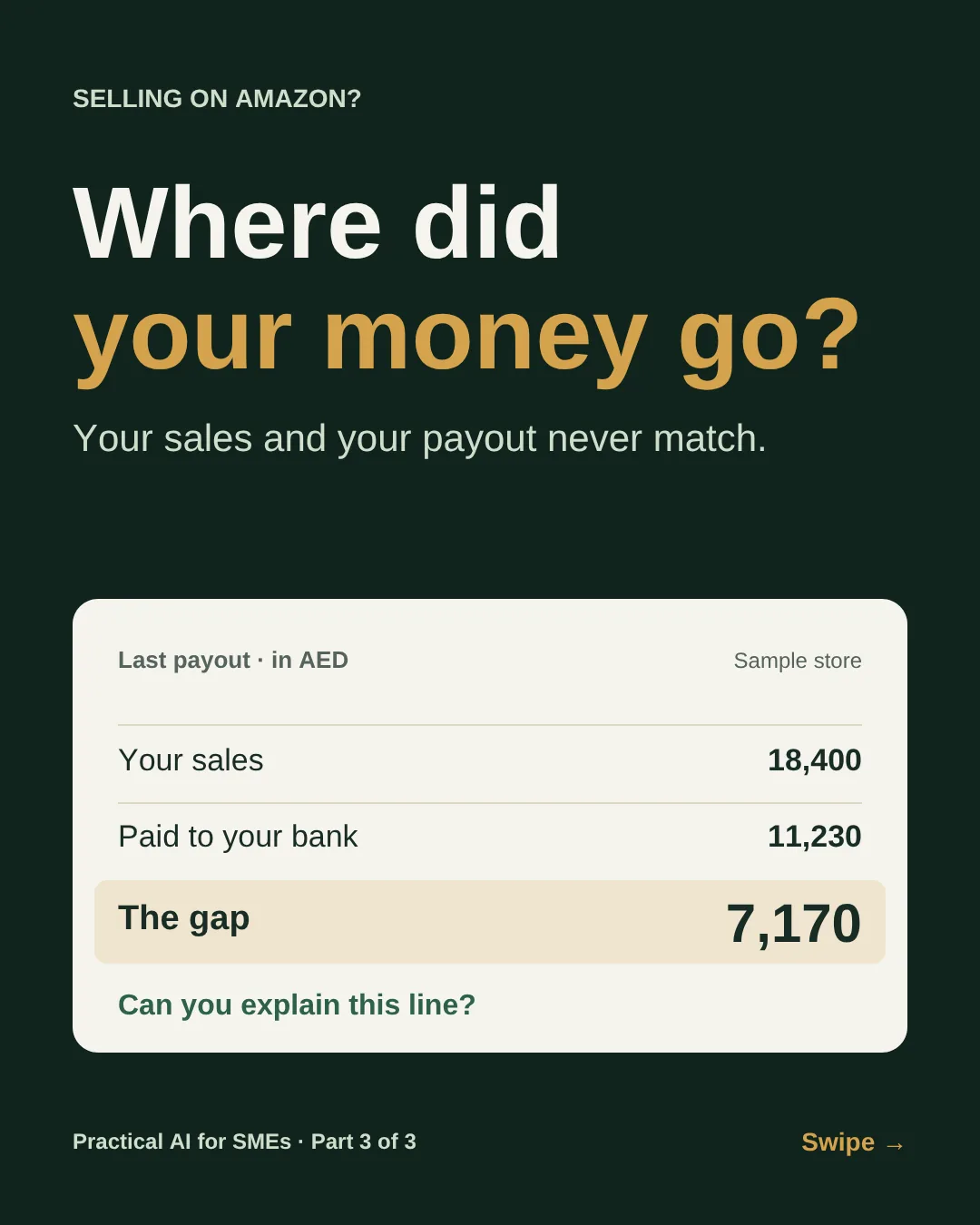
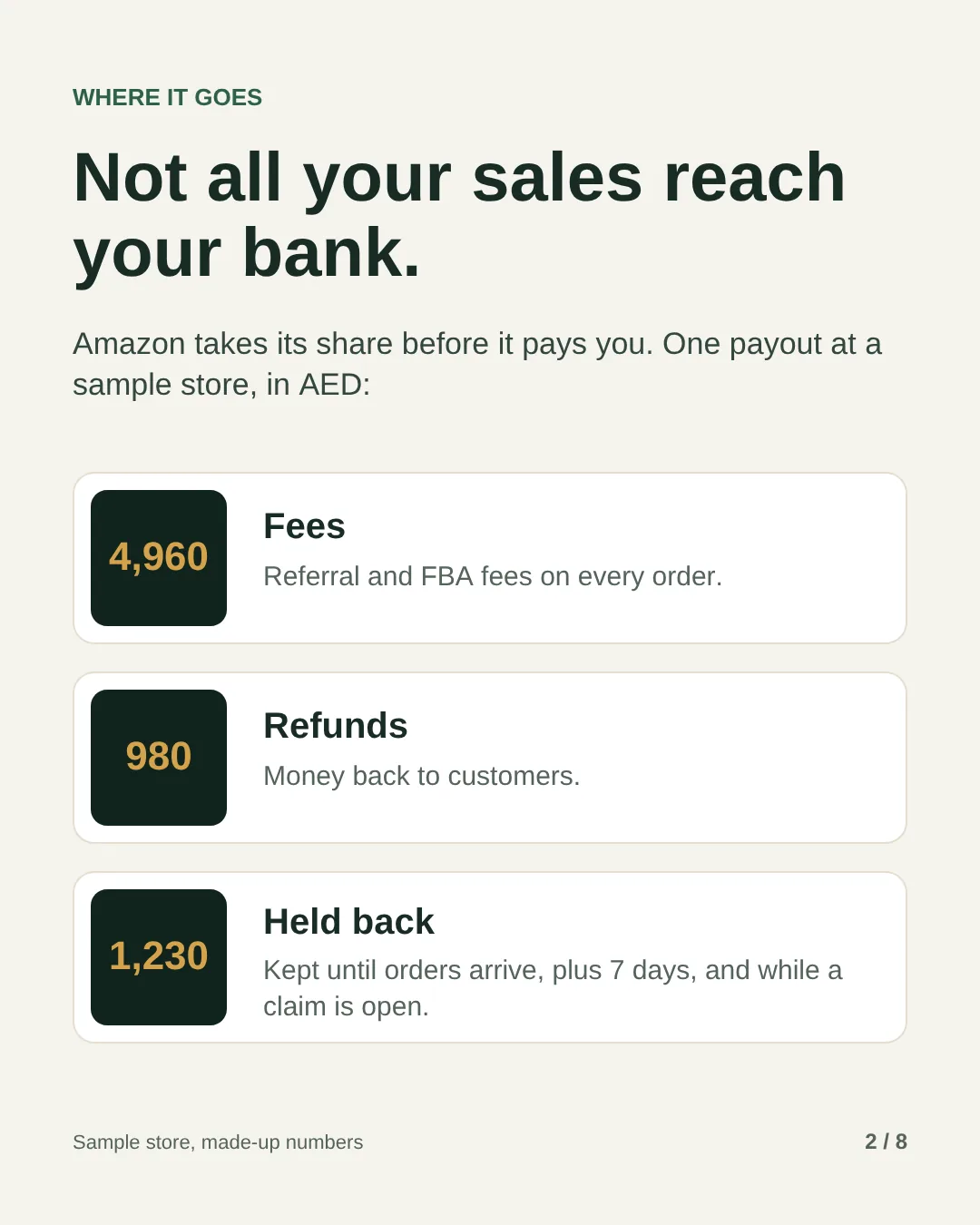
Look at your last Amazon payout next to your sales for the same period. The payout is always smaller. Most of the gap is normal: referral fees, FBA fees, refunds and money Amazon holds until orders are delivered. The trouble is that it all arrives as one number, and few owners have time to check which part of it is normal and which isn’t.
Some of it isn’t. Amazon charges the FBA fee by size and weight, so a product measured in the wrong band costs you a dirham or two on every unit, every month, until someone notices. Money held for an open claim or a chargeback stays held until the case is closed. And every refund costs you a refund administration fee on top of the sale.
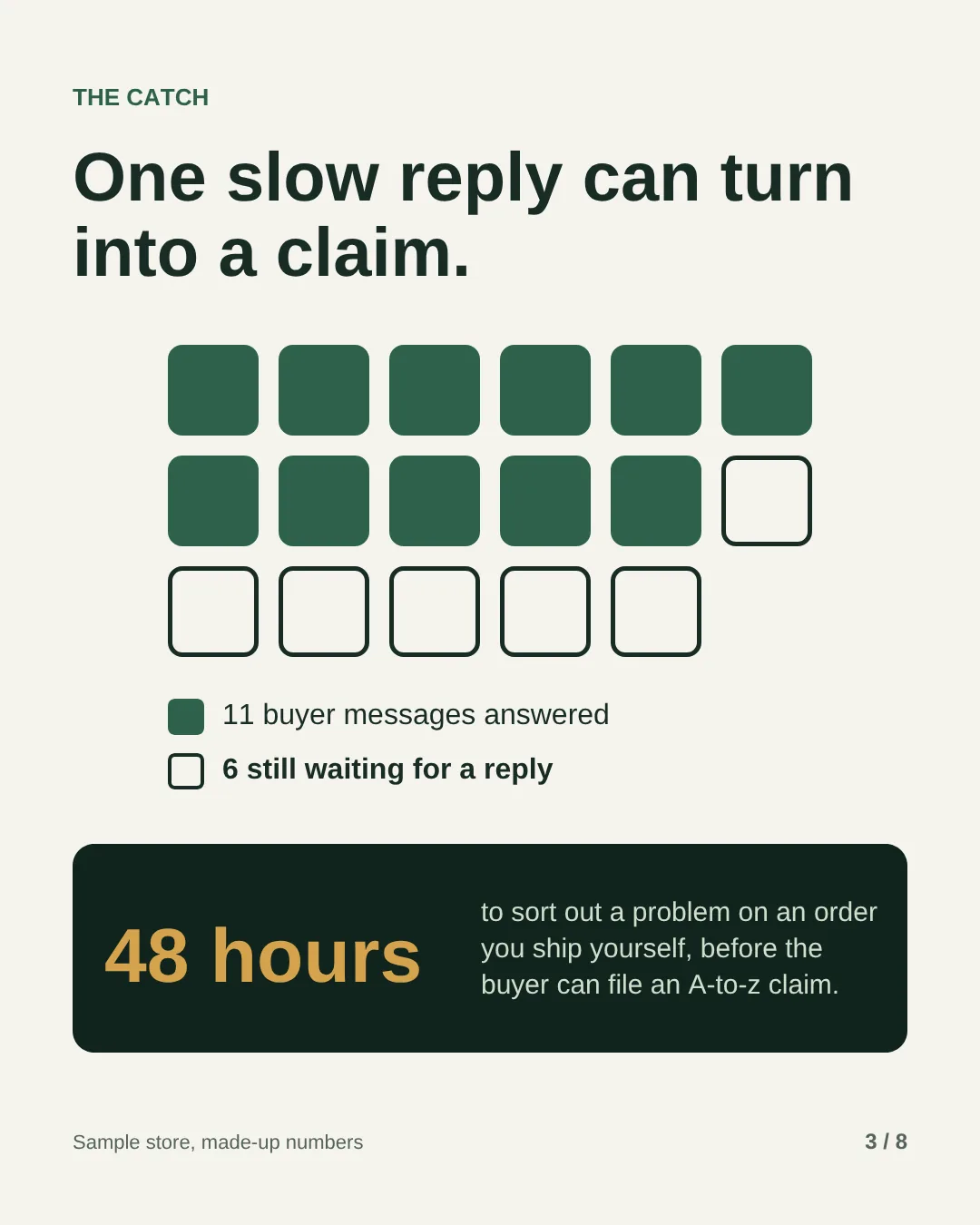
The other half of the job is the buyer. On Amazon.ae, a buyer with a delivery problem on an order you ship yourself has to message you first. If it isn’t sorted out within 48 hours of that first message, they can file an A-to-z Guarantee claim. If Amazon then asks you questions and you don’t answer within 72 hours, it may decide the claim against you, take the money from your account and count it against your account health. A busy week with a slow inbox is all it takes.
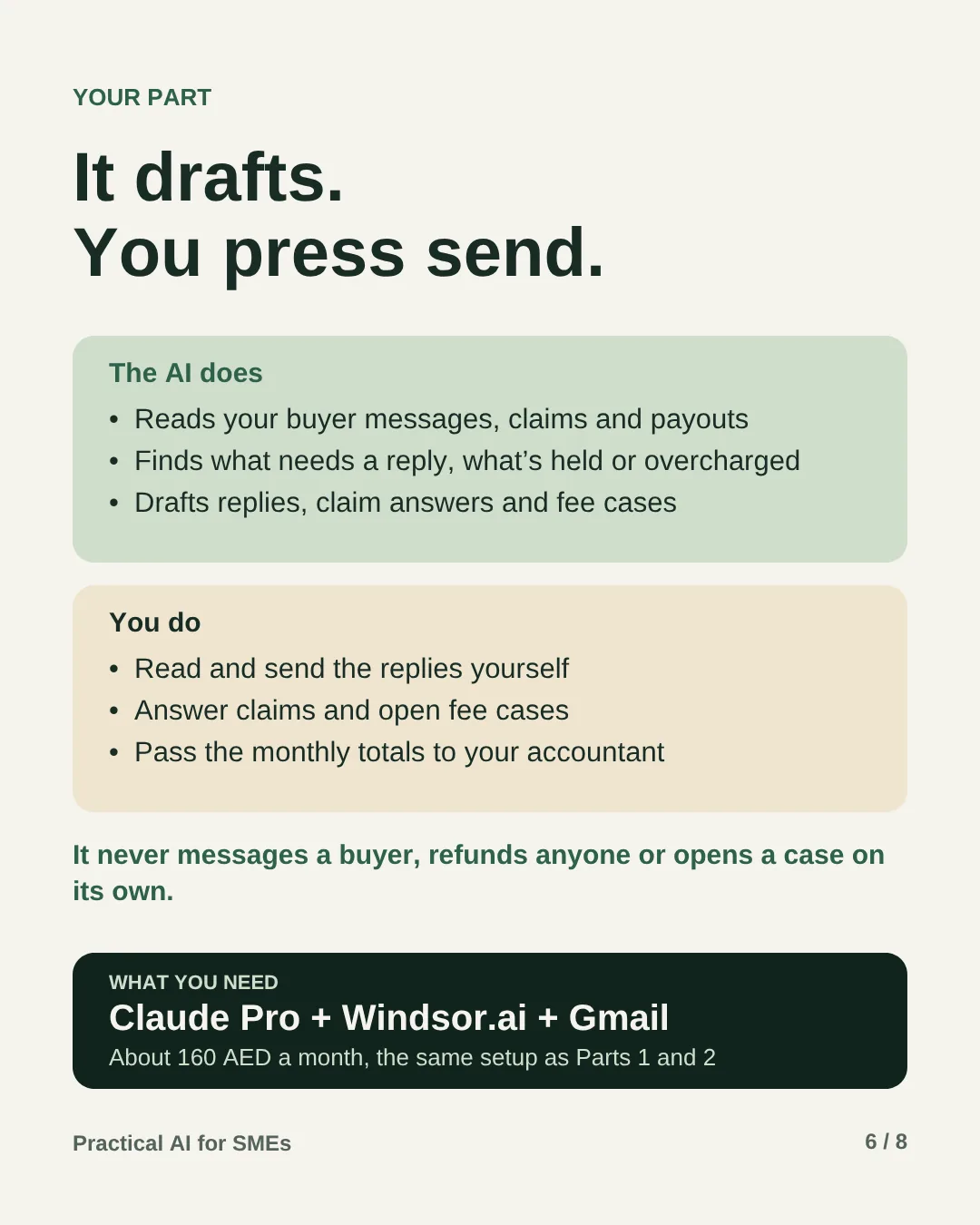
This guide hands both jobs to one AI employee. Every morning it reads the messages and claim emails Amazon sends you and drafts the replies. Every Monday it explains your payout, lists the money held back and flags fees that look wrong. You read the drafts and press send.
It’s the last of three AI employees for Amazon sellers. Part 1, the growth manager, looks after ads, listings and sales. Part 2, the operations manager, looks after stock, returns and money Amazon owes you for lost units. All three run on the same setup, so the monthly cost is shared.
What you need
- Claude Pro
The brain. It runs on a schedule, even when your laptop is off.~75 AED / mo - Windsor.ai Basic
Connects Seller Central to Claude. Free for the first 30 days. If you set up Part 1 or 2, it uses the connection you already have.~85 AED / mo - A Gmail inbox
The one Amazon sends your buyer messages and claim emails to. Amazon’s connection for outside tools doesn’t include buyer messages, so the AI reads the copies Amazon emails you.Free - Amazon Seller Central
Your own account, whether Amazon or you deliver the orders. The AI reads it through the official connection and never logs in for you.You have it - Your packed product sizes and your return rules
A tape measure and a kitchen scale for the sizes. The rules you already give buyers.You have it - The job description
Further down this page. Fill in your details and save it as a daily task.Free
That’s about 160 AED a month, shared by all three AI employees in the series.
How it works
-
One-time Setup
Connect it and brief it
Point Amazon’s buyer messages at a Gmail inbox, connect Windsor and Gmail to Claude, then paste the job description with how you talk to buyers, your return rules and the packed size and weight of each product.
-
Every morning You send
Buyer messages
It finds messages you haven’t answered, puts delivery problems and returns first, and saves a reply for each one as a Gmail draft in the buyer’s language. It only uses facts from the order and your rules.
-
Every morning You send
Claims and disputes
It picks up Amazon’s emails about A-to-z claims, chargebacks and negative feedback, and drafts your answer from the order facts: ship date, tracking and what you told the buyer.
-
Every Monday Your call
Money and fees
It explains the latest payout line by line, lists money still held back and when it should be released, flags products charged in a higher size or weight band than your measurements, and checks your order defect rate.
-
Once a month Your call
Totals for your accountant
On the first Monday it totals last month’s sales, refunds, Amazon fees and tax amounts from the payout reports, with where each figure came from. Your accountant decides how VAT applies.
Your rule: it reads and drafts. It never sends a message, refunds a buyer, answers a claim or opens a case.
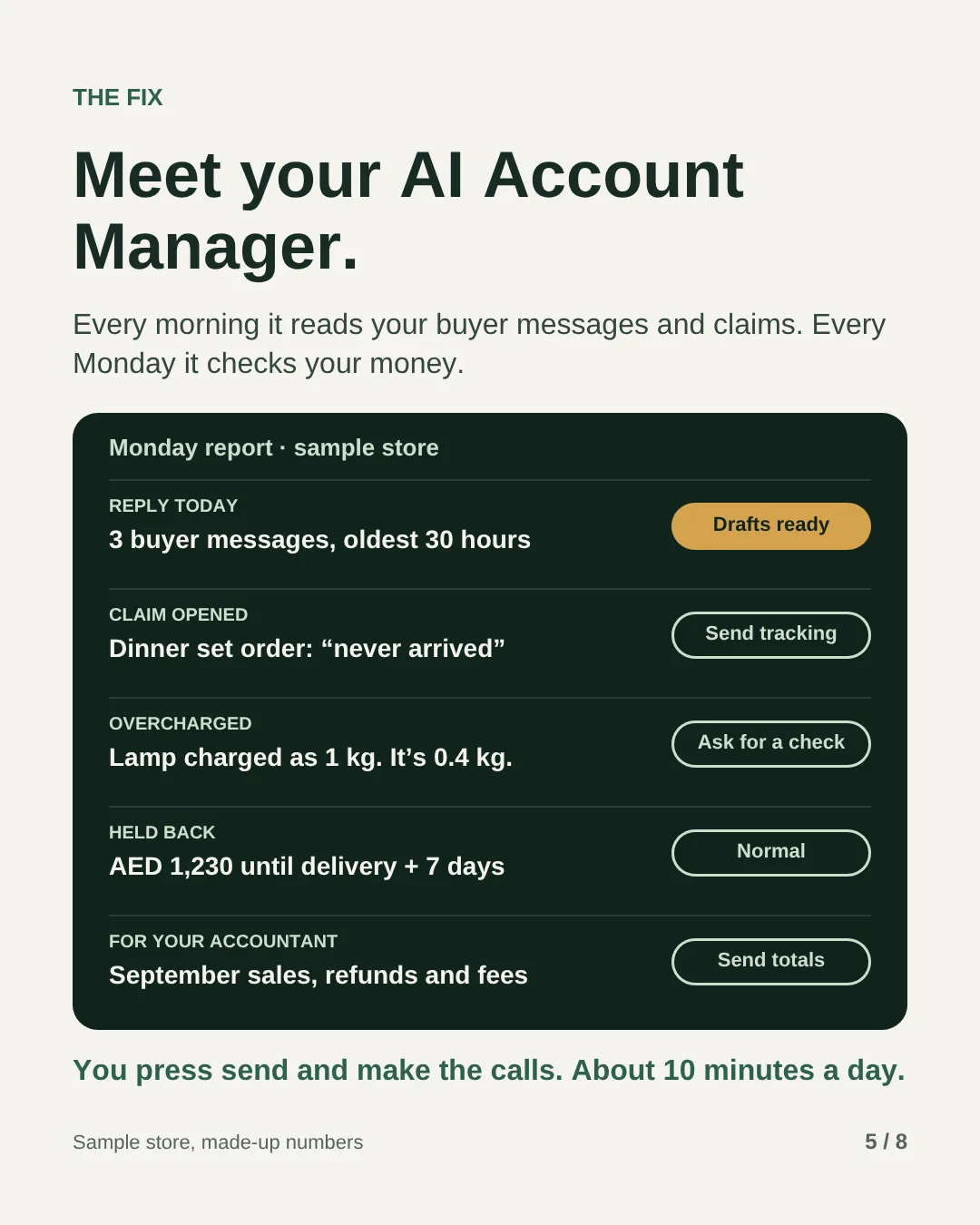
What lands on your phone every Monday
Made-up numbers for a sample home goods store, the same one as on the slides. On other days you get the first two lines only.
| This week | Result | Status |
|---|---|---|
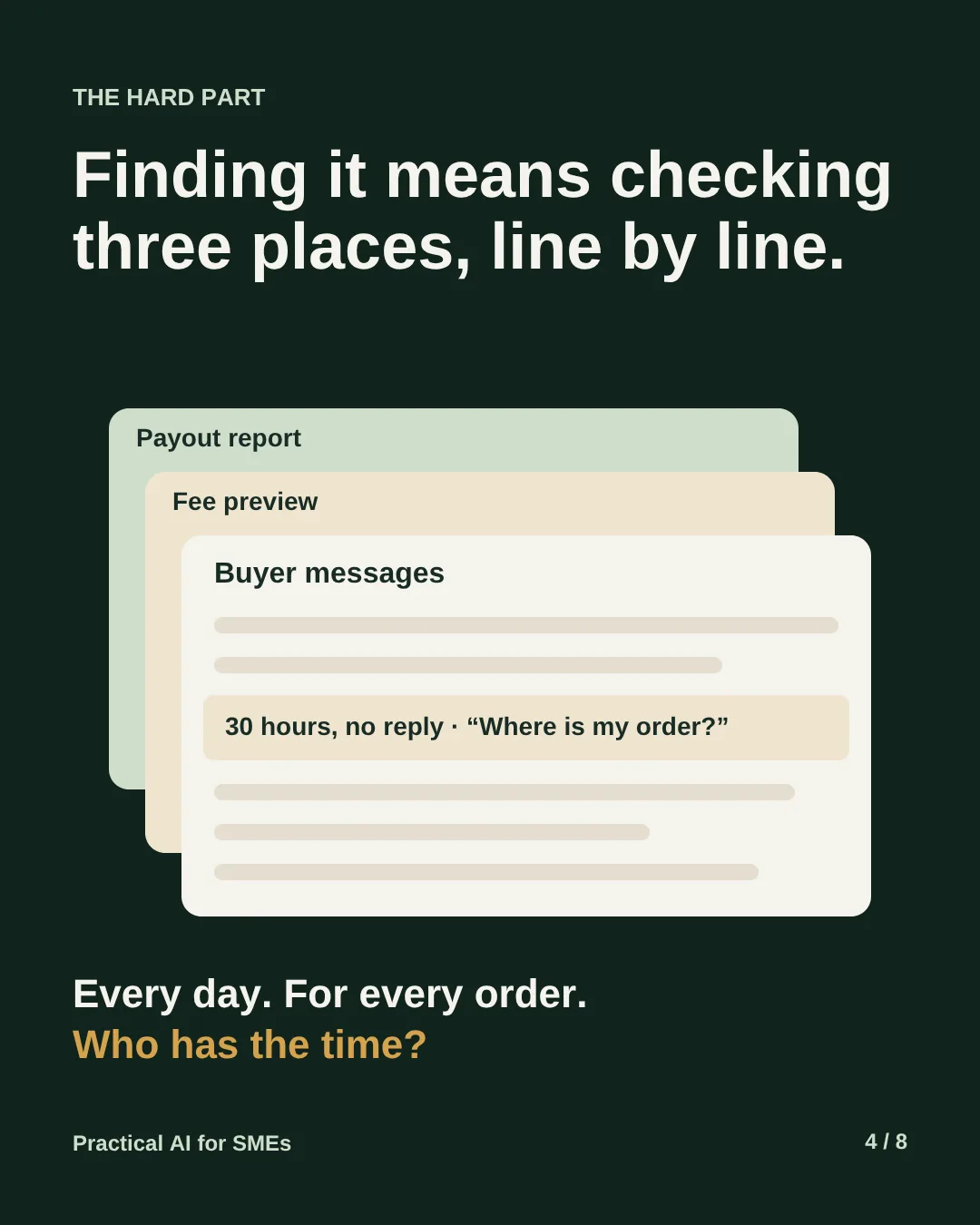
| Reply today | 3 buyer messages, the oldest 30 hours: “Where is my order?” Drafts saved in Gmail | Ready to send |
| Claim opened | A-to-z claim on a dinner set order, “never arrived”. Tracking shows it delivered on 9 October. Answer drafted | Answer today |
| Last payout | Sales AED 18,400. Fees AED 4,960, refunds AED 980, held back AED 1,230. AED 11,230 sent to your bank | Adds up |
| Held back | AED 1,230 for orders not yet delivered plus 7 days. Due for release by 22 October | Normal |
| Overcharged | Table lamp charged as a 1 kg parcel. Your packed weight is 0.4 kg: AED 1 extra per unit, about AED 120 a month | Ask for a check |
| Account health | Order defect rate 0.4%. Amazon’s target is under 1% | Fine |
| For your accountant | September sales, refunds, Amazon fees and tax, totalled by type | Send totals |
Why the lamp costs more: on Amazon.ae the FBA fee is a flat amount per unit, set by size tier and weight. For a standard parcel selling above AED 25, up to 0.5 kg is AED 9.50 and up to 1 kg is AED 10.50. One wrong measurement moves every unit into the dearer band.
Each claim answer comes ready to paste. This is what one looks like, with made-up details:
- Order
- Dinner set, 12 pieces, shipped by us
- Shipped
- 6 October, tracking number on the order
- Delivered
- 9 October, according to tracking
- Buyer contact
- Buyer wrote on 10 October. We replied on 11 October with the tracking details
- Answer
- This order shipped on 6 October and tracking shows it was delivered on 9 October to the address on the order. The buyer contacted us on 10 October and we replied the next day with the tracking details and an offer to help check with the carrier.
How to set it up, step by step
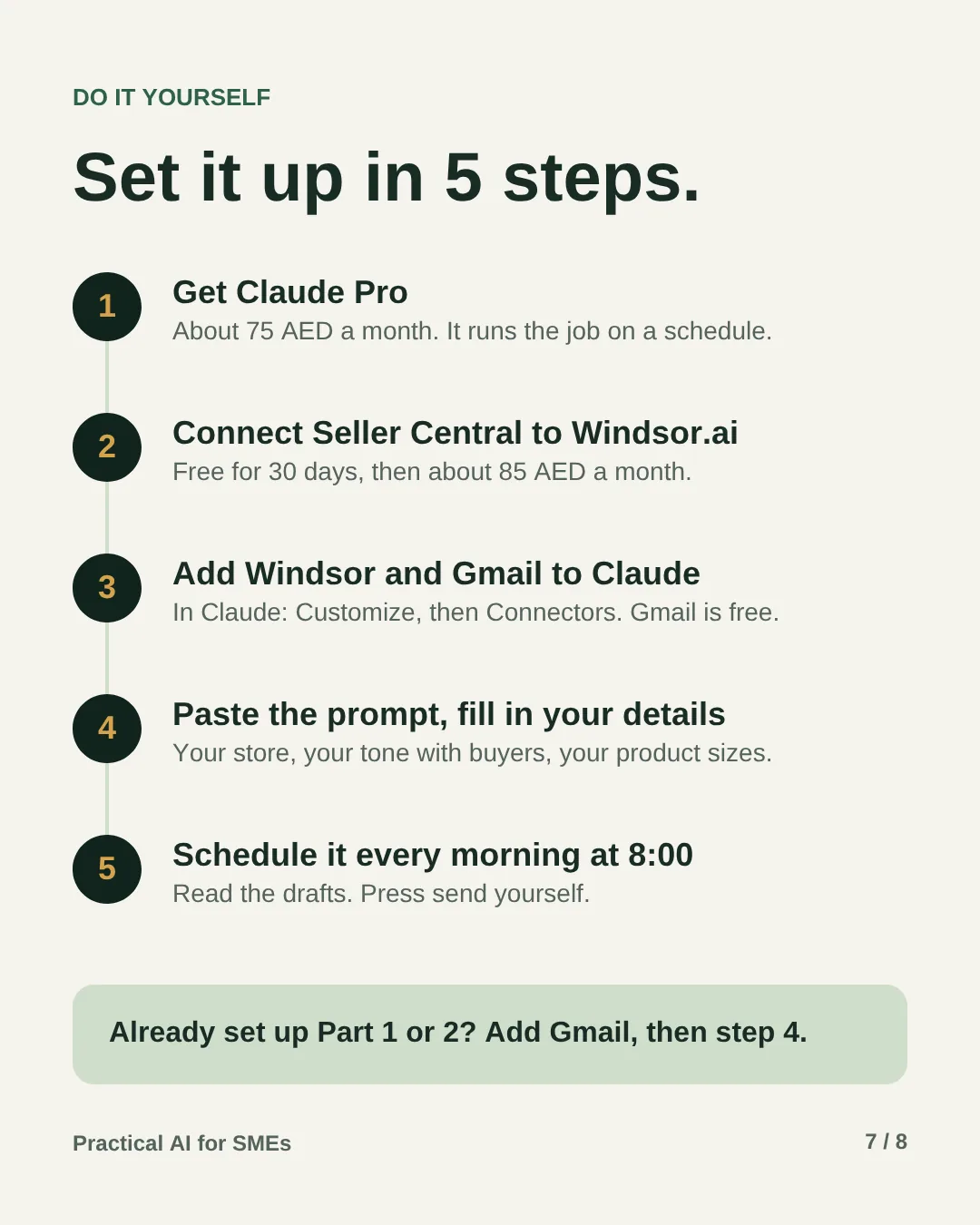
Allow about an hour and a quarter the first time. Steps 1 to 4 connect everything. If you already run Part 1 or Part 2, steps 1 and 2 are done. Open a step to see exactly what to do and how to tell it worked.
Before you start, have these ready
- Your main Seller Central login, or a user who’s allowed to change notification settings and authorise apps.
- A Gmail or Google Workspace address you can use for Amazon’s emails.
- A card for Claude Pro. Windsor.ai starts with a 30-day free trial.
- The packed size and weight of each product, measured in its shipping box.
- Your return and refund rules, as you’d explain them to a buyer.
Get Claude Pro5 minutes · about 75 AED a month
Go to claude.ai, sign in and upgrade to Pro, which is USD 20 a month. Scheduled tasks need a paid plan. They run in the cloud, so they carry on while your computer is asleep.
Done when: you can see Scheduled in Claude’s sidebar.
Connect Seller Central to Windsor.ai10 minutes · free for 30 days
- Sign up at windsor.ai. The 30-day free trial is enough to finish this guide. After that, Basic is USD 23 a month, about 85 AED.
- Add Amazon Seller Central as a data source. Amazon opens its own sign-in and approval screen, so your password stays with Amazon.
- Choose the UAE marketplace. If you’re asked for a region, Amazon groups the UAE under Europe.
Done when: Windsor lists Seller Central as connected.
Send Amazon’s buyer messages to Gmail10 minutes
- In Seller Central, open Settings, then Notification Preferences.
- In the Messaging section, click Edit. Make sure Buyer Messages is ticked and the email address is your Gmail address. If you can, send A-to-z claim and chargeback notifications to the same address.
- If you sell through FBA, Amazon’s customer service handles delivery and returns for those orders. Ticking Buyer Messages lets FBA buyers send you product questions.
Amazon gives every buyer an anonymous email address ending in @marketplace.amazon.ae. When you reply to it from the address you registered with Amazon, Amazon delivers the reply and keeps a copy in Buyer-Seller Messages.
Done when: a test message from your own buyer account, or the next real one, arrives in that Gmail inbox.
Add Windsor and Gmail to Claude and test them10 minutes
- In Claude, open Customize, then Connectors. Add Windsor and Gmail, and sign in to each when asked. Use the Gmail account from step 3.
- Start a new chat and ask:
Using Gmail, list the buyer messages Amazon sent me in the last 7 days that have no reply yet. Then, using Windsor, show my last Amazon.ae payout: sales, fees, refunds, money held back and the amount sent to my bank. Don’t send or change anything.
Done when: the messages match your inbox and the payout matches Payments in Seller Central. If either doesn’t, fix that connection before you go on.
Fill in the job description15 minutes
Copy the prompt below and replace everything in [brackets]:
- How you talk to buyers. Two or three lines on tone, and the language rule. Replying in the language the buyer wrote in works for most stores.
- Your return rules. The same rules you show buyers. The AI won’t promise anything outside them.
- Product sizes. Length, width and height in centimetres and the weight in kilograms, measured with the product in the box it ships in. Amazon measures the packed unit too.
- Urgent after. 24 hours is a sensible starting point. It leaves you a full day before the 48-hour mark.
- Payout alert. 20% is a sensible starting point: a fee or refund line that moves more than that between payouts gets an explanation.
Done when: no [brackets] are left.
Run it once and check its work20 minutes
- Paste the filled-in prompt into a new chat and let it run. Read the report from start to finish.
- Open two of its drafts in Gmail. Are the facts right, and would you send them as they are?
- Compare its payout figures with the same payout in Seller Central.
- If it flags a fee, weigh and measure that product in its box before you believe it.
- If it got something wrong, tell it why in the same chat, then add that rule to the prompt so it sticks.
Done when: the drafts are right, the payout matches and any fee flag survives your tape measure.
Schedule it every morning at 8:005 minutes
- Open Scheduled in Claude’s sidebar and create a new task. Name it “Amazon account manager”, paste the prompt and set it to run every day at 8:00. It does the money checks on Mondays by itself.
- If you’re asked about approvals, pick the option that lets it run without waiting for you. It only reads and saves drafts, and the prompt forbids it from sending anything. If your connector settings let you block Gmail’s send action, do that too.
Done when: the task shows under Scheduled with its next run tomorrow at 8:00.
Your 10 minutes a day
- Answer claims first. Open Performance, then A-to-z Guarantee claims in Seller Central, check the drafted answer against the order and send it there.
- Read and send the replies. Open the drafts in Gmail, fix anything that sounds off and press send. If a message needs no reply, mark it “No response needed” in Buyer-Seller Messages so it doesn’t count against your response time.
- On Mondays, read the money section. If something is held longer than it should be, the report says why. Before you open a fee case, weigh and measure the product in its box.
- Once a month, forward the totals to your accountant with the payout reports.
- Add one fix to the prompt whenever a draft is wrong. The brief gets better every week.
If something goes wrong
- It can’t find any buyer messages
- Check that Seller Central sends buyer messages to the Gmail account you connected, under Settings, then Notification Preferences. Buyer messages come from addresses ending in @marketplace.amazon.ae.
- Your reply doesn’t show in Seller Central
- Amazon only delivers replies from an address it knows for your account. Send from the address in your notification settings, as a reply in the same thread, or answer in Buyer-Seller Messages instead.
- A draft promises something you can’t give
- Don’t send it. Add the rule it missed to the prompt, for example “never offer a replacement, only a return”.
- The payout doesn’t match your bank
- Money can take up to five business days to reach your bank after Amazon sends it. Payout statements also leave out money that’s still held back, while the transaction report includes it, so the two can differ for the same week.
- Amazon decides a claim against you
- You have 30 calendar days to appeal. Ask the AI in a chat to draft the appeal from the order facts, then send it from the claim page in Seller Central.
- Amazon won’t change a fee
- Amazon measures the packed unit, and packaging changes the result. Measure again in the shipping box. If the product really is bigger than you thought, update the size in the prompt so it stops flagging it.
- Its numbers don’t match Seller Central
- Reports update at different times, so a figure can be a day behind. Ask it to name the report and date behind each number, and check that one.
- No report this morning
- Open Scheduled and look at the last run. A failed run usually means a connector needs you to sign in again.
- You want to stop it
- Pause or delete the task under Scheduled. To remove its access completely, disconnect Gmail and Windsor in Claude’s connectors. Seller Central also lists the apps you’ve authorised under Manage Your Apps.
The prompt
You are the AI Account Manager for my Amazon.ae store. You run every morning at 8:00 on your own. Nobody is watching, so don't stop to ask questions. Decide within these rules, note any assumption in your report, and carry on.

MY STORE
- What we sell: [brand and main products]
- How we ship: [FBA, Easy Ship or our own delivery]
- Where Amazon sends buyer messages: [the Gmail address in Seller Central's notification settings]
- How we talk to buyers: [short and friendly; reply in the language the buyer wrote in]
- Our return and refund rules: [for example, 15 days, unused, in the original box]
- Our product sizes, packed: [SKU: length x width x height in cm, weight in kg]

HOW YOU WORK
Use the Windsor.ai connector to read Seller Central and the Gmail connector to read Amazon's emails. Never log in through a browser, never contact Amazon or a buyer, and never send anything yourself. Read what is live today; don't rely on earlier runs.

EVERY MORNING

Buyer messages
1. In Gmail, find buyer messages from the last 3 days (sender address ending in @marketplace.amazon.ae) that have no reply from us yet.
2. For each one, write a reply in the buyer's language. Use only facts from the order and my rules above: never promise a refund, a replacement, a discount or a delivery date you can't see. Save it as a Gmail draft, replying in the same thread so Amazon records it. If you can't save drafts, put the reply in your report.
3. Put first any message about a delivery problem, a damaged item or a return. On orders we ship ourselves, a buyer can file an A-to-z claim if it isn't sorted out within 48 hours of their first message. Mark anything older than [24] hours as urgent. If a message needs no reply, say so.

Claims and disputes
4. In Gmail, find emails from Amazon in the last 7 days about A-to-z Guarantee claims, chargebacks or negative feedback. For each, give the order ID, what the buyer says and what Amazon is asking for, with any deadline in the email. Amazon may decide a claim against me if I don't answer its questions within 72 hours, so put these at the top.
5. For each one, draft my answer from the facts: order ID, ship date, carrier, tracking number, delivery status and what we told the buyer. Leave out anything you can't confirm.

EVERY MONDAY, ALSO

Money
6. From the settlement report, take the latest payout and show: sales, Amazon fees by type, refunds, money held back and what was sent to my bank. Explain any line that moved more than [20]% from the payout before.
7. List money still held back (transactions with status deferred), with the expected release date. Holding money until delivery plus 7 days is normal. Flag anything held longer than that, and any account level reserve, with the reason if the data shows one.

Fees
8. From the estimated FBA fees report (Fee Preview), compare each product's size tier and weight with my packed sizes above. List any product Amazon has put in a higher size tier or weight band, the extra cost per unit and roughly how much a month at recent sales. Draft a short case asking Amazon to check the measurements.

Account health
9. From the seller performance report, show my order defect rate and the counts of A-to-z claims, chargebacks and negative feedback, next to Amazon's target. Flag anything above target.

ON THE FIRST MONDAY OF EACH MONTH, ALSO
10. For my accountant, total last month's sales, refunds, Amazon fees and the tax amounts in the settlement reports, by type, and say which report each figure comes from. Don't decide how VAT applies. That's my accountant's job.

REPORT
11. Send me one report, most urgent first:
   REPLY TODAY: drafts waiting in Gmail, oldest first.
   CLAIMS: what Amazon needs from me, and by when.
   MONEY (Mondays): the last payout, what's held back and why.
   FEES (Mondays): products that look overcharged, with the draft case.
   HEALTH (Mondays): order defect rate against target.
If nothing needs me, send one line: "All quiet. Nothing to answer, nothing wrong."

NEVER
- Send a message or an email, issue a refund, accept or answer a claim, or open a case on your own.
- Promise a buyer anything that isn't in the order details or my rules.
- Contact a buyer for marketing or to ask for a review. Amazon only allows messages that complete an order or answer a question.
- Invent order IDs, amounts, dates or tracking numbers. If the data isn't there, say so.
⚠️ Good to know
- Amazon.ae’s clock on claims. On orders you ship yourself, you have 48 hours from a buyer’s first message about a delivery problem, or from a return request, to sort it out before they can file an A-to-z claim. Once a claim is open, answer Amazon’s questions within 72 hours. If it’s decided against you, you have 30 calendar days to appeal. Amazon updates these rules, so reread the A-to-z Guarantee pages in Seller Central every few months.
- FBA-only sellers get fewer messages. Amazon’s customer service handles delivery problems and returns on FBA orders, and A-to-z claims are mainly about orders you ship yourself. You’ll mostly get product questions. The money, fee and health checks still apply in full.
- Money held back is normal. Amazon.ae holds sales money until an order is delivered plus a reserve period, such as 7 days. It also holds the amount of an open A-to-z claim until it’s resolved, and may hold money after a chargeback in the last 90 days. Answering claims quickly gets it released sooner.
- Refunds cost you a fee. When you refund a buyer, Amazon.ae returns the referral fee minus a refund administration fee: AED 15 or 20% of the referral fee, whichever is less.
- Invoices are your job. Amazon.ae expects you to give the buyer an invoice for every order: a tax invoice if you’re VAT-registered, a commercial invoice without VAT if you’re not. From 1 January 2027 the UAE starts mandatory e-invoicing for business-to-business sales, in phases. If you sell to businesses, ask your accountant when it applies to you.
- Fee checks start with a tape measure. The Fee Preview report is Amazon’s estimate, using Amazon’s own measurements of the packed unit. Measure yours in its box before you open a case.
- You send every reply. A wrong promise to a buyer is hard to take back. Read each draft until you trust it, and keep replies to the order and the question. Amazon doesn’t allow marketing messages or review requests in your own words.
- The totals aren’t a VAT return. They save your accountant time. How VAT applies to your sales and to Amazon’s fees is their call.
Rather have it done for you?
We can set up an Amazon account manager for your business on the tools you already use, and agree with you what needs your approval. Send us a WhatsApp message: an AI receptionist replies first with a few questions, then a person takes it from there.
Selling on Amazon.ae?Tell me how far apart your last payout and your sales were, and whether you knew why.