

The problem
Small business websites drift out of date. The price on the home page is last season’s, the footer still has the old landline, and the Ramadan timings are up in June. Customers notice. The owner usually doesn’t, because nobody has opened the site builder since the person who made the site moved on.
Fixing it means emailing whoever built it and waiting, or paying for a change that takes them ten minutes. So the change waits, and the website keeps telling people the wrong thing.
This guide sets up an AI web content developer. You describe the change in a sentence or two, from your laptop or your phone. Claude edits the website, Netlify puts the result on a private preview link, and nothing reaches your real site until you press merge.
It’s how we run wkl.ae. Claude makes every change to this site’s files, from new guides to the UAE AI news page, and nothing goes live until we’ve said yes.
A real run, from yes to live
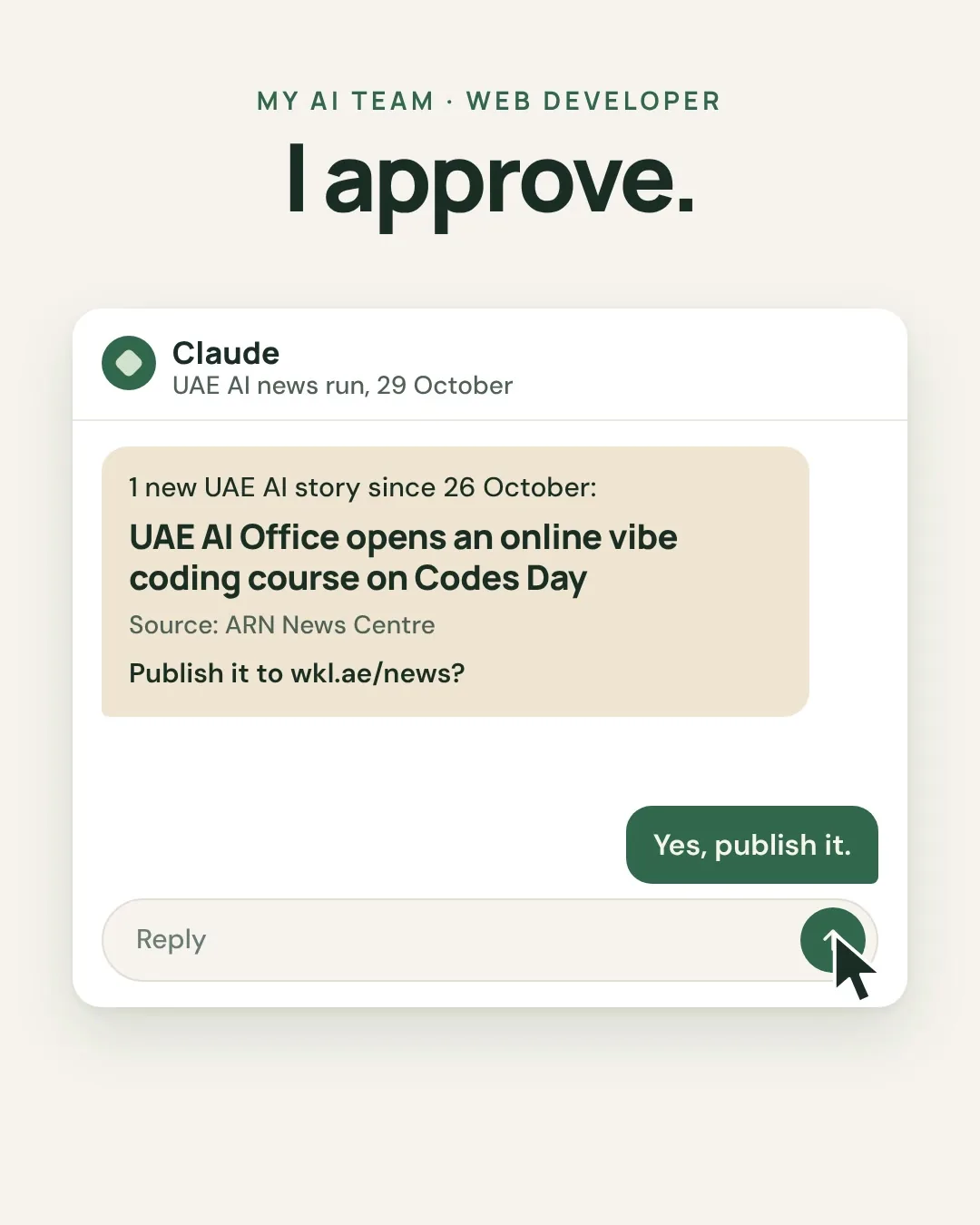
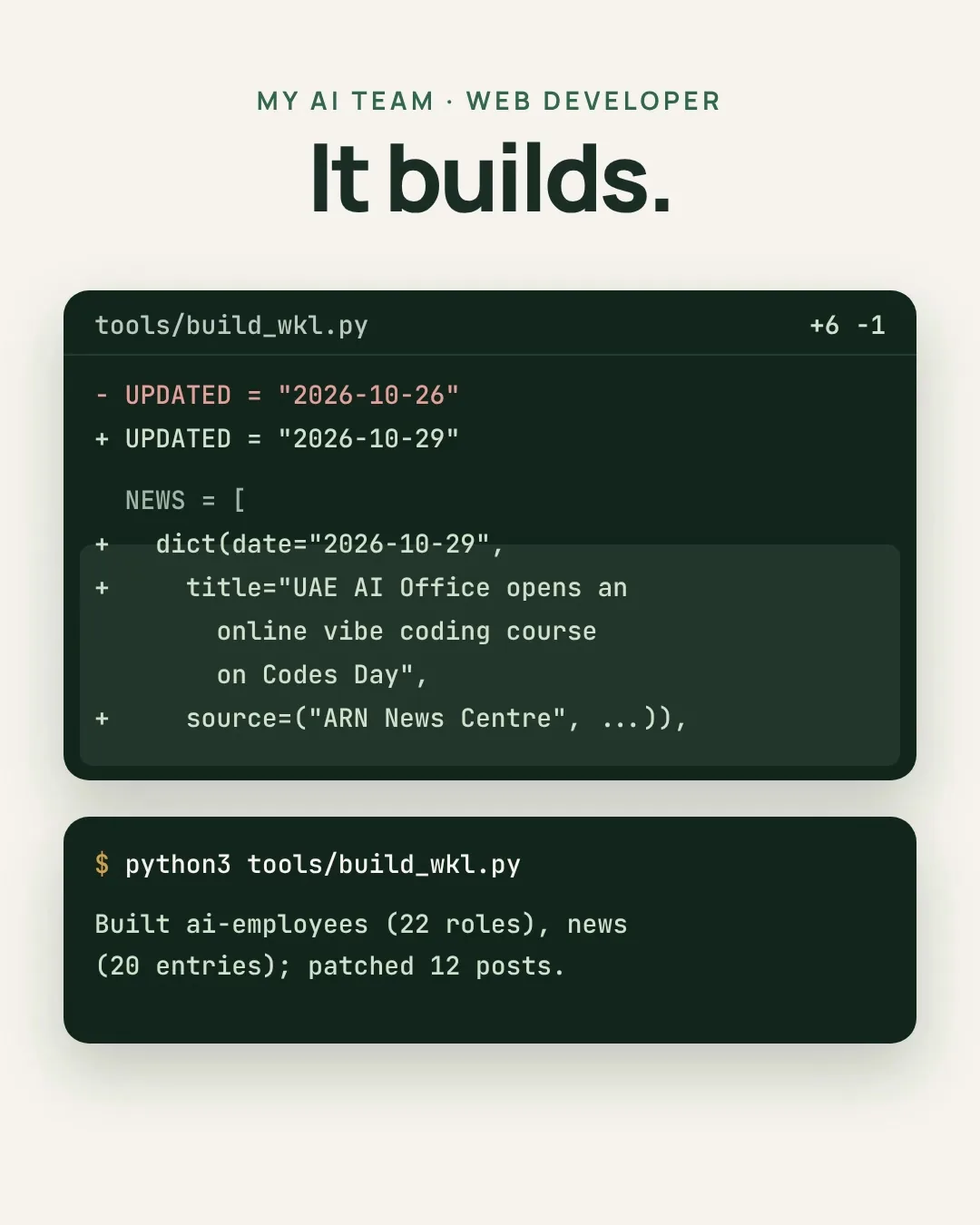
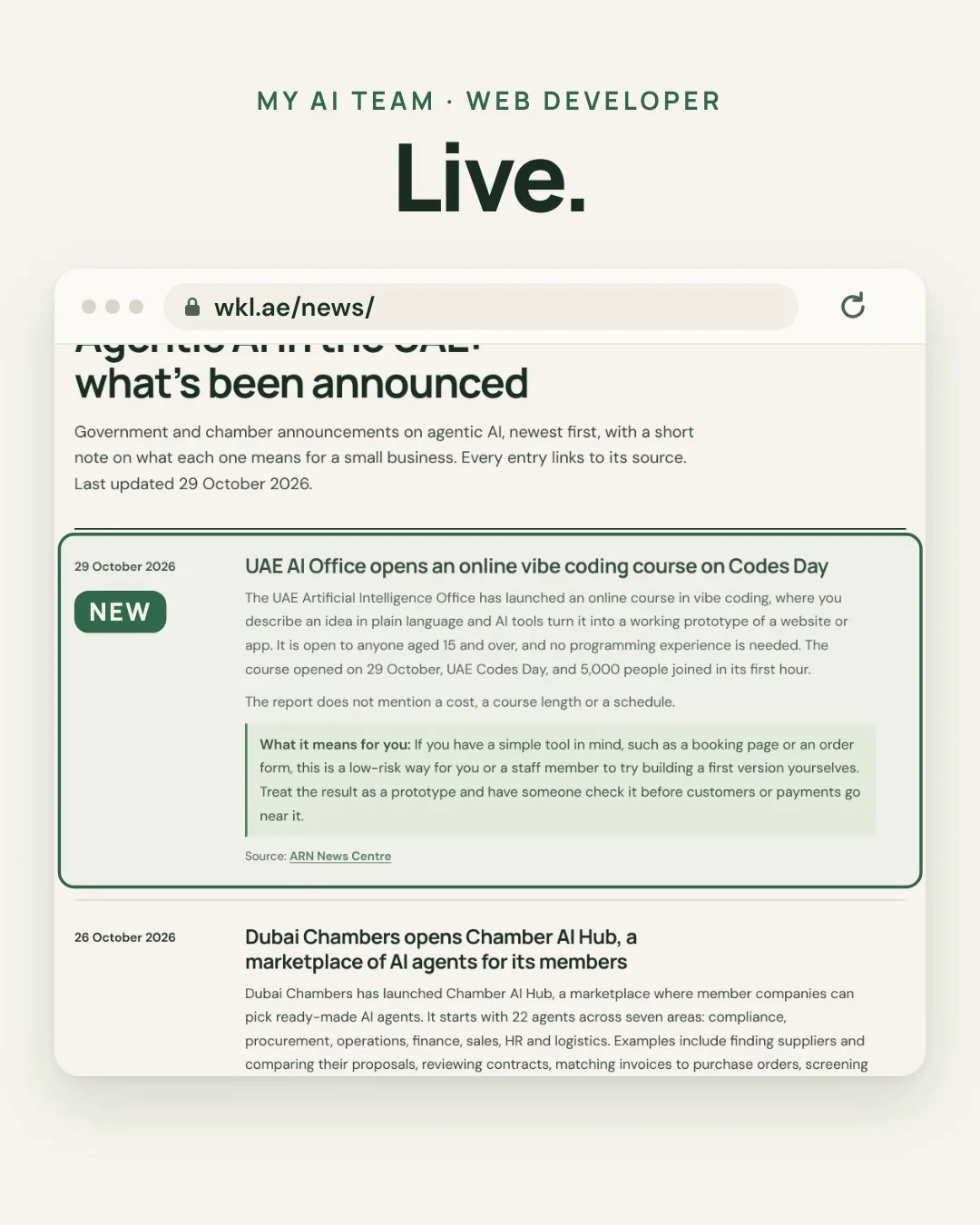
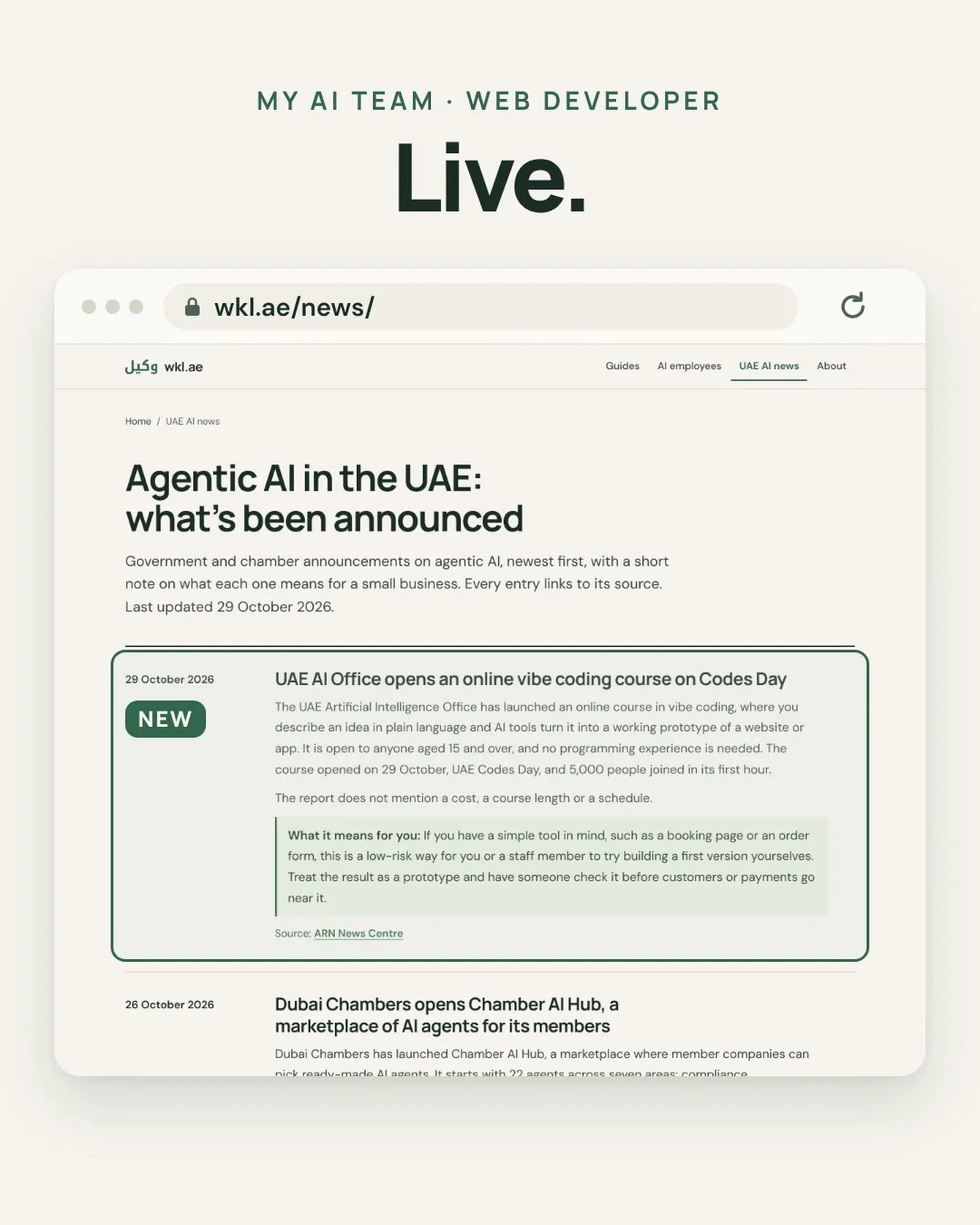
The video shows a real update from 29 October 2026. Our evening news check found one new story: the UAE AI Office had opened an online vibe coding course on UAE Codes Day, reported by ARN News Centre. Claude sent us a short summary and asked whether to publish it. We said yes.
| Time (UAE) | What happened |
|---|---|
| Before 18:20 | Claude writes the entry, moves the page’s “last updated” date to 29 October and runs the site’s build script. Six lines added, one changed. |
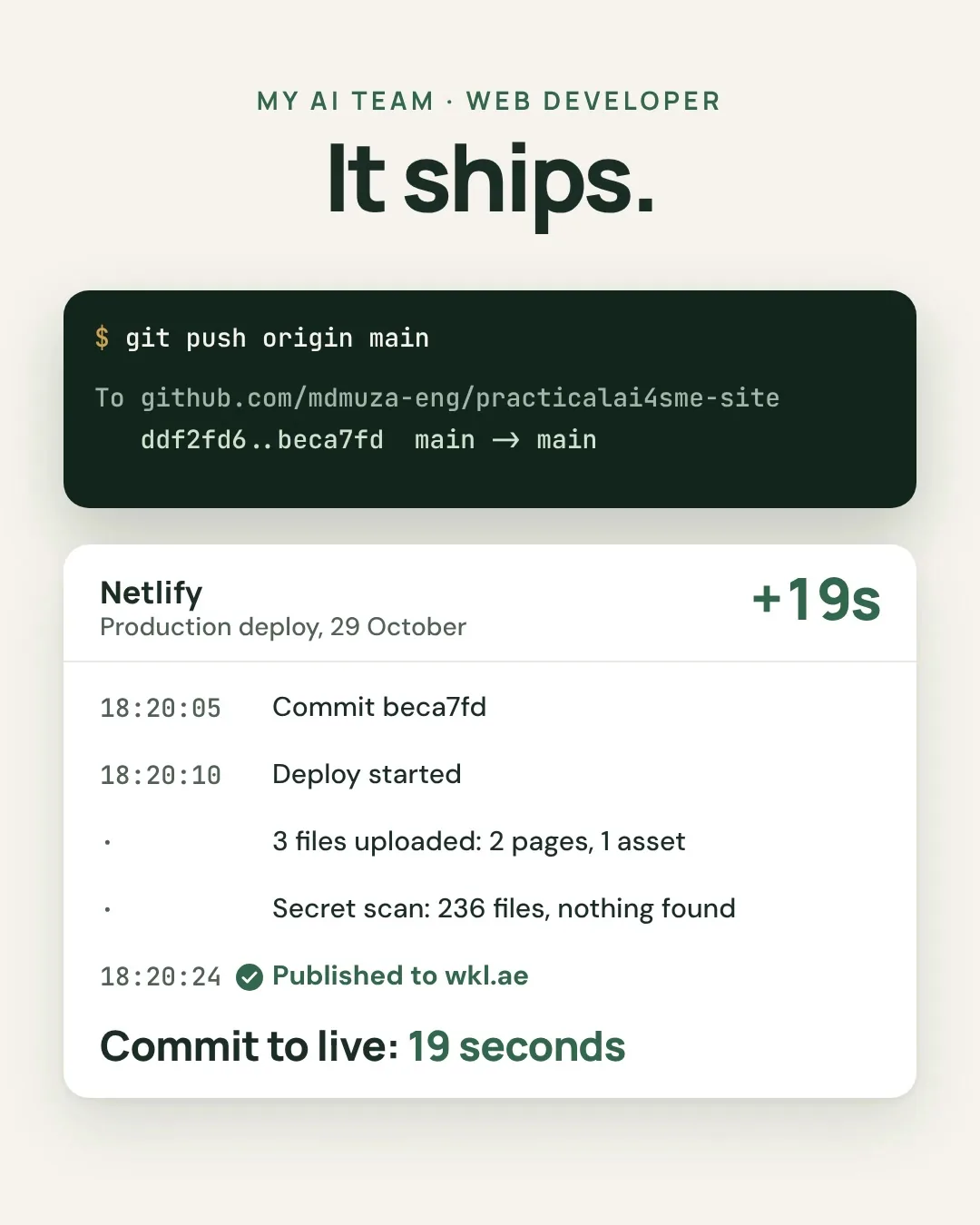
| 18:20:05 | Claude saves the change to GitHub as commit beca7fd. |
| 18:20:10 | Netlify sees the new commit and starts the deploy. |
| 18:20:24 | The entry is live on wkl.ae/news. Netlify uploaded three changed files, and its secret scan checked 236 files and found nothing. |
That’s 19 seconds from commit to live. The publishing is the quick part. The minutes before the commit are the ones that count, because that’s where the facts get checked against the source.
One difference from what we recommend for you: we approve news entries in the chat and Claude publishes them straight away, because each one is a few lines from a named source. For your own site, start with the route in this guide, where you look at a preview before anything goes live.
What you need
- Claude Pro
The developer. Pro includes Claude Code, which opens your website’s files, edits them and sends the change back to GitHub. It runs in the browser at claude.ai/code and in the Claude phone app, so there’s nothing to install. USD 20 a month, or USD 17 a month paid yearly. Website work comes out of the same usage allowance as your normal Claude chats.~73 AED / mo - GitHub
The filing cabinet. Your website’s files live here and every version is kept, so any change can be undone. A free account includes private repositories.Free - Netlify
The publisher. It watches GitHub, builds a free preview of every proposed change and puts the site online when the main version changes. The free plan has 300 credits a month. Each publish uses 15 and each gigabyte of visitor traffic uses 20, so a small site can publish about 15 times a month. Previews don’t use credits. If you publish most days, the Personal plan gives you 1,000 credits for USD 9 a month. This site is on Personal because the news page changes most evenings.Free, or ~33 AED / mo - Your domain
Keep it wherever you bought it. You’ll point it at Netlify in the last step.You have it - Your content
Prices, timings, offers, contact details, photos and the words you want on each page.Free
That’s about 73 AED a month on Netlify’s free plan. Paying Claude yearly brings it to about 62 AED. If you publish most days and need Netlify Personal, it’s about 106 AED.
How it works
-
One-time Setup
The site moves to GitHub and Netlify, with house rules
Your website’s files go into a private GitHub repository, Netlify connects to it, and a short file called CLAUDE.md tells Claude how to behave on your site. Claude reads it at the start of every session.
-
Every change You ask
You describe the change
Open claude.ai/code or the Code tab in the Claude app, pick your website and write what you want, the way you’d brief a person.
-
Every change On its own
Claude edits and checks
It finds every page the change touches, edits the files and checks the result. It saves the work on a branch, a copy of the site that isn’t live.
-
Every change On its own
Netlify builds a preview
When you open the change as a pull request on GitHub, Netlify builds that copy on its own link. It looks exactly like your site, with the change in it.
-
Every change You approve
You merge, Netlify publishes
Check the preview on your phone. If it’s right, press merge and Netlify publishes it, usually in well under a minute. If it isn’t, tell Claude what to fix, or close the pull request and nothing changes.
Your rule: Claude edits and prepares. Only you publish.
What to ask it for
Made-up requests for Sand & Star Safaris, the sample tour company from Post 12. One change per request works best.
| You write | What it does | What you check on the preview |
|---|---|---|
| “From 1 November the evening safari is AED 195 a person, not 180.” | Changes the price on every page it appears, including the FAQ | Check: Every page with a price on it |
| “Add a Ramadan notice: pickup moves to 7 pm and we’re back by 11 pm.” | Adds the notice to the home and booking pages | Check: The times, and that nothing else moved |
| “Add an FAQ: do you pick up from Sharjah? Yes, for AED 50 extra a car.” | Adds the question in the same style as the others | Check: The price and the wording |
| “Make an Arabic version of the contact page and link it from the menu.” | Adds an Arabic page that reads right to left | Check: Ask an Arabic speaker to read it before you merge |
| “Check the whole site for broken links and old dates.” | Lists what it found and fixes only what you agree to | Check: The list first, then the preview |
Photos are the one thing to do yourself. Upload them to your repository on GitHub (Add file, then Upload files), then ask Claude to put them on the page.
How to set it up, step by step
Allow about two hours the first time, most of it in step 4. Use a laptop for the setup. After that, you can ask for changes from your phone. Your current website stays exactly as it is until step 7.
Before you start, have these ready
- An email address for GitHub, Netlify and Claude.
- A card for Claude Pro.
- The login for wherever you bought your domain. You need it in the last step.
- The text and photos from your current website, saved on your computer. Claude can’t read your old site from a link, so you’ll paste the text in.
- Your prices, timings and contact details, written down and up to date.
Create a GitHub account and a private repository10 minutes · free
- Sign up at github.com on the free plan.
- Click New repository. Name it after your website, for example sandandstar-website.
- Choose Private, tick Add a README file and click Create repository.
Done when: you can see your repository with one file in it, README.md.
Get Claude Pro and connect it to GitHub10 minutes · about 73 AED a month
- Subscribe to Claude Pro at claude.ai, then open claude.ai/code.
- Follow the prompt to sign in with GitHub and approve the request.
- When it asks, install the Claude GitHub App. Choose Only select repositories and pick your website’s repository. Claude can’t work in a private repository without it.
- Pro accounts get a cloud environment called Default. Leave it as it is.
Done when: your repository shows up in the repository picker under the message box.
Add the house rules10 minutes
Do this before Claude touches anything, so it reads the rules from its very first session.
- In your repository on GitHub, click Add file, then Create new file. Name it CLAUDE.md.
- Paste the house rules below and fill in the brackets.
- Click Commit changes and keep the option to commit to main.
Done when: README.md and CLAUDE.md both sit in your repository.
Put your website in the repository30 to 60 minutes
Everything customers see goes in a folder called site. CLAUDE.md stays outside it, so it never gets published.
If your site is already a set of HTML files, upload the whole folder on GitHub (Add file, then Upload files), name the folder site and skip to step 5.
If not, let Claude build a first version:
- In claude.ai/code, pick your repository and switch the mode to Plan, so Claude shows you its plan before writing anything.
- Send a brief like this one, with your own details:
Build a simple, fast website for [business name], a [type of business] in [area]. Plain HTML and CSS, no frameworks, so it loads quickly on a phone. Put every file in a folder called site. Pages: home, [your services or trips], prices, FAQ and contact. Use this text: [paste your text]. Contact: [phone, WhatsApp, email, address]. Colours: [two or three you like].
- Read the plan. Ask for changes, or tell it to go ahead. It builds the site on a new branch and tells you what it made.
Done when: the session shows the new files and a count of lines added, and Claude’s summary lists the pages.
Moving off Wix, Squarespace or WordPress? Copy your text and download your photos first, and keep the old site running. Nothing changes for your visitors until step 7.
Connect Netlify10 minutes · free
- Sign up at netlify.com with your GitHub account.
- Choose Add new project, then Import an existing project, then GitHub, and pick your repository.
- Set the branch to deploy to main and the publish directory to site. There’s no build command for a plain HTML site, so leave it empty. Click Deploy.
Netlify gives the site an address ending in netlify.app. Until you merge in the next step, it shows “Page not found”. That’s expected: main only has README.md and CLAUDE.md so far.
Done when: Netlify shows your project and its netlify.app address.
Check the preview and publish15 minutes
This is the routine you’ll use for every change from now on.
- Back in claude.ai/code, open the session from step 4. Click the line count to open the changes, then click Create PR.
- Open the pull request on GitHub. After a minute or so, Netlify adds its deploy preview to it. Open the preview link.
- Go through every page on your phone: prices, phone number, WhatsApp link, timings, spelling.
- If something’s wrong, tell Claude in the same session. It updates the same pull request, and Netlify rebuilds the preview.
- When it’s right, click Merge pull request, then Confirm merge.
Done when: your netlify.app address shows the new site.
Point your domain at Netlify20 minutes, plus a few hours for the change to spread
- In Netlify, open Domain management and add your domain.
- Netlify shows the records to add. Log in where you bought the domain and add them there.
- Wait for Netlify to confirm the domain. It then sets up the free HTTPS certificate on its own.
If your email uses the same domain, add Netlify’s records at your registrar rather than moving the whole domain over to Netlify. That way your email settings stay where they are.
Done when: your own domain opens the new site with a padlock in the address bar.
Your routine for each change
- Ask for one change at a time. Open the Code tab in the Claude app or claude.ai/code, pick your website and describe it.
- Read Claude’s summary. It should say which pages changed and what to look at.
- Open the pull request and the preview. Check it on your phone, the way your customers will see it.
- Merge if it’s right. If not, reply in the same session with what to fix.
- Once a month, ask it to check the whole site for broken links, old dates and prices that don’t match, and glance at your Netlify usage.
If something goes wrong
- Your repository isn’t in the list in claude.ai/code
- The Claude GitHub App isn’t installed on that repository. Install it from GitHub, give it access to the repository and reload the page.
- There’s no preview on the pull request
- Give it a minute. If nothing appears, check that Netlify is connected to the right repository and that deploy previews are switched on in its deploy settings.
- Claude changed more than you asked
- Don’t merge. Point at the lines in the changes view and say what to put back, or close the pull request and ask again with a narrower request. If it keeps happening, make the house rules stricter.
- Something broke after you merged
- In Netlify, open Deploys, pick the last good one and click Publish deploy. The old version is back straight away. Then ask Claude to fix the problem in a new session.
- The netlify.app address says “Page not found”
- Either the pull request isn’t merged yet, or the publish directory isn’t set to site.
- Claude says you’ve hit your usage limit
- Pro’s allowance is shared with your chats and refreshes after a few hours. Group small changes into one request, or come back later.
- Your Netlify credits are running low
- Every merge to main is a publish, at 15 credits each. Merge a few changes together, or move to the Personal plan.
- You want to stop
- Disconnect GitHub at claude.ai/customize/connectors and remove the Claude GitHub App in your GitHub settings. The site stays online on Netlify, and you can edit the files yourself.
The house rules
# House rules for the [business name] website

You look after the website of [business name], a [type of business] in [area], UAE. The owner, [first name], asks for changes in plain words. You make them. The owner decides what goes live.

WHERE THINGS ARE
- The website is in the folder called site. Netlify publishes that folder from the main branch.
- This file stays outside site, so customers never see it.

HOW YOU WORK
- Make one change per request, and only the change asked for.
- Before editing, say in two or three lines what you'll change and on which pages.
- Work on a new branch. Never push to main. The owner publishes by merging the pull request.
- Keep the existing design, colours and fonts unless asked to change them.
- Write in British English. Write prices as "AED 180".
- When you're done, check every changed page at phone width.
- Finish with a short summary: the pages you changed, what changed, and what the owner should check on the preview.

FACTS
- Prices, offers, timings, phone numbers and addresses come only from the owner's message or from the site itself. Never guess them, round them or "improve" them.
- If a change touches a price, the contact details or a legal page (privacy, terms, refunds), repeat the exact new wording and wait for the owner to confirm it.

NEVER
- Add tracking code, chat widgets, payment forms or anything from another website unless the owner names it.
- Put passwords, API keys, bank details or customers' personal details in any file.
- Delete a page. Take it out of the menu and tell the owner instead.
- Change domain, DNS or Netlify settings.
⚠️ Good to know
- It suits brochure websites. A few pages of text, prices, photos and contact details. If customers pay or book on your site, keep that part on Shopify or the booking tool you already use.
- Merging is your approval. In Claude Code’s cloud sessions, Claude saves its work on a branch and you decide what reaches main. GitHub’s free plan can’t lock main on a private repository, so the house rules and your own habit of merging are what keep it that way.
- Previews are free, publishes aren’t. On Netlify’s free plan each publish uses 15 of your 300 monthly credits. Ten small merges in a day is ten publishes, so batch them when you can.
- Arabic pages need a person. Have an Arabic speaker read any Arabic page on the preview before you merge.
- Keep customer data off it. A brochure site doesn’t need any. Leave forms, bookings and payments to tools built for them.
- How we wrote this guide. It follows Anthropic’s Claude Code documentation, Netlify’s pricing page and GitHub’s documentation as of October 2026, and the way we run this site. Menus get renamed, so if a screen looks different, look for the same idea under a nearby name.
Rather have it done for you?
We can set up a Web content developer for your business on the tools you already use, and agree with you what needs your approval. Send us a WhatsApp message: an AI receptionist replies first with a few questions, then a person takes it from there.
Is something on your website out of date right now?Tell me what it is and how long it’s been wrong.