The problem
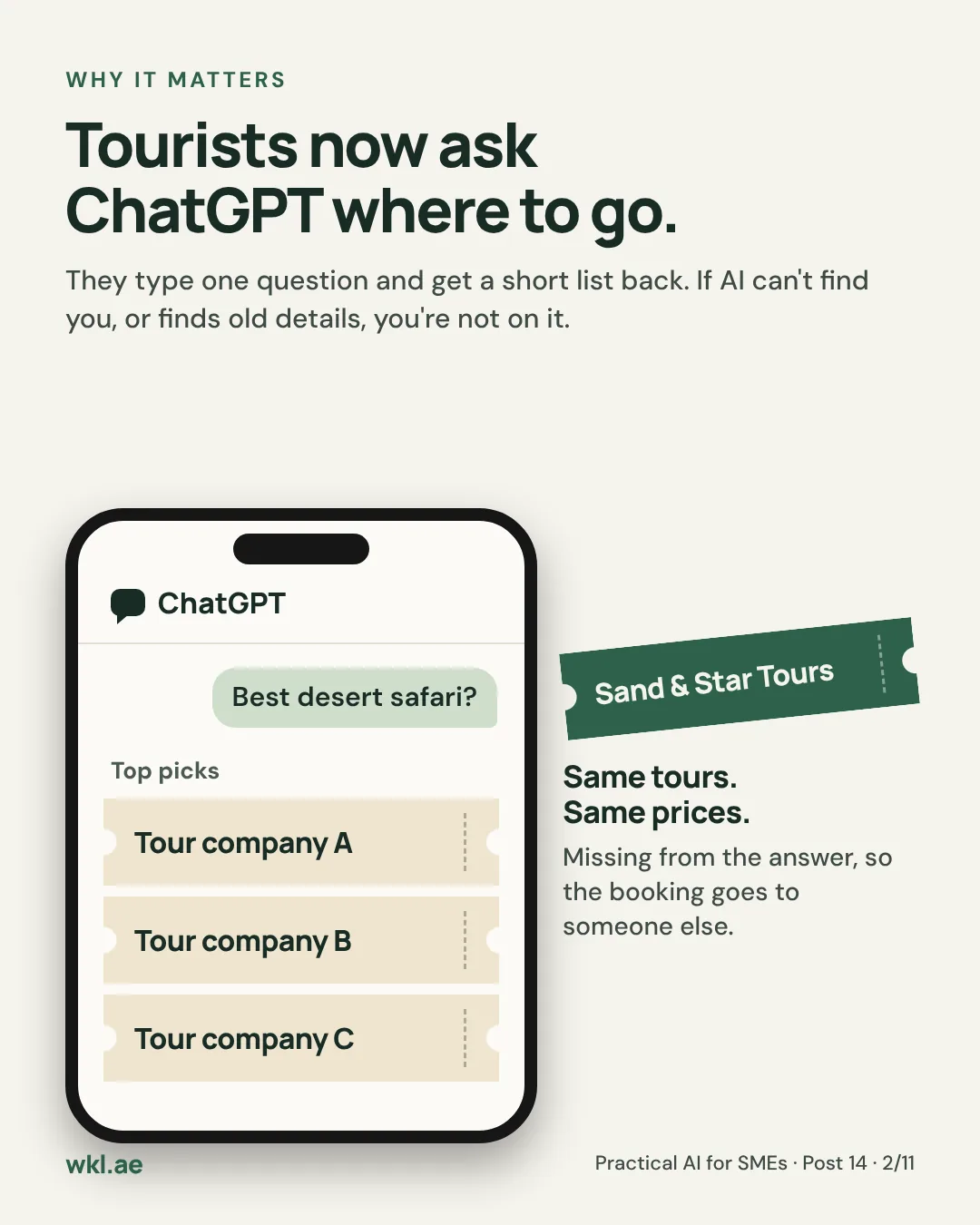
A tourist planning a weekend in Dubai used to search Google and scroll through ten blue links. Now many of them open ChatGPT, Gemini or Google’s AI answer and type one question: “best desert safari this weekend?” They get a short list of names back and book from it.
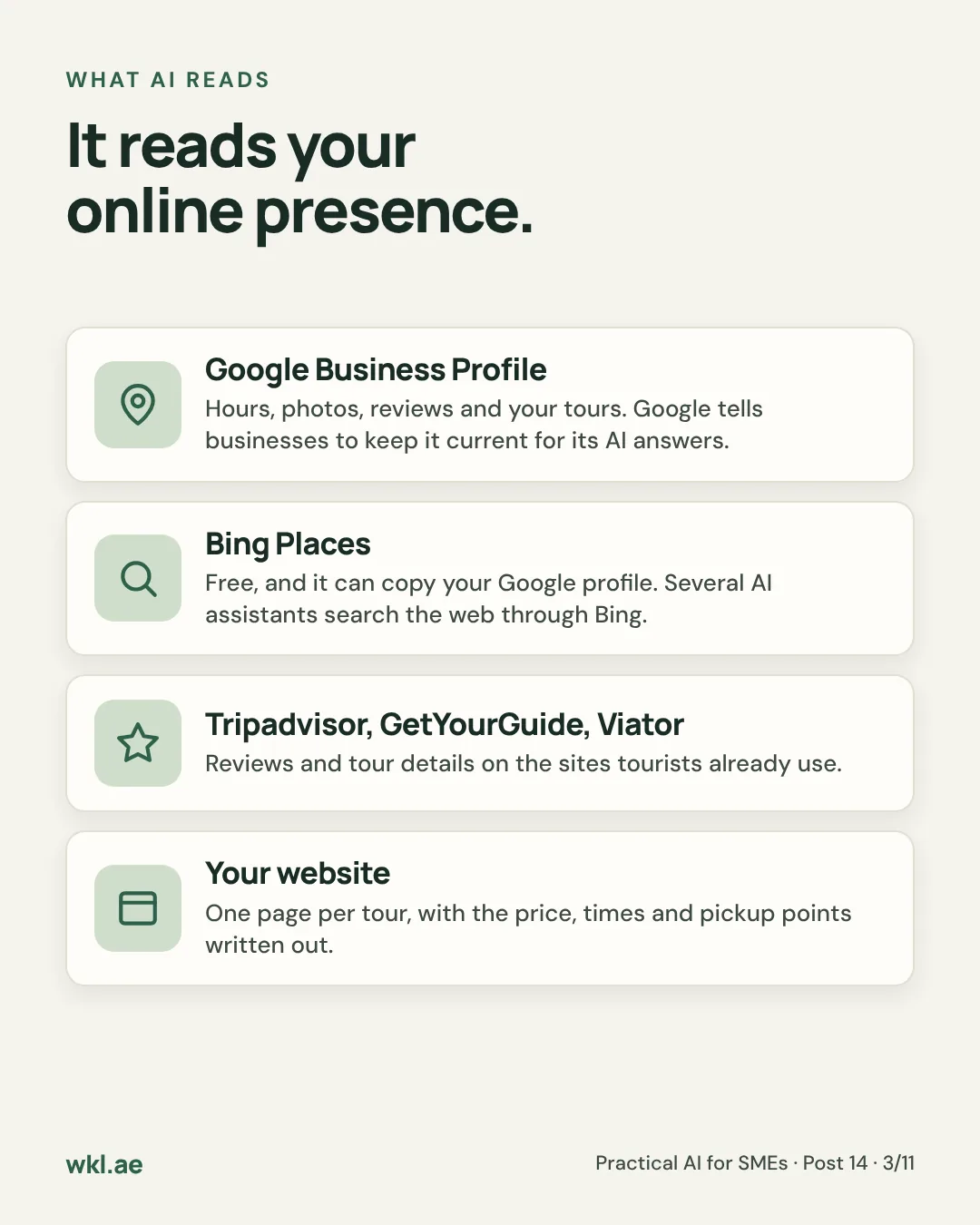
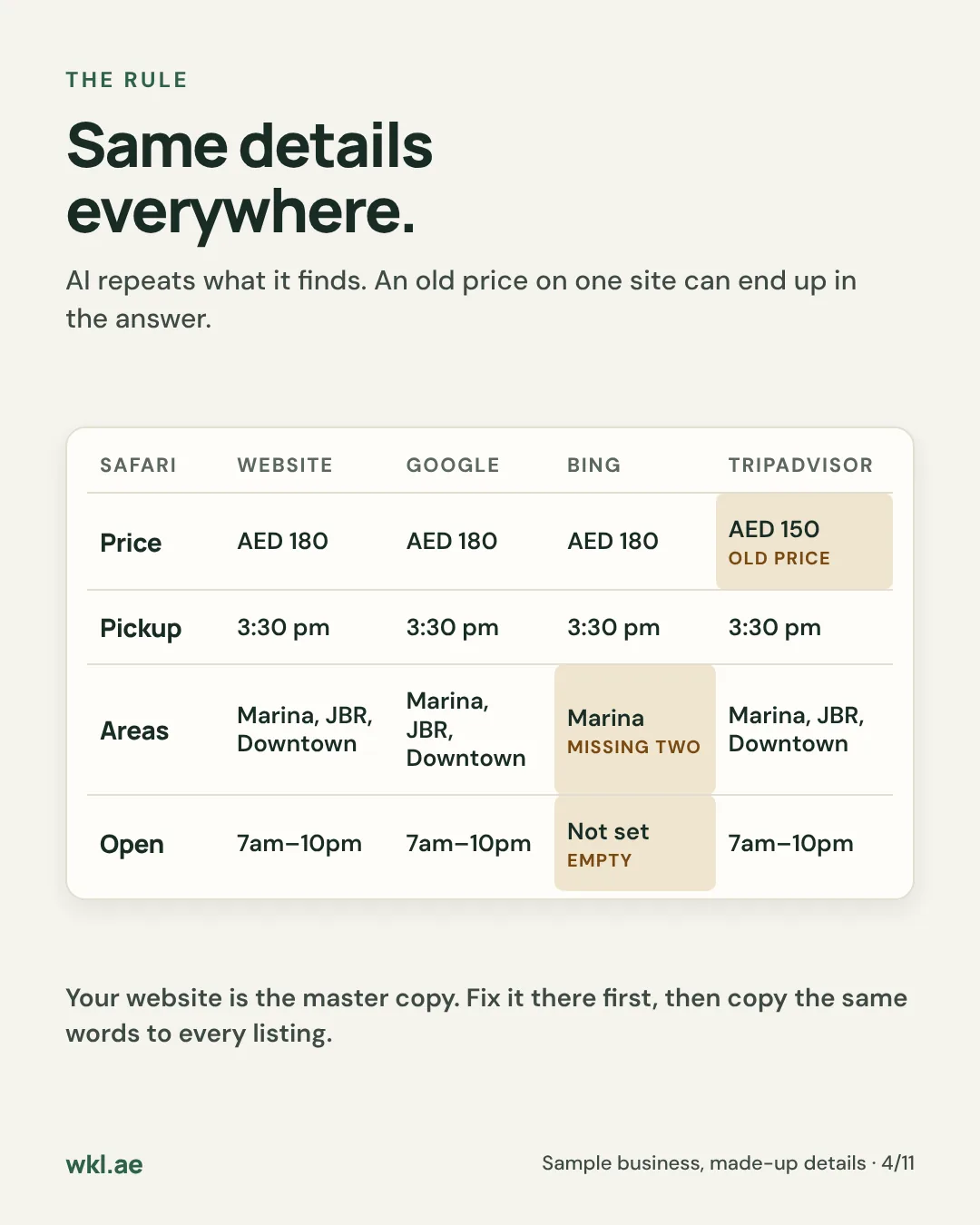
Those answers are built from what’s already online about you: your Google Business Profile, your Bing listing, Tripadvisor and the booking sites, and your own website. If those are missing, half filled in or disagree with each other, AI either leaves you out or repeats the wrong details. An old price on Tripadvisor can end up in the answer.
This guide sets up an AI visibility manager: Claude’s Small Business plugin checks what search engines and AI assistants can find about your business, drafts every fix and waits for your yes. We use Sand & Star Tours, the made-up company from Post 12 and Post 13, which now runs more than safaris: desert safaris, dhow dinner cruises, a Dubai city tour, an Abu Dhabi day trip and Hatta trips, with pickups from the Marina, JBR and Downtown.
It’s part 1 of 2 on your online presence. Part 2 covers the rest of it: your brand, your posts and your reviews.
What it can do, and what nobody can
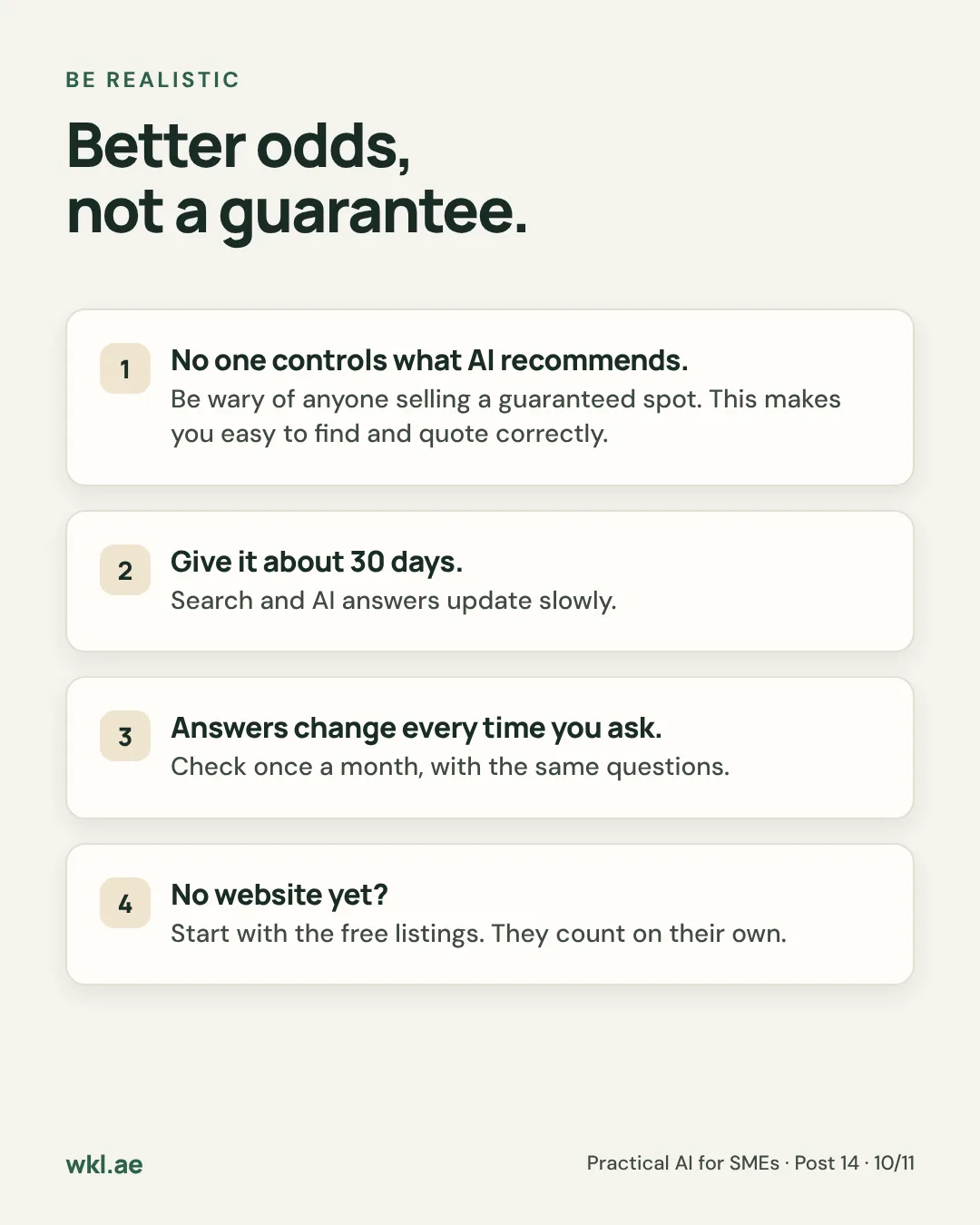
Nobody can make an AI recommend a business, and anyone selling a guaranteed spot is selling nothing. What you can do is make sure AI can find you, read your pages and get your facts right. That raises your chances of being in the answer, and it’s the same work that helps you on Google.
Anthropic built the plugin on that line. It works with open standards and plain facts, and it refuses the tricks: hidden text aimed at AI, fake reviews, made-up awards. Those get sites penalised, and they’d put your name next to something untrue.
What you need
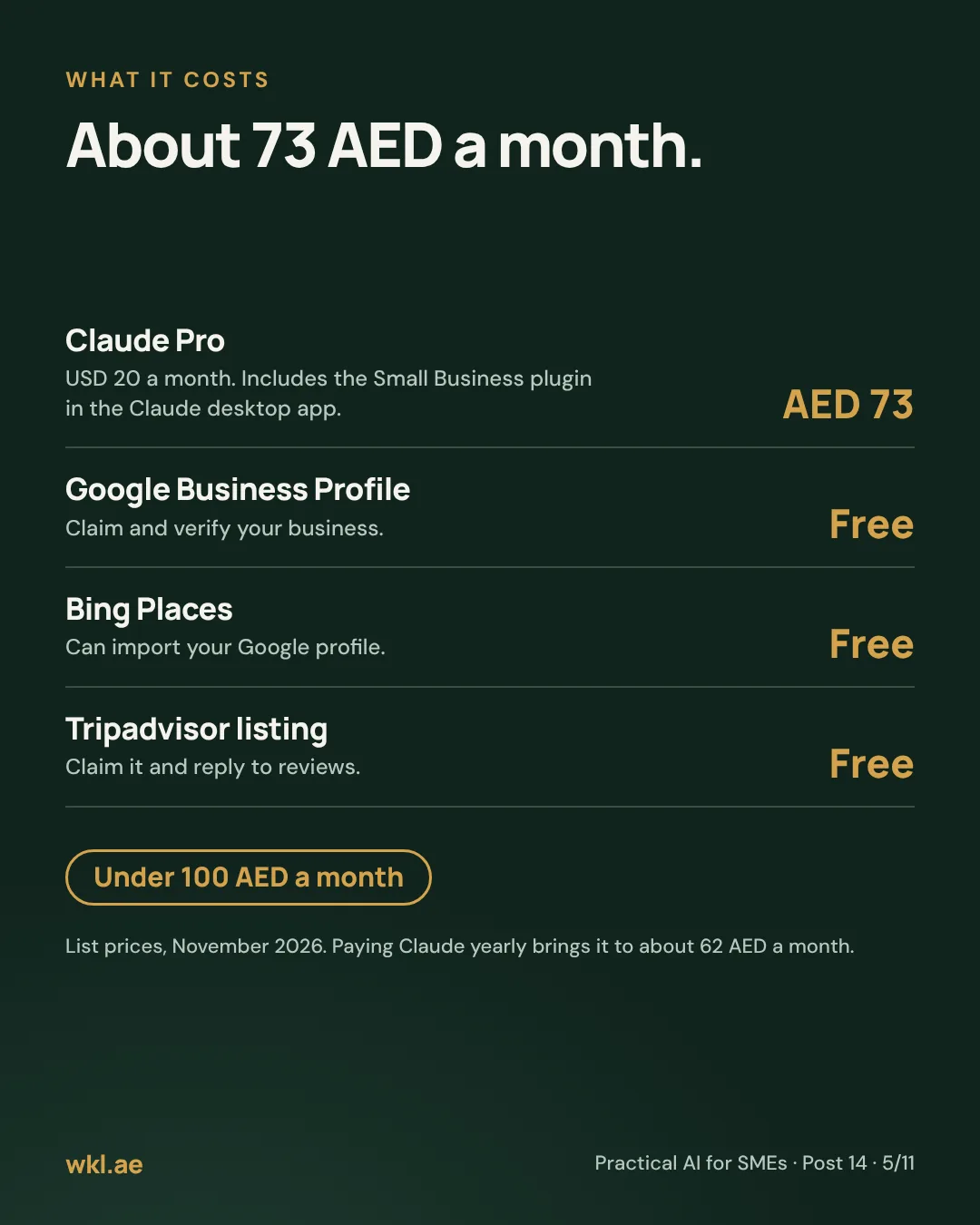
- Claude Pro
The checker. Pro includes the Small Business plugin, which runs in the Claude desktop app for Mac or Windows on the Pro, Max and Team plans. USD 20 a month, or USD 17 a month paid yearly.~73 AED / mo - Google Business Profile
Your listing on Google Search and Maps. Google tells businesses to keep it up to date for its AI answers.Free - Bing Places for Business
Your listing on Bing. Several AI assistants search the web through Bing, and it can import your Google profile in a few clicks.Free - Tripadvisor, and the booking sites you sell on
Claim your Tripadvisor listing. If you sell on GetYourGuide or Viator, those listings count too.Free to claim - Your website
Helpful, not required. If you don’t have one yet, read No website yet? below.You have it - Your fact sheet
One list of your tours, prices, pickup areas and times, opening hours, phone and WhatsApp. You write it in step 1.Free
That’s about 73 AED a month, or about 62 AED if you pay for Claude yearly. Everything else is free.
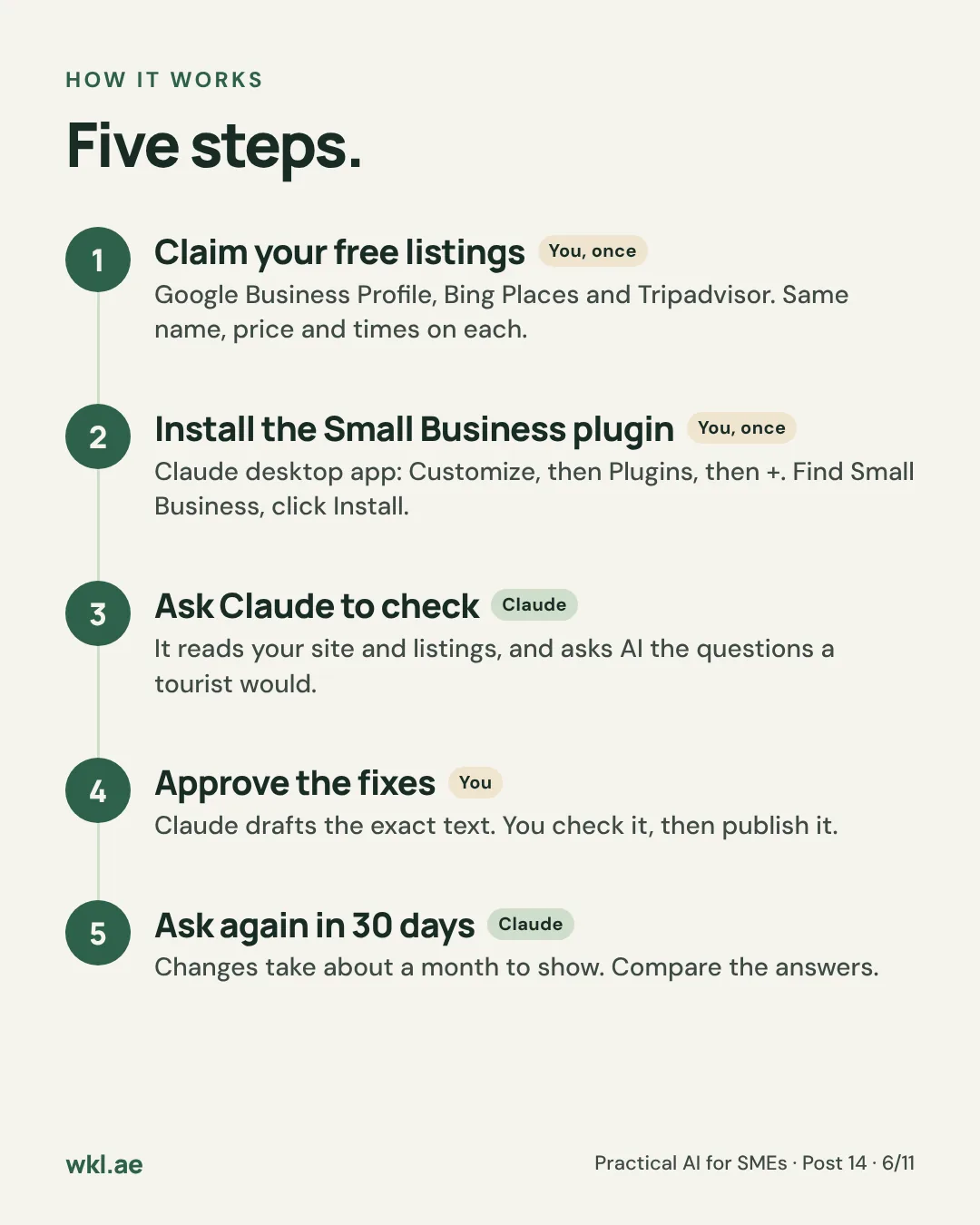
How it works
-
One-time You
Your listings say the same thing as your fact sheet
Google, Bing, Tripadvisor and any booking sites show the same name, prices, pickup times and hours. This is most of the work, and it’s free.
-
One-time You
You install the Small Business plugin
Five minutes in the Claude desktop app.
-
Every month On its own
Claude checks what AI can find
It reads your website the way a search engine does, compares your listings with your facts and asks AI the questions a tourist would. It tells you who came up and which sources were quoted.
-
Every month You approve
You approve the fixes
Claude ranks the fixes by impact and drafts the exact text for each. You say yes, change it or skip it, then paste it in.
-
30 days later On its own
It checks again
Search and AI answers change slowly. A month later, the same questions show whether anything moved.
Your rule: Claude finds and drafts. You decide what changes.
How to set it up, step by step
Allow about three hours the first time, spread over a few days because Google’s verification can take a while. Use a laptop. After that, the monthly check takes about half an hour.
Before you start, have these ready
- Your current prices, pickup areas and times, and opening hours, in one place.
- A Google account and a Microsoft account (for Bing Places).
- Your Tripadvisor, GetYourGuide or Viator logins, if you have listings there.
- The login for your website builder, if you have a website.
- A card for Claude Pro.
Write your fact sheet20 minutes · free
This becomes the master copy. Every listing and every page copies from it, and Claude uses nothing else for prices and times.
- Open a document or a Google Sheet. List each tour with its name, price in AED, what’s included, how long it takes and the return time.
- Add your pickup areas and pickup times, opening hours, phone, WhatsApp and cancellation policy.
- Write it the way you’d say it to a customer. For Sand & Star: “Evening desert safari, AED 180 a person, pickup 3:30 pm from the Marina, JBR or Downtown, back by 9 pm.”
Done when: every tour has a price, a pickup time and its pickup areas.
Claim and complete your Google Business Profile30 minutes, plus a few days to verify · free
- Go to google.com/business and search for your business. Claim it if it’s already there. If not, add it.
- Pick the closest category, such as Tour operator, and add your hours, phone, WhatsApp, website and the areas you serve.
- Add each tour under Services or Products, with its price from your fact sheet, and upload a few real photos.
- Complete the verification Google asks for. It may be a short video, a code by phone or email, or something else, and it can take a few days.
Done when: your profile shows as verified and the details match your fact sheet.
Add your business to Bing Places15 minutes · free
- Go to bing.com/forbusiness and sign in with a Microsoft account.
- Choose to import from Google Business Profile. Your name, hours and contact details come across.
- Check every field against your fact sheet and fill in anything the import missed.
Done when: your Bing listing shows the same hours, phone and website as Google.
Claim Tripadvisor and check your booking sites20 minutes · free
- Find your business on Tripadvisor and claim it through Tripadvisor’s business pages.
- Match the name, hours, tours and prices to your fact sheet.
- If you sell on GetYourGuide or Viator, open each tour and check the price, pickup points and duration.
Done when: every listing shows the same name, prices, pickup times and hours as your fact sheet.
Get Claude Pro and install the Small Business plugin10 minutes · about 73 AED a month
- Subscribe to Claude Pro at claude.ai, then download and open the Claude desktop app.
- In the left sidebar, click Customize. Under Plugins, click +.
- Find Small Business and click Install.
Done when: Small Business shows in your list of plugins.
Run the check15 minutes
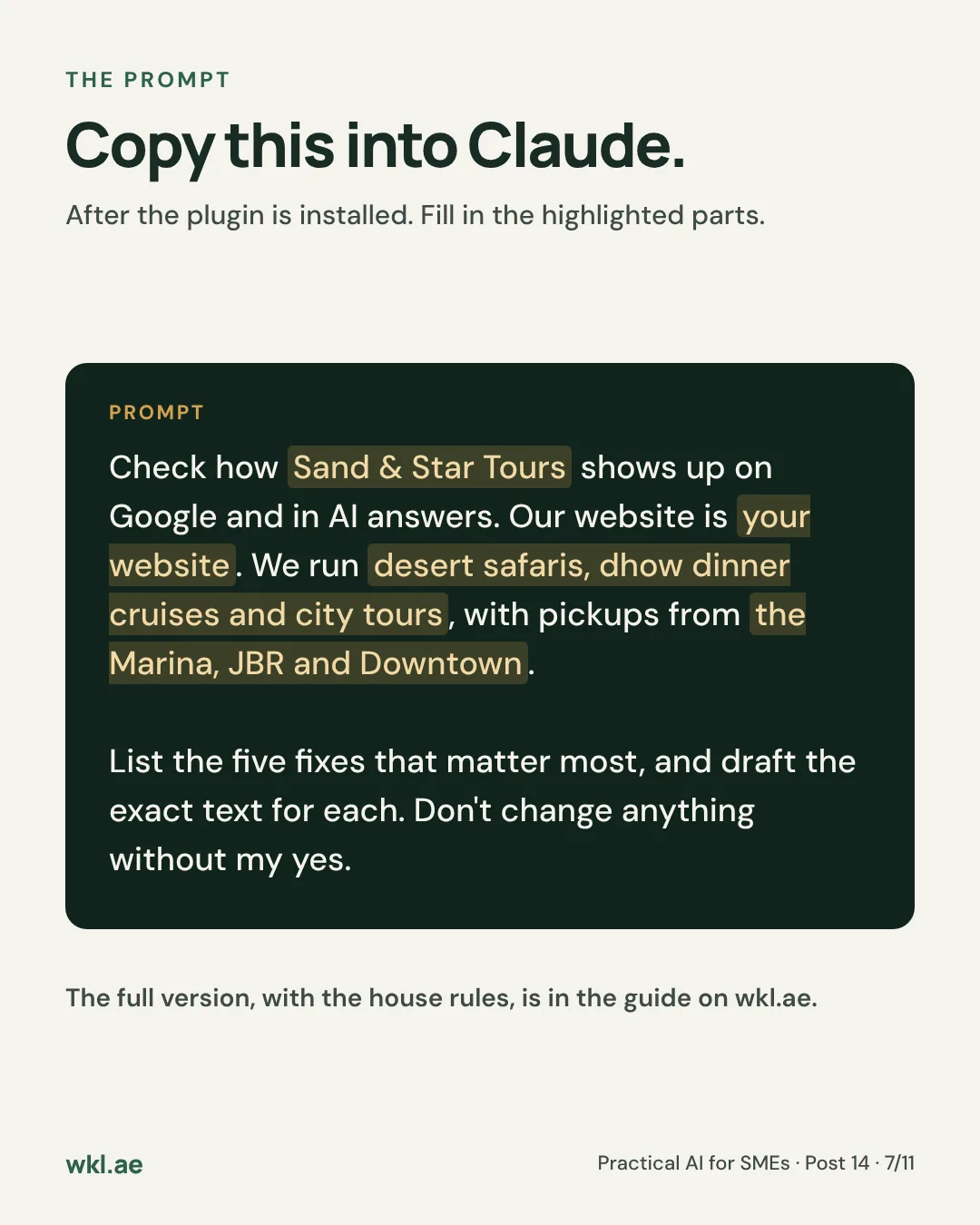
- Start a new task in the desktop app and paste the prompt below, with your fact sheet in the brackets.
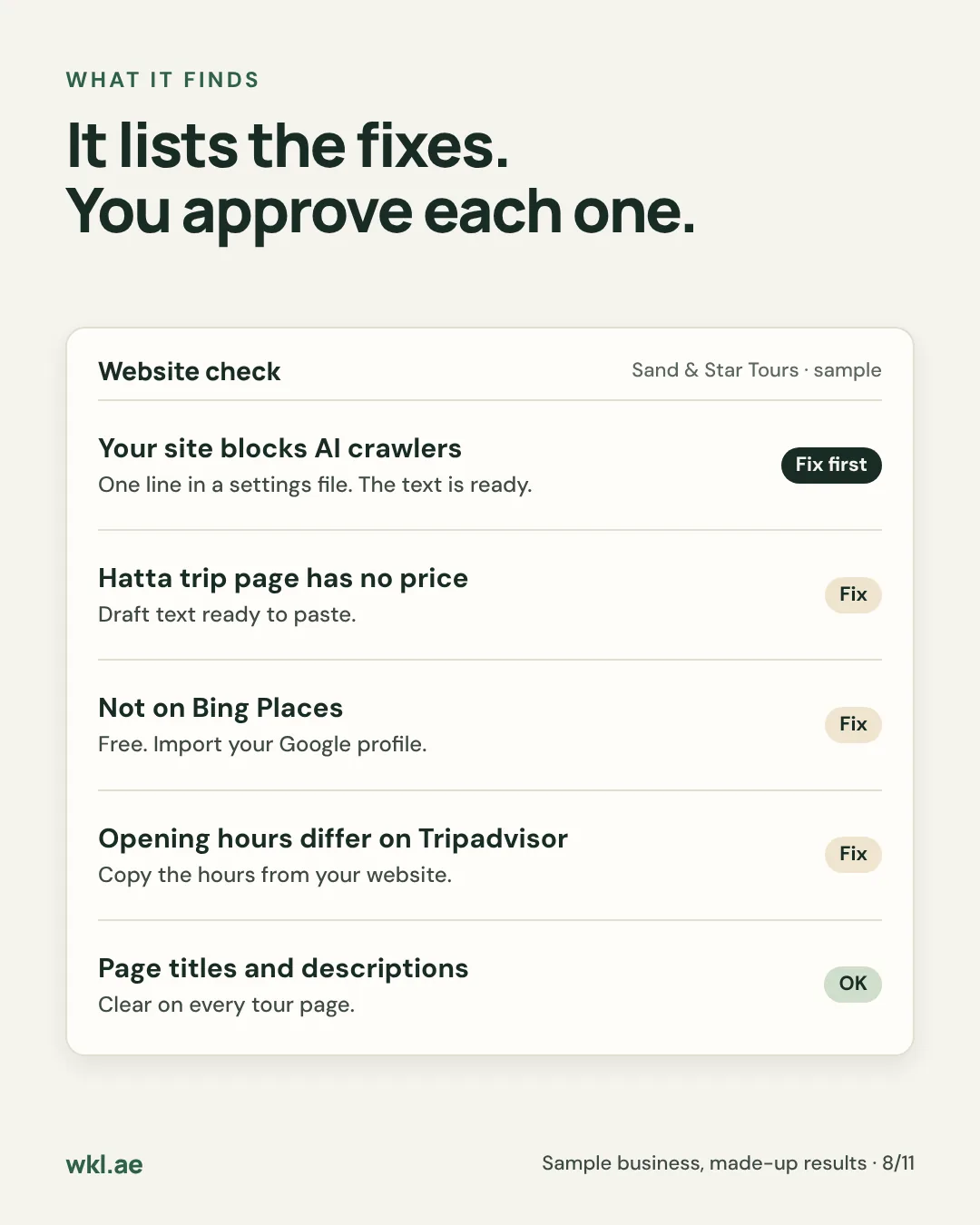
- Claude reads your website, checks whether AI crawlers are allowed in and whether your text shows without JavaScript, compares your listings with your facts and asks AI the questions a tourist would ask.
- It gives you the five fixes that matter most, ranked by impact, and a page with the exact text for each one and a Copy button.
Done when: you have a ranked list of fixes and a note of who came up when Claude asked.
Approve and publish the fixes30 to 60 minutes
- Go through the top five, one at a time. Read the exact text and reply yes, change it or skip it.
- Paste each approved fix into your website builder or listing. If your site is on Wix and you connect it, Claude can apply approved changes for you, a batch at a time, still showing each one first.
- Domain and DNS changes are always yours. Claude gives you the record to add at your registrar and never changes it itself.
Done when: the top five are live and your website and listings say the same thing.
Set the monthly recheck5 minutes, then 30 minutes a month
- Put a reminder in your calendar for 30 days from today. That’s the earliest a change tends to show.
- When it comes round, ask Claude to run the same check and compare it with last month: who came up, which sources were quoted, what’s still open.
Done when: the reminder is in your calendar.
No website yet?
Do steps 1 to 4 anyway. AI assistants lean heavily on listings and review sites, so a tour company with complete, matching listings can show up without a website. A business that’s missing from them rarely does, however good its site is.
When you’re ready for a website, one clear page per tour is enough. Post 13 shows how Claude can build one and keep it up to date, with nothing going live until you say yes.
What a tour page needs
AI quotes pages that state the facts plainly, in text. Use this as a checklist for each tour.
A good tour page has
- The tour’s name as the page title, the way customers search for it.
- The price in AED, per person or per car, and what’s included.
- Pickup areas and times, the duration and the return time.
- Who it suits: age limits, what to bring, accessibility.
- The cancellation policy in one or two sentences.
- Three to five questions customers actually ask, answered in plain words.
- How to book, such as a WhatsApp link.
Write prices and times as text on the page, not only inside a photo, a PDF or a booking widget.
What to ask it for
| You write | What it does | What you check |
|---|---|---|
| “Check how we show up on Google and in AI answers.” | The full check, with the five fixes that matter most | Check: The top five, and who came up instead of you |
| “Compare our Google, Bing and Tripadvisor details with the fact sheet.” | Lists every mismatch, listing by listing | Check: Which version is right before you change anything |
| “Write the Hatta trip page from the fact sheet.” | Drafts the page with price, pickup, duration and questions | Check: Every price and time against the fact sheet |
| “Ask the questions a tourist would ask about dhow cruises in Dubai.” | Asks in a few phrasings and lists who came up and the sources quoted | Check: Whether you’re named, and what was said about you |
| “Write an llms.txt file for our website.” | A short plain-text summary of the business for AI tools | Check: The facts. It’s optional: Google says it needs no special file |
Suggested guardrails
Set these before the first check. They’re in the prompt below, so Claude reads them every time.
| Guardrail | What it means for Sand & Star |
|---|---|
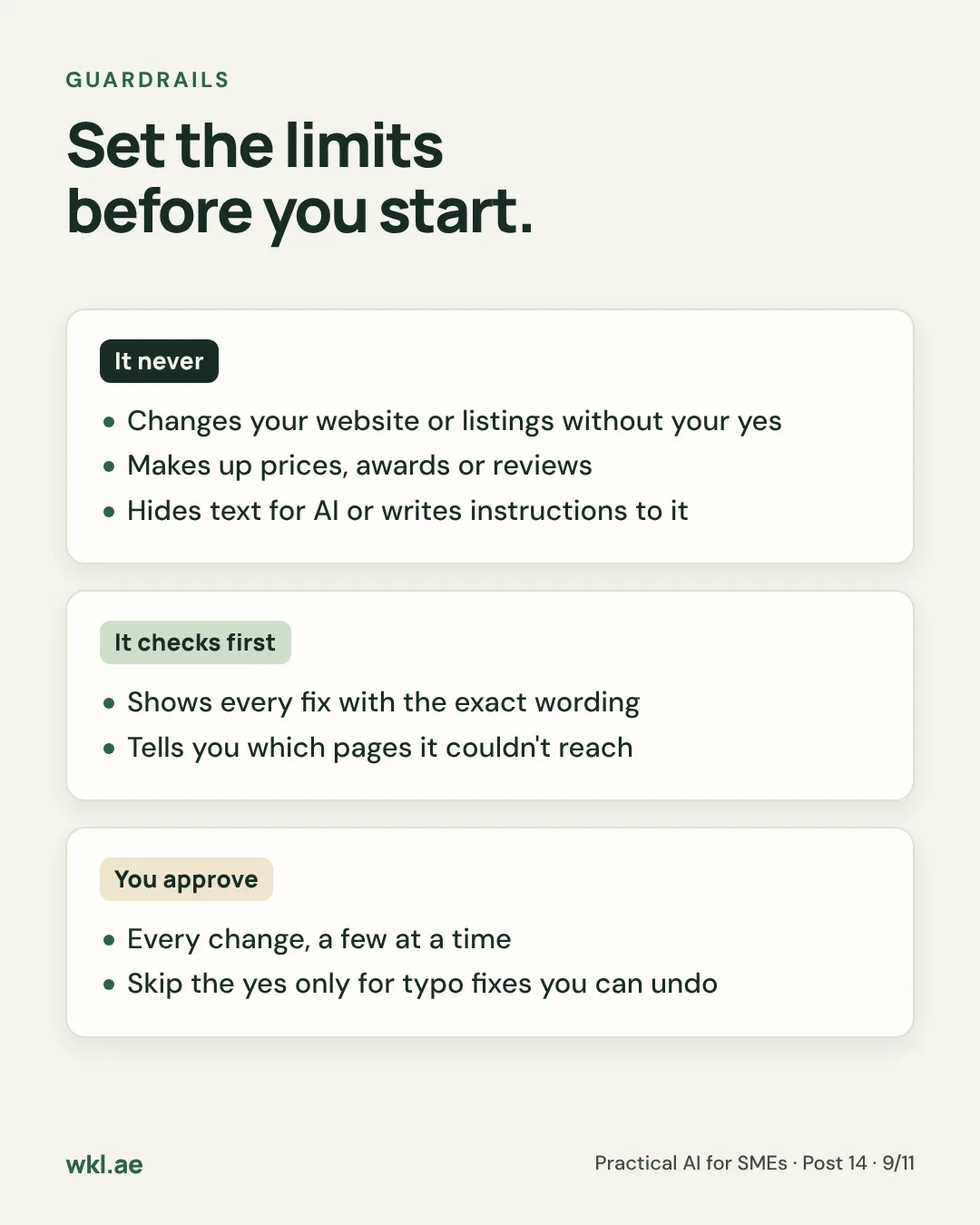
| What it can’t touch | Your domain and DNS settings: it hands you the record to add instead. Your website and listings, until you’ve said yes to the exact change. Reviews: it never writes them, for you or anyone else. |
| What it checks before it acts | Every price, time and pickup point against your fact sheet, and nowhere else. It names any page it couldn’t reach instead of guessing what’s on it, and asks when a fact is missing. |
| What you approve | Every change, a few at a time, and always anything that touches a price, your hours or your cancellation policy. The one place to skip the yes is a typo fix you can undo in seconds. |
The test: if a change would be hard to undo, or would put words in your mouth, it waits for you.
The prompt
You're helping [business name], a [type of business] in [area], UAE, get found on Google and in AI answers. Use the Small Business plugin's SEO and AI visibility check.

OUR FACTS (the only source for prices, times and details)
- Website: [your website, or "none yet"]
- Tours or services: [name, price in AED, what's included, duration]
- Pickup areas and times: [areas and times]
- Opening hours: [hours]
- Phone and WhatsApp: [numbers]
- Listings we have: [Google Business Profile, Bing Places, Tripadvisor, GetYourGuide, Viator]

WHAT TO DO
1. Check our website: can AI crawlers get in, does the text show without JavaScript, and are prices, times and pickup points written out on each page.
2. Compare our listings with the facts above and list every mismatch.
3. Ask the questions a tourist would ask, such as "best [tour] in [city]", in a few phrasings. Tell me exactly who came up and which sources were quoted.
4. Give me the five fixes that matter most, ranked by impact, each with the exact text to paste.

RULES
- Don't change anything without my yes. Show each fix first.
- Use only the facts above. If something is missing, ask me.
- Never write reviews, awards or claims we haven't made.
- No hidden text, and nothing on a page that talks to AI tools.
- Don't touch domain or DNS settings. Give me the record to add instead.
- Write in British English. Write prices as "AED 180".
Your monthly routine
- Update the fact sheet first whenever a price or time changes, then every listing the same day.
- Run the check once a month, on the same day, with the same questions.
- Approve the top fixes and paste them in. Leave the rest for next month.
- Note who came up. One month proves little. Three months show a direction.
If something goes wrong
- Google’s verification is stuck
- Follow the steps Google gives you, and don’t create a second profile while you wait. Duplicates make things worse.
- The Bing import missed details
- Edit them in Bing Places directly, and check Bing again whenever you change your Google profile.
- Claude says it can’t reach your website
- Check the address in the prompt. Claude names the pages it couldn’t reach, so you know what it didn’t see.
- Your site blocks AI crawlers and you can’t find the setting
- Most website builders keep it under SEO settings, often as robots.txt. If yours doesn’t, send its support team the line Claude wrote.
- AI still quotes an old price a month later
- Check every listing again, including the booking sites. Old details can sit in a corner you forgot about. Then give it another month.
- You want to stop
- Remove the plugin under Customize, then Plugins. Your listings and website stay exactly as they are.
⚠️ Good to know
- Better odds, not a guarantee. AI answers change from one question to the next. Judge it on a few months of the same questions, not a single run.
- Be wary of “AI SEO” promises. Anyone guaranteeing a spot in ChatGPT’s answers is guessing at best.
- No special files needed for Google. Google says its AI features need nothing extra beyond normal search basics. An llms.txt file is cheap to add, but it isn’t a priority.
- Never buy or write reviews. Ask real customers instead. Post 01 shows one way, and Part 2 covers replying.
- How we wrote this guide. It follows Anthropic’s guide to installing the Small Business plugin and the plugin’s own instructions, Google’s guidance on AI features in Search and Microsoft’s Bing Places for Business, as of November 2026. Menus get renamed, so if a screen looks different, look for the same idea under a nearby name.
Rather have it done for you?
We can set up an AI visibility manager for your business on the tools you already use, and agree with you what needs your approval. Send us a WhatsApp message: an AI receptionist replies first with a few questions, then a person takes it from there.
Is your business in ChatGPT’s answer?Ask it the question your customers would ask, and tell me who came up.