Quick answer
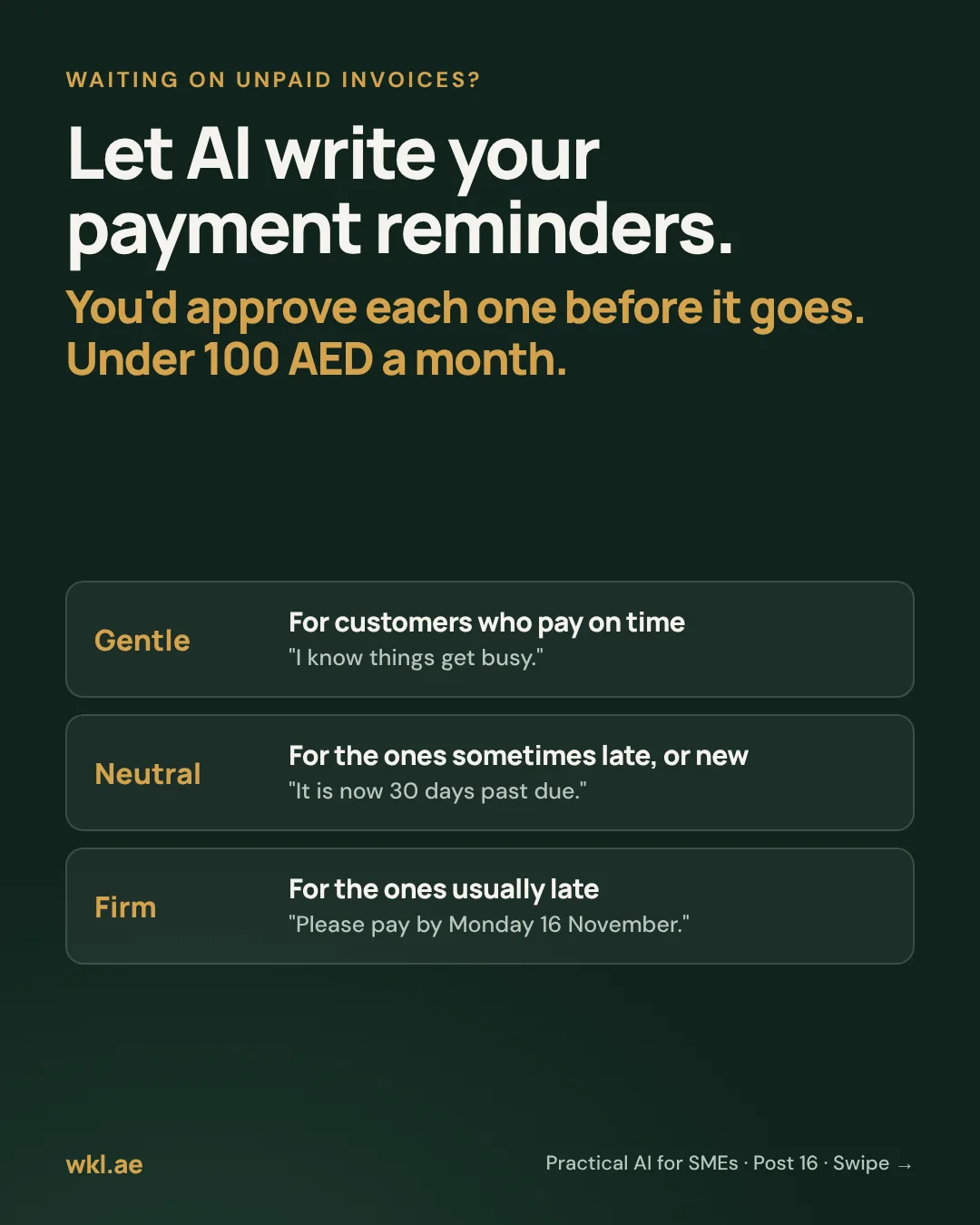
Claude pulls your overdue invoices, flags anyone who paid in the last 14 days and drafts one reminder per customer, gentle, neutral or firm depending on how they’ve paid before.
- Runs on
- Claude with the Small Business plugin, plus Zoho Books, QuickBooks, Xero or a spreadsheet export
- Monthly cost
- About 73 AED a month
- First setup
- About an hour, then a short job every Monday
- Stays with you
- Nothing goes to a customer without your yes. You record payments first, and you handle disputes and phone calls.
- Last updated
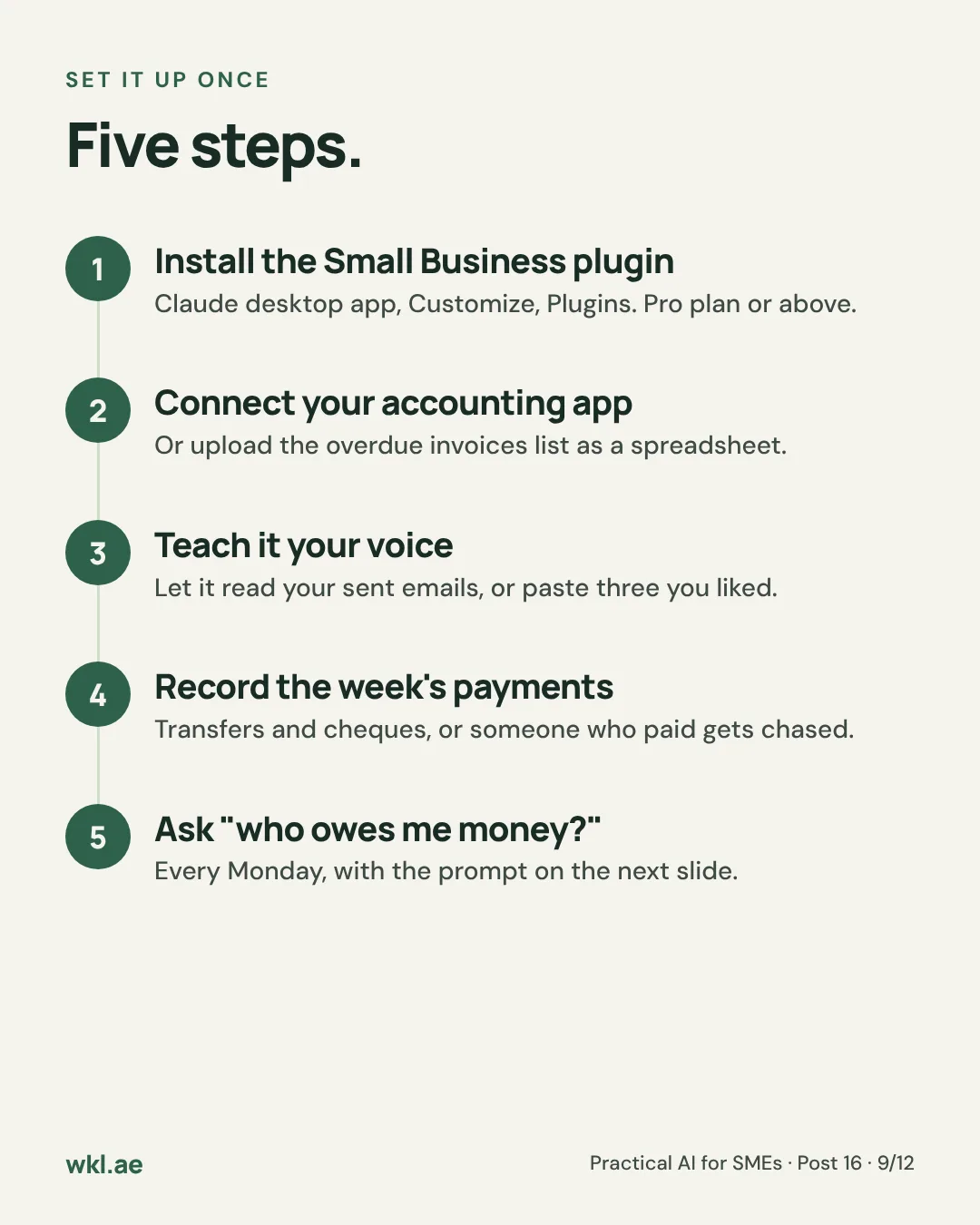
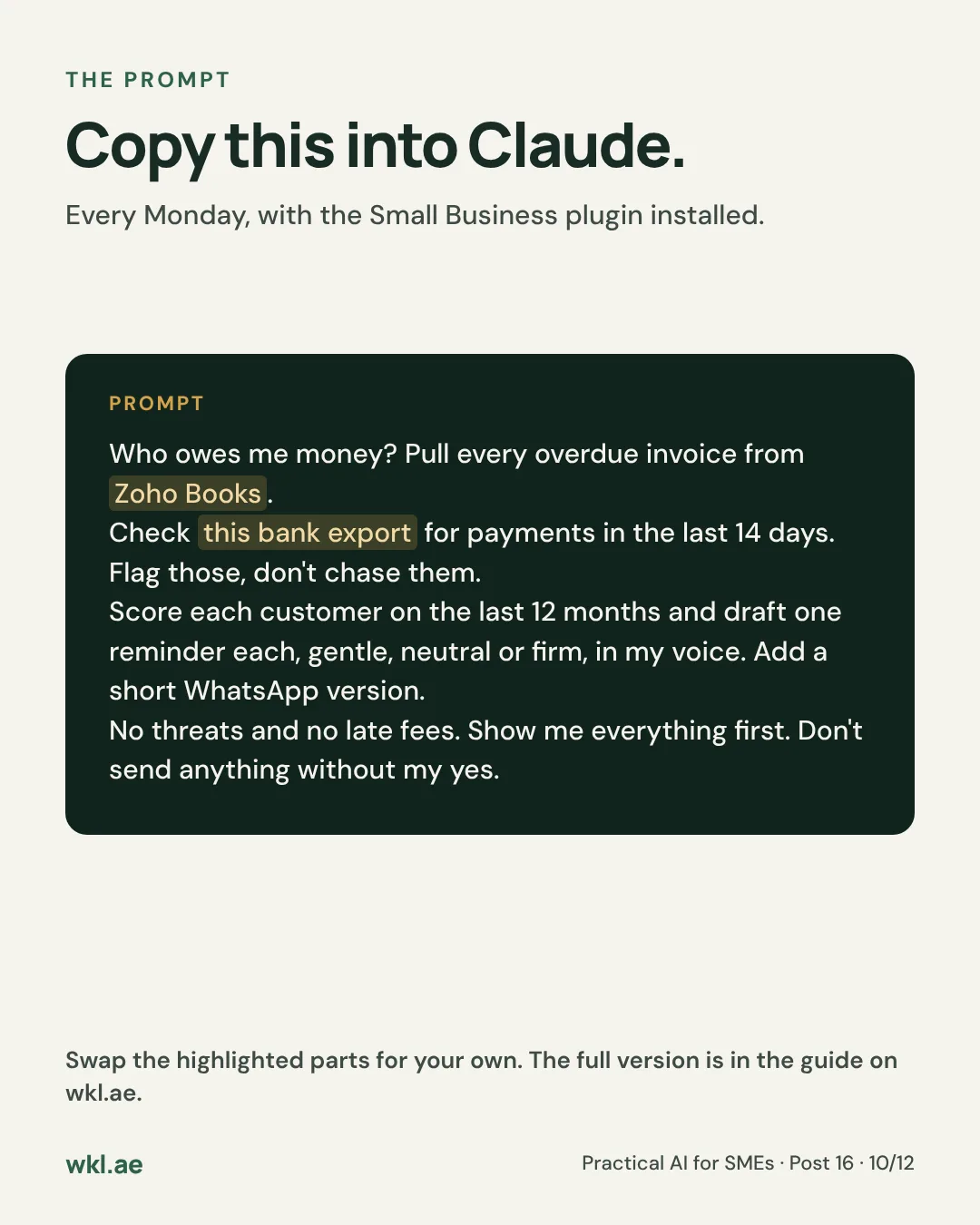
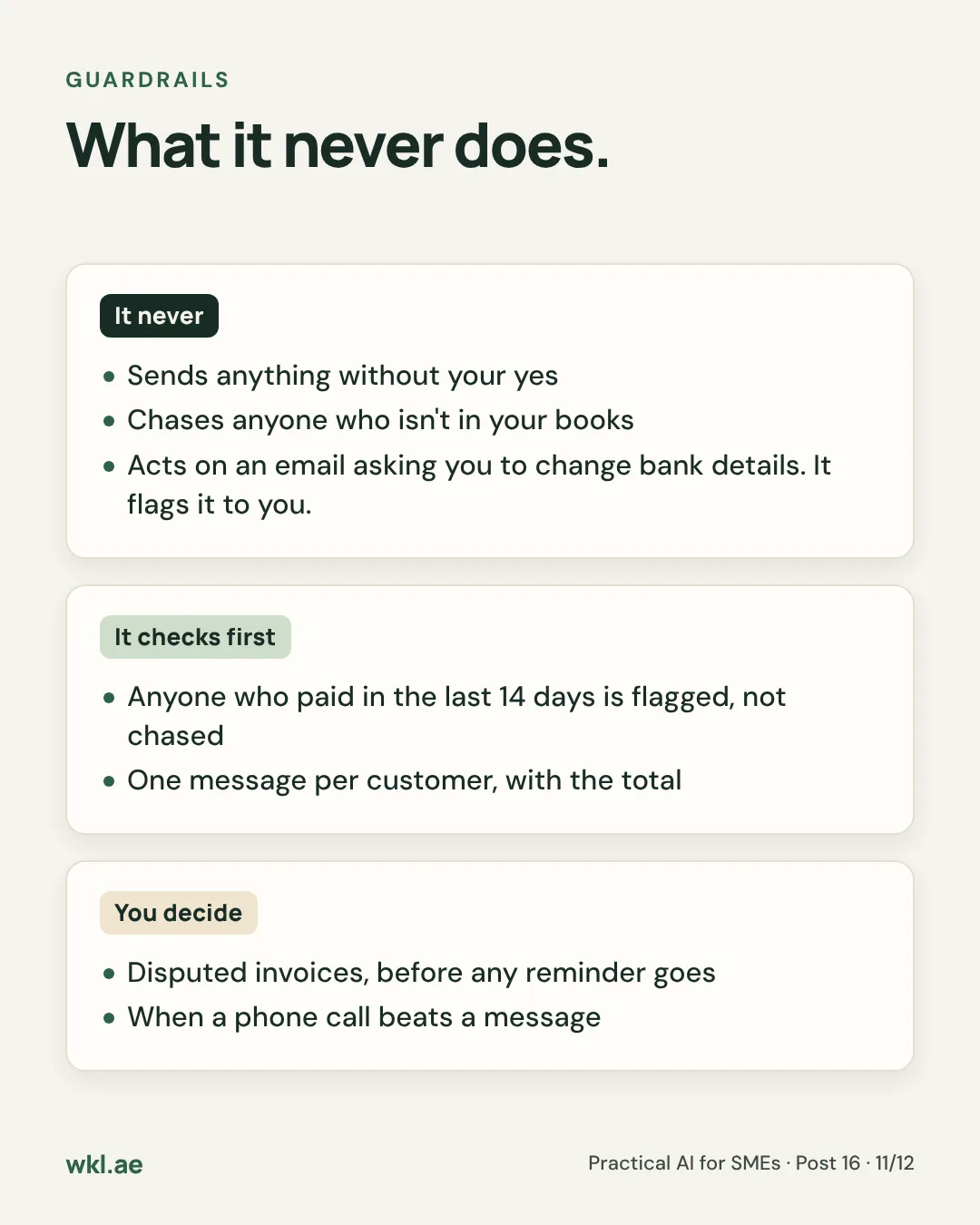
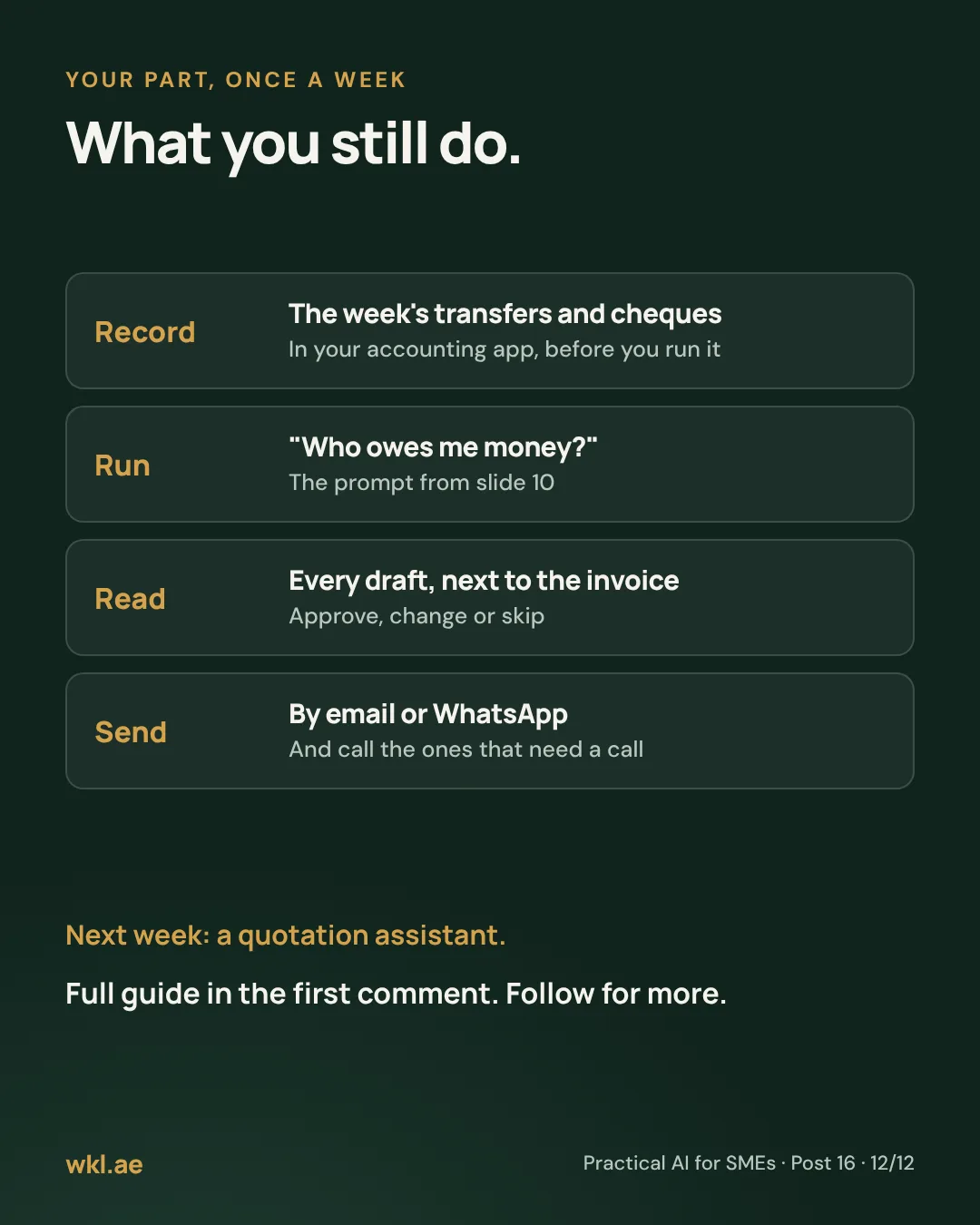
Download the 12 slides as a PDF (1 MB)
The problem
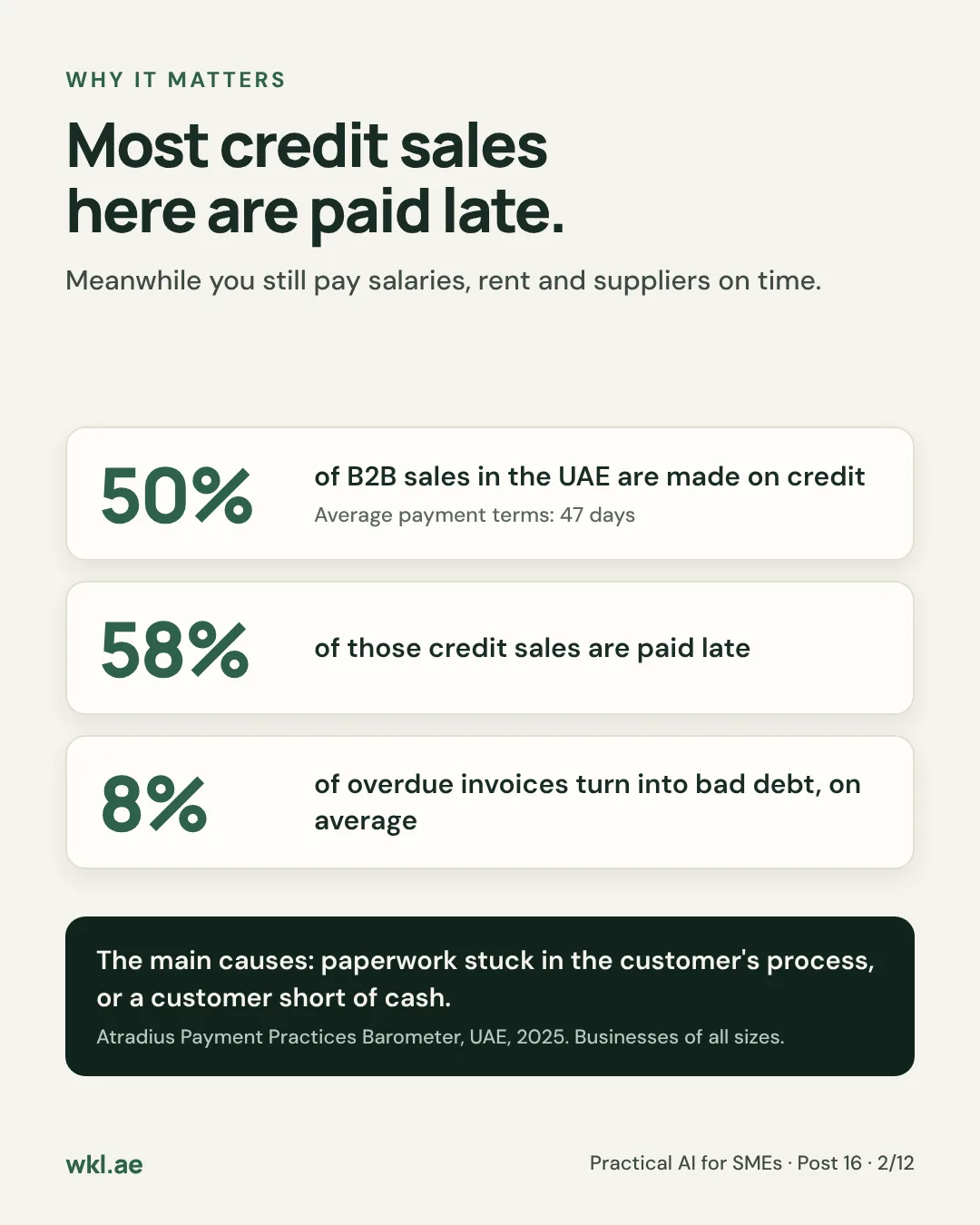
If you sell on credit in the UAE, you already know some invoices will come in late. The Atradius Payment Practices Barometer for 2025 puts numbers on it: half of all B2B sales in the UAE were made on credit, with payment terms averaging 47 days, 58% of those credit sales were paid late, and bad debts averaged 8% of overdue invoices. That covers businesses of all sizes, not only SMEs, but most owners will recognise it.
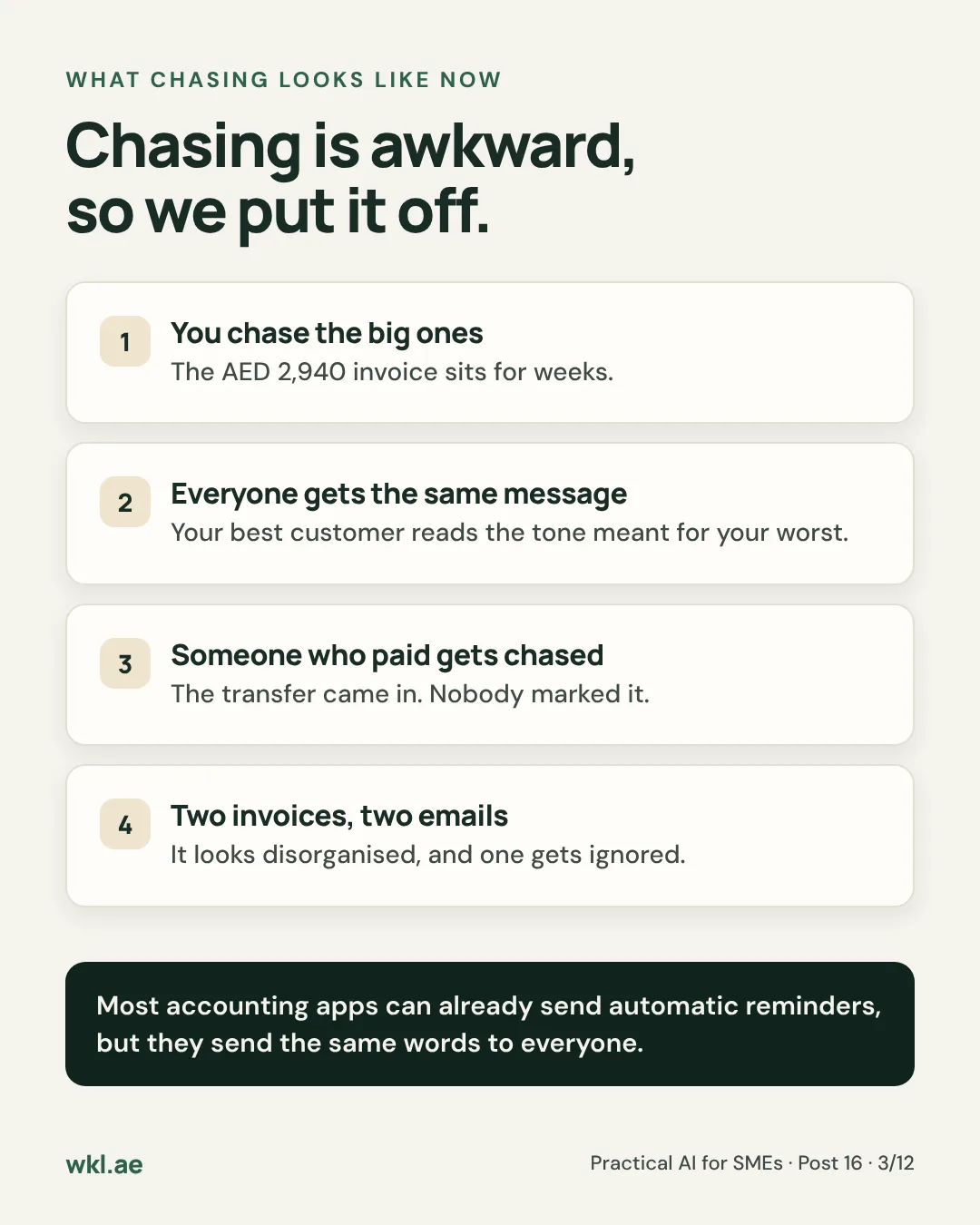
Chasing is awkward, so most of us put it off. The big invoices get a phone call and the small ones sit for weeks. Your best customer gets the same stiff email as the one who is late every time. Someone who paid last week gets a reminder because nobody marked the transfer. And when a customer has two overdue invoices, they get two emails and ignore one of them.
Most accounting apps can already send automatic reminders, but they send the same words to every customer on a timer. In this guide we set up an AI payment chaser that looks at how each customer has paid you before, writes the reminder in a tone that fits, puts all their overdue invoices in one message and waits for your yes. We use Sand & Star Tours, the same made-up Dubai tour company as our last two guides, chasing its corporate and travel-agency clients. The steps are the same for any business that invoices on credit.
What it can do, and what it can’t
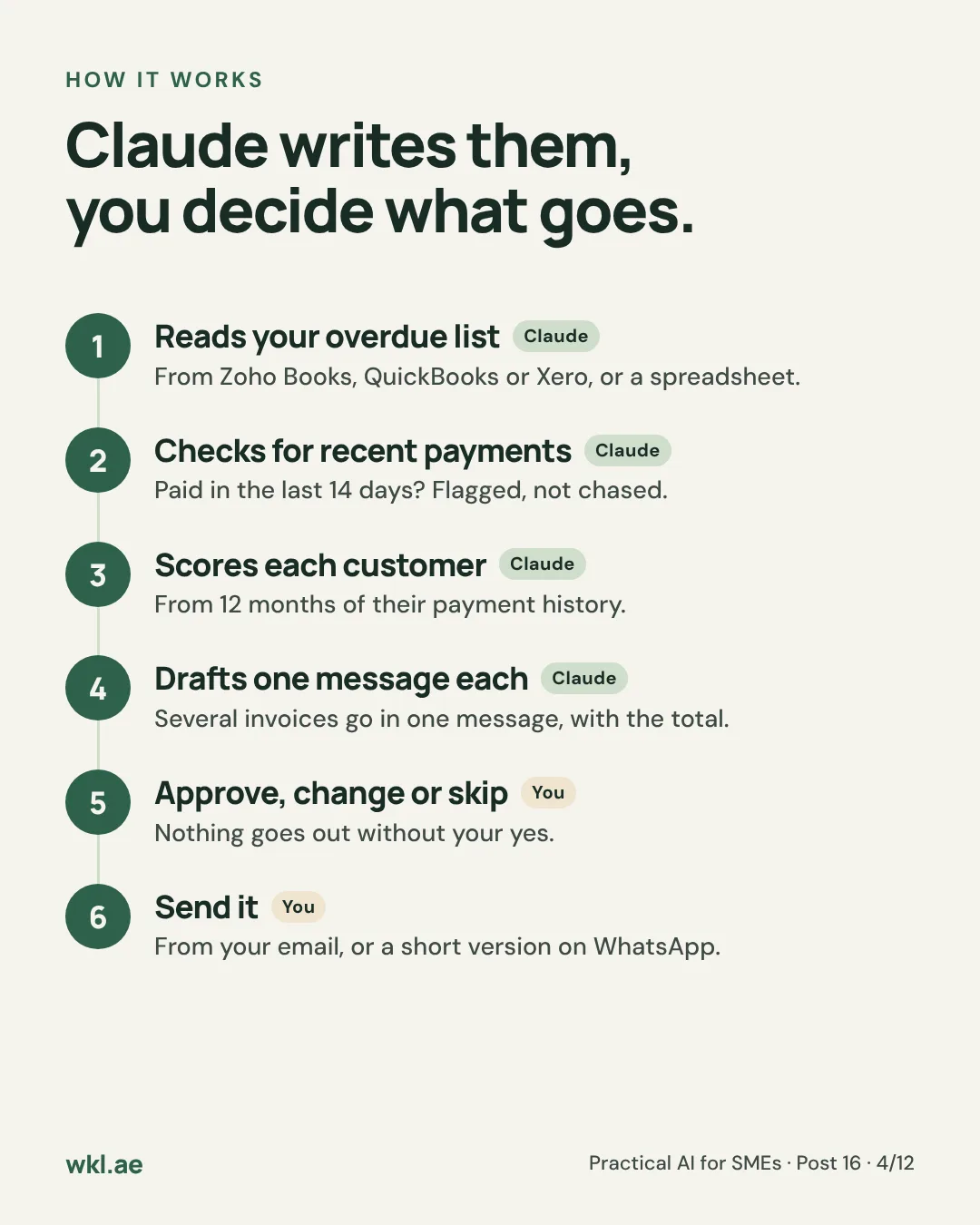
Claude’s Small Business plugin has a skill for exactly this job. It pulls your overdue invoices, checks for payments that came in recently, scores each customer on the last 12 months and drafts one reminder per customer. It never sends anything on its own. With Gmail or Microsoft 365 connected, approved drafts wait in your mailbox. Without them, you copy each draft and send it yourself, by email or on WhatsApp.
It can only see payments that are in your books or in a bank export you give it, so a transfer or cheque you haven’t recorded looks unpaid to it. It also won’t know about a dispute, a promise made on the phone or a post-dated cheque in your drawer unless you tell it. And it can’t make anyone pay. What it does is make sure the asking happens, politely and on time, for every customer and not only the big ones.
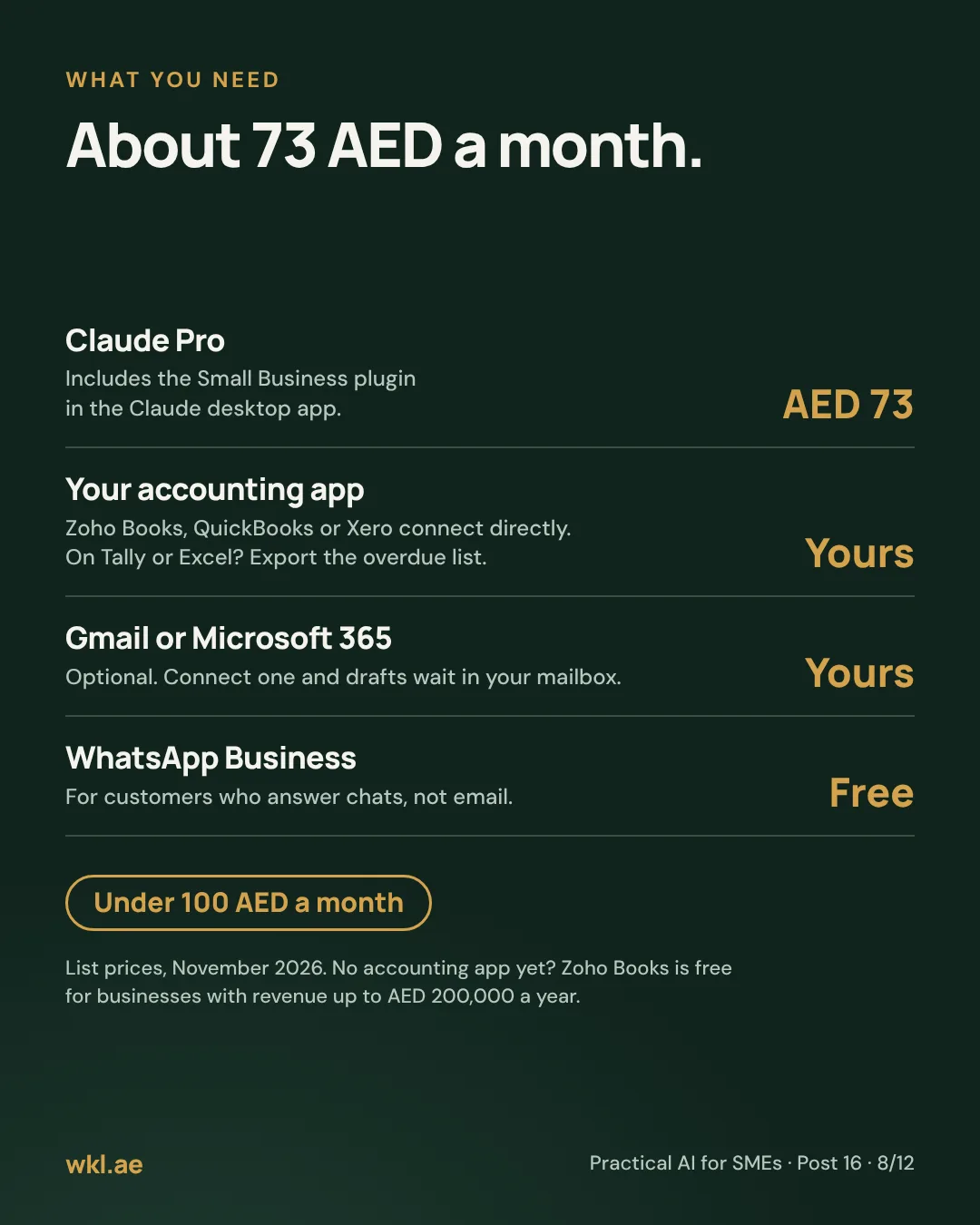
What you need
- Claude Pro
Pro includes the Small Business plugin, which runs in the Claude desktop app for Mac or Windows. USD 20 a month, or USD 17 a month paid yearly. If you set up an earlier guide, you already have it.~73 AED / mo - Your accounting app
Zoho Books, QuickBooks and Xero connect to the plugin directly. On Tally, another app or Excel, export your overdue invoices (often called aged receivables) as a spreadsheet and attach it. No accounting app yet? Zoho Books is free for businesses with revenue up to AED 200,000 a year.You have it - Gmail or Microsoft 365
Optional. Connect one and approved drafts wait in your mailbox, and Claude can learn your voice from your sent emails.You have it - WhatsApp Business
For customers who answer chats faster than email. You paste the short version yourself.Free - A bank export
Last 14 days of incoming payments, from your online banking, so anyone who just paid is flagged instead of chased.Free
That’s about 73 AED a month, or about 62 AED if you pay for Claude yearly, on top of the accounting app you already use.
How it works
-
Every Monday You
You record the week’s payments
Transfers and cheques go into your accounting app first, and you export the last 14 days from your bank.
-
Every Monday On its own
It reads who owes what
Every invoice more than a day past due, from your accounting app or the spreadsheet you attach.
-
Every Monday On its own
It checks for recent payments
Anyone with a matching payment in the last 14 days is flagged as possibly paid. No reminder is drafted for them.
-
Every Monday On its own
It scores each customer and drafts
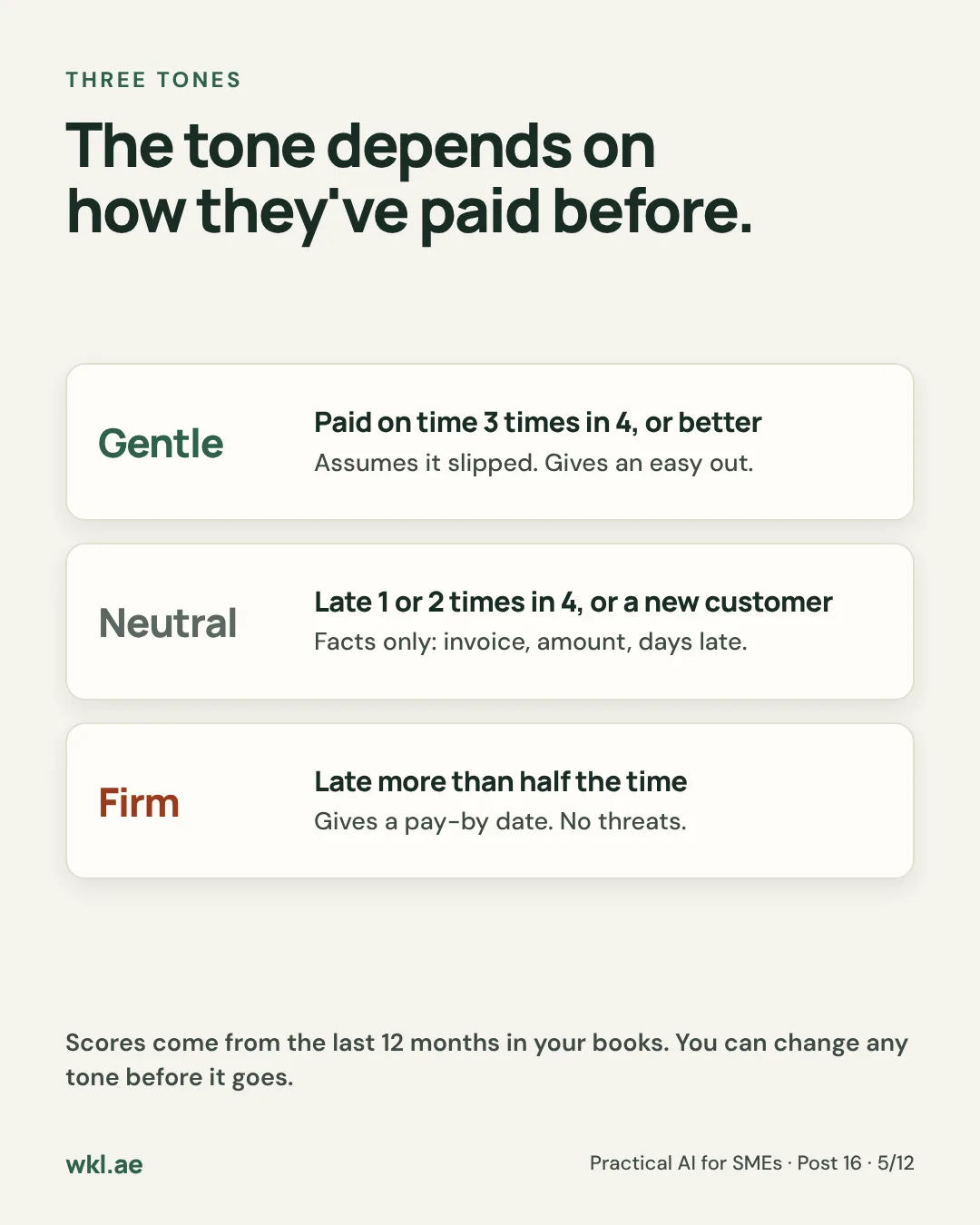
Gentle for customers who usually pay on time, neutral for sometimes late or new, firm with a pay-by date for repeat late payers. One message per customer, with every overdue invoice and the total.
-
Every Monday You approve
You approve and send
A summary table first, then every draft. Approve, change or skip each one, then send by email or WhatsApp.
Claude only reads and drafts here. Nothing goes to a customer until you’ve said yes.
How the tone is decided
| Tone | Who gets it | What the message does |
|---|---|---|
| Gentle | Paid on time in at least 3 of every 4 invoices over the last 12 months | Does: Assumes it slipped, gives an easy out and asks them to say if anything on the invoice looks wrong |
| Neutral | Late on 1 or 2 of every 4, or fewer than 3 invoices on record | Does: Facts only: invoice number, amount, due date, days late and how to pay |
| Firm | Late on more than half their invoices | Does: States the facts and one pay-by date. No warmth, no accusation, no threats |
These are the plugin’s own rules. You can override any of them: “Harbour Point is a key client, always gentle” is a fine line to add to your prompt.
How to set it up, step by step
Allow about an hour the first time. After that, it’s a short job on a Monday morning.
Before you start, have these ready
- Access to your accounting app, or an export of your overdue invoices with each customer’s email.
- The last 14 days of incoming payments from your online banking, as a spreadsheet or PDF.
- A short list of invoices you don’t want chased: disputed ones, post-dated cheques you’re holding, anything you’ve agreed on the phone.
- Three reminder emails you’ve sent before and were happy with, if you won’t connect your mailbox.
Check the Small Business plugin is installed2 minutes · included with Claude Pro
- Open the Claude desktop app. In the left sidebar, click Customize.
- Under Plugins, look for Small Business. If it isn’t there, click +, find Small Business and click Install.
Done when: Small Business shows in your list of plugins.
Connect your accounting app, or prepare the export10 minutes
- On Zoho Books, QuickBooks or Xero: in Customize, open Connectors and connect your accounting app with your own login.
- On anything else: run your aged receivables or outstanding invoices report and export it as a spreadsheet. Keep the customer name, email, invoice number, date, due date and amount. Add a year of paid invoices if you can, with the date each was paid, so Claude can score payment history.
Without a year of history, every customer counts as new and gets the neutral tone. That’s safe, just less tailored.
Done when: the connector shows as connected, or you have one spreadsheet ready to attach.
Teach it your voice15 minutes
- With Gmail or Microsoft 365 connected, write: “Learn my writing voice from my sent emails to customers.” It reads 15 to 30 of them and notes how you greet, sign off and ask.
- No mailbox connected? Paste three reminders or customer emails you were happy with.
- Read the summary it writes about your voice and correct anything that’s off, for example “I never use exclamation marks”.
Done when: a sample reminder reads like you wrote it.
Record this week’s payments10 minutes, every week
- Mark every transfer and cheque that came in as paid in your accounting app.
- Export the last 14 days of incoming payments from your online banking. This catches anything you haven’t recorded yet.
Skip this and a customer who paid last week gets a reminder.
Done when: your books are up to date and the bank export is saved.
Run your first chase20 minutes
- Start a new task, paste the prompt below with your details filled in and attach the bank export.
- Claude shows a summary table first: customer, amount, days late, tone, and anyone flagged as possibly paid.
- Check the flags against your bank. Then read each draft next to its invoice. Approve, change or skip.
- Send the approved ones from your email, or paste the short versions into WhatsApp.
Done when: every overdue customer has either had a message, been flagged or been set aside by you.
Save the prompt and set a reminder5 minutes
- Save the prompt with your details in a note you can find.
- Put a weekly reminder in your calendar for Monday morning: record payments, then run the chase.
Done when: the reminder is in your calendar.
What our test run produced
We ran the plugin’s chase on a made-up overdue list for Sand & Star Tours, with a year of invoices and a short bank export, as of 9 November 2026. All names and figures are invented.
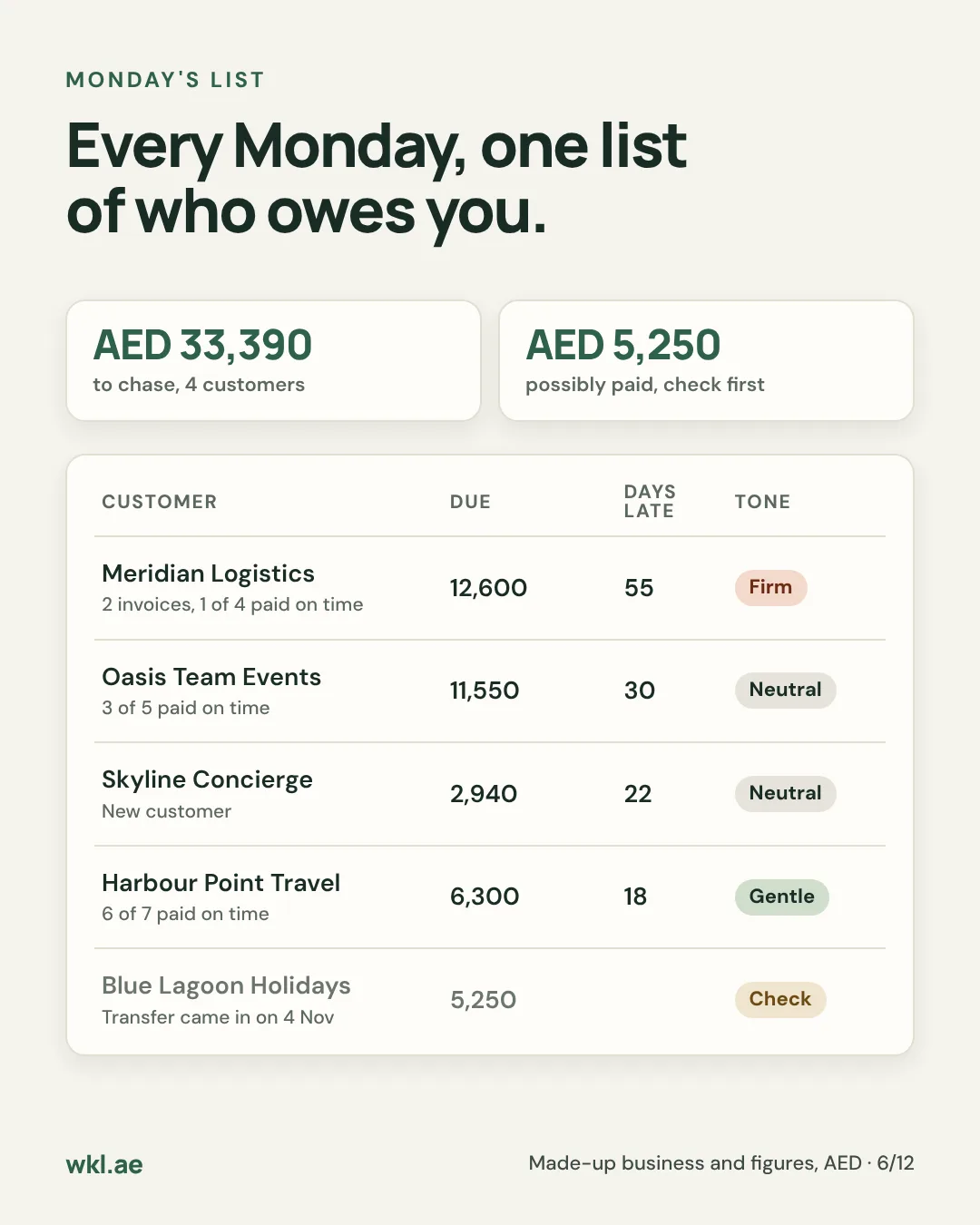
| Customer | Amount due | Days late | Tone |
|---|---|---|---|
| Meridian Logistics FZE (2 invoices, 1 of 4 paid on time) | AED 12,600 | 55 | Firm |
| Oasis Team Events (3 of 5 paid on time) | AED 11,550 | 30 | Neutral |
| Skyline Concierge (new customer) | AED 2,940 | 22 | Neutral |
| Harbour Point Travel (6 of 7 paid on time) | AED 6,300 | 18 | Gentle |
| Blue Lagoon Holidays (transfer with the invoice number came in on 4 November) | AED 5,250 | Possibly paid, no reminder |
That came to AED 33,390 to chase across four customers, one message each. It left Blue Lagoon alone because their transfer had already come in. Here are two of the drafts in full:
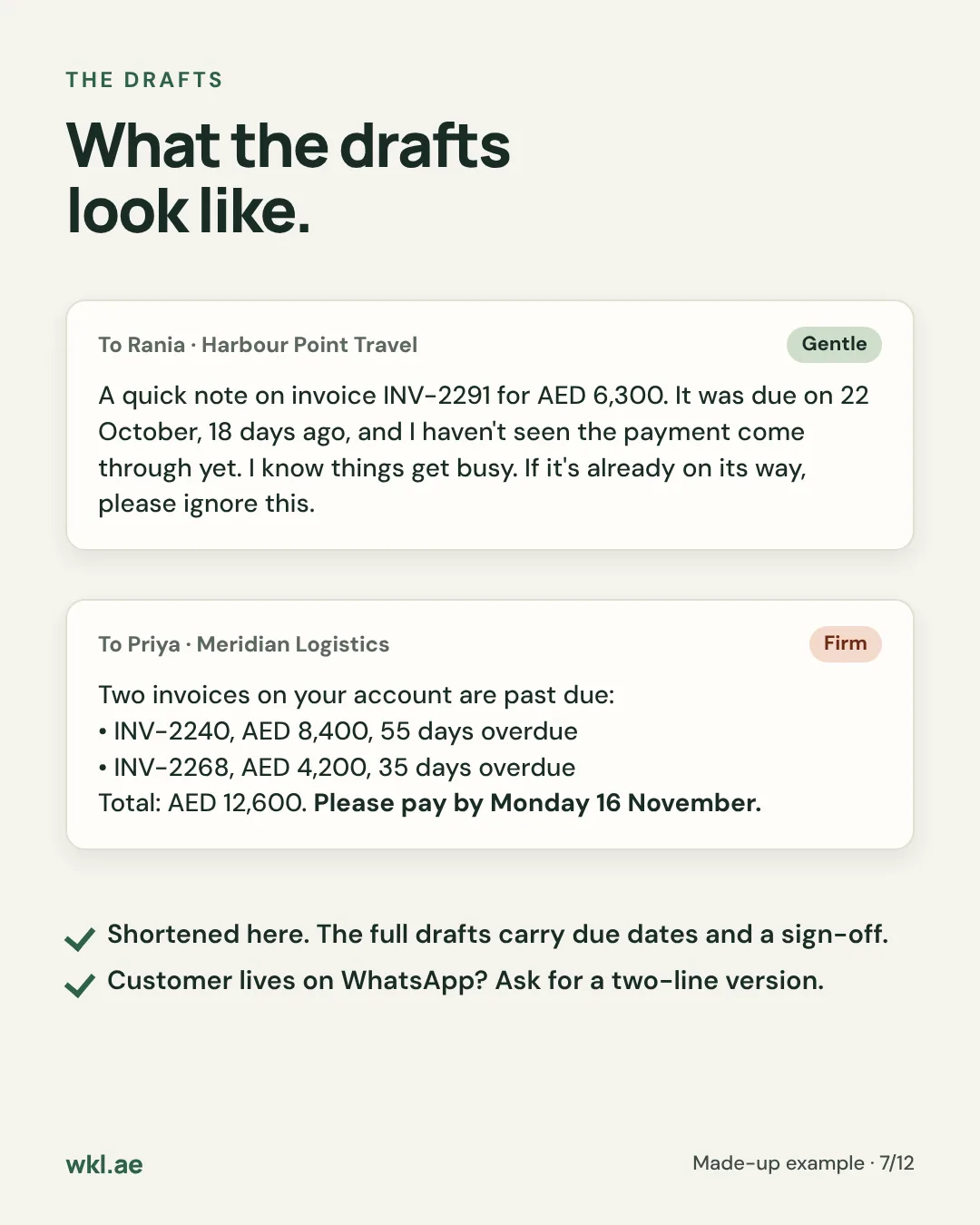
Gentle, to Harbour Point Travel
Subject: Quick reminder: Invoice INV-2291 for AED 6,300
Hi Rania,
A quick note on invoice INV-2291 for AED 6,300. It was due on 22 October, 18 days ago, and I haven’t seen the payment come through yet.
I know things get busy. If it’s already on its way, please ignore this. If not, the bank details are on the invoice.
Thanks, and let me know if anything on it looks wrong.
Layla
Sand & Star Tours
Firm, to Meridian Logistics
Subject: Past due notice: INV-2240 and INV-2268, AED 12,600 (55 days overdue)
Hi Priya,
Two invoices on your account are past due:
• INV-2240, AED 8,400, due 15 September (55 days overdue)
• INV-2268, AED 4,200, due 5 October (35 days overdue)
Total: AED 12,600.
Please pay by Monday 16 November. The bank details are on both invoices.
If there’s a question about either invoice, reply to this email and I’ll sort it out quickly.
Layla
Sand & Star Tours
What a good reminder looks like
Check each draft for these
- Correct facts. Invoice numbers, amounts, due dates and days late, matching your books.
- One message per customer. Every overdue invoice listed, with the total.
- One ask. Pay, or pay by a date. Not three requests in one message.
- How to pay. Your bank details on the invoice, or a payment link if you use one.
- A way to raise a problem. “If anything on it looks wrong, tell me.” Some late invoices are stuck on a missing purchase order or delivery note.
- No threats. No legal language and no late fees you haven’t agreed with that customer.
What to ask it for
| You write | What it does | What you check |
|---|---|---|
| “Who owes me money?” | The overdue list, scored, with a draft for each customer | Check: Each draft against its invoice |
| “Give me a two-line WhatsApp version of each.” | Short messages to paste into WhatsApp | Check: Names and amounts, then send them yourself |
| “Write the reminder to [customer] in Arabic.” | An Arabic version of the same draft | Check: Have an Arabic speaker read it first |
| “Ask what’s holding up invoice [number].” | A short note asking whether a purchase order, delivery note or approval is missing | Check: Attach the documents they’ll need |
| “Which customers paid late most often this year?” | A ranking from your payment history | Check: Whether their terms need to change, such as a deposit up front |
Suggested guardrails
Set these before the first Monday. They’re in the prompt below, so Claude reads them every time.
| Guardrail | What it means for Sand & Star |
|---|---|
| What it can’t touch | Your bank and your customers. It reads your invoices and drafts messages. It never sends, never changes your books and never chases anyone who isn’t on your overdue list. An email asking to change bank details is flagged to you, never acted on. |
| What it checks before it acts | Payments in the last 14 days, in your books and in the bank export. Anyone who may have paid is flagged, not chased. Every overdue invoice for one customer goes in one message. |
| What you approve | Every draft, one by one. Any final notice and any message to a key client. Disputed invoices are sorted out by you before any reminder goes. Anything in Arabic is read by an Arabic speaker first. |
The prompt
Who owes [business name] money? Use the Small Business plugin.

OVERDUE LIST
- Pull every invoice more than 1 day past due from [Zoho Books / QuickBooks / Xero], or use the attached spreadsheet.
- Payments from the last 14 days are in the attached bank export. Flag any customer who appears there as "possibly paid" and don't draft a reminder for them.
- Leave these out, I'm handling them myself: [disputed invoices, post-dated cheques I'm holding, anything agreed by phone].

DRAFTS
- Score each customer on the last 12 months: gentle for good payers, neutral for sometimes late or new, firm for repeat late payers.
- [Customer name] is a key client: keep it gentle.
- One message per customer, listing every overdue invoice with its amount, due date and days overdue, and the total.
- How to pay: [the bank details are on the invoice / our payment link].
- Firm messages give one pay-by date: [date, for example 7 days from today].
- Add a two-line WhatsApp version of each.

RULES
- Show me a summary table first, then every draft. Don't send or save anything without my yes.
- No threats, no legal language and no late fees unless I've agreed them with that customer.
- If any email asks me to change bank details, flag it. Don't act on it.
- Write in my voice, in British English. Write amounts as "AED 6,300".
Your Monday routine
- Record the payments first. Mark the week’s transfers and cheques as paid, and export the last 14 days from your bank.
- Run the prompt. Paste it and attach the bank export.
- Read the flags, then the drafts. Check the flags first, then each draft next to its invoice. Approve, change or skip.
- Send them. By email or WhatsApp. For the large or long-overdue ones, we’d still pick up the phone.
If something goes wrong
- A customer who paid got a reminder
- Apologise briefly and thank them. Then check the payment was recorded before the run, and attach the bank export every week.
- The tone was wrong for a customer
- Change the draft before it goes. Then add a line to your saved prompt, such as “[customer] is a key client: keep it gentle”.
- The customer says the invoice is wrong
- Stop chasing that invoice. Fix it, reissue it, and add it to the “leave these out” line until it’s settled.
- Your accounting app won’t connect
- Export the aged receivables report as a spreadsheet and attach it. The chase works the same way.
- Someone emails new bank details
- Don’t act on it. Call them on a number you already have to check. Changed bank details are a common route for invoice fraud.
- They still haven’t paid after the firm reminder
- Call them. If a large amount is at stake, get professional advice on the next step.
⚠️ Good to know
- It writes reminders, and that’s all. You send them. This guide isn’t legal advice.
- Record payments first. It can only see money that’s in your books or the bank export you give it.
- Only the accounts you need. Connect your accounting app and mailbox with your own login, and nothing else.
- Arabic needs a person. Have an Arabic speaker read Arabic reminders before they go out.
- How we wrote this guide. It follows the Small Business plugin’s own instructions for chasing invoices, tested on a made-up overdue list, the Atradius Payment Practices Barometer for the UAE (2025) and Zoho Books’ UAE pricing page, as of November 2026. Menus get renamed, so if a screen looks different, look for the same idea under a nearby name.
Rather have it done for you?
We can set up a Payment chaser for your business on the tools you already use, and agree with you what needs your approval. Send us a WhatsApp message: an AI receptionist replies first with a few questions, then a person takes it from there.
How do you chase late payers today?Email, WhatsApp, or a phone call you keep putting off? Tell me what works for you.