Quick answer
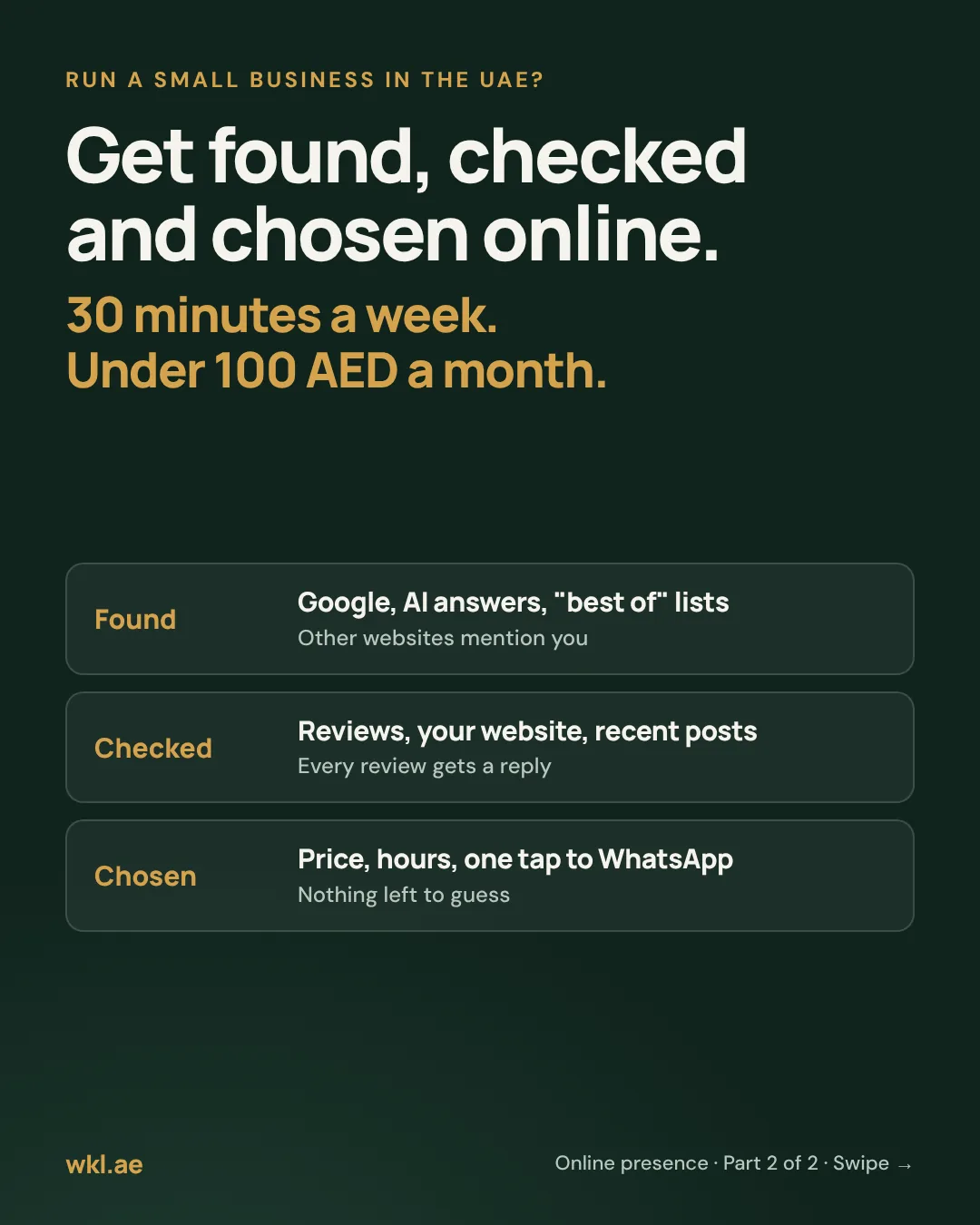
Claude drafts a reply to every review, finds the sites that list your competitors but not you, and plans the week’s posts.
- Runs on
- Claude with the Small Business plugin
- Monthly cost
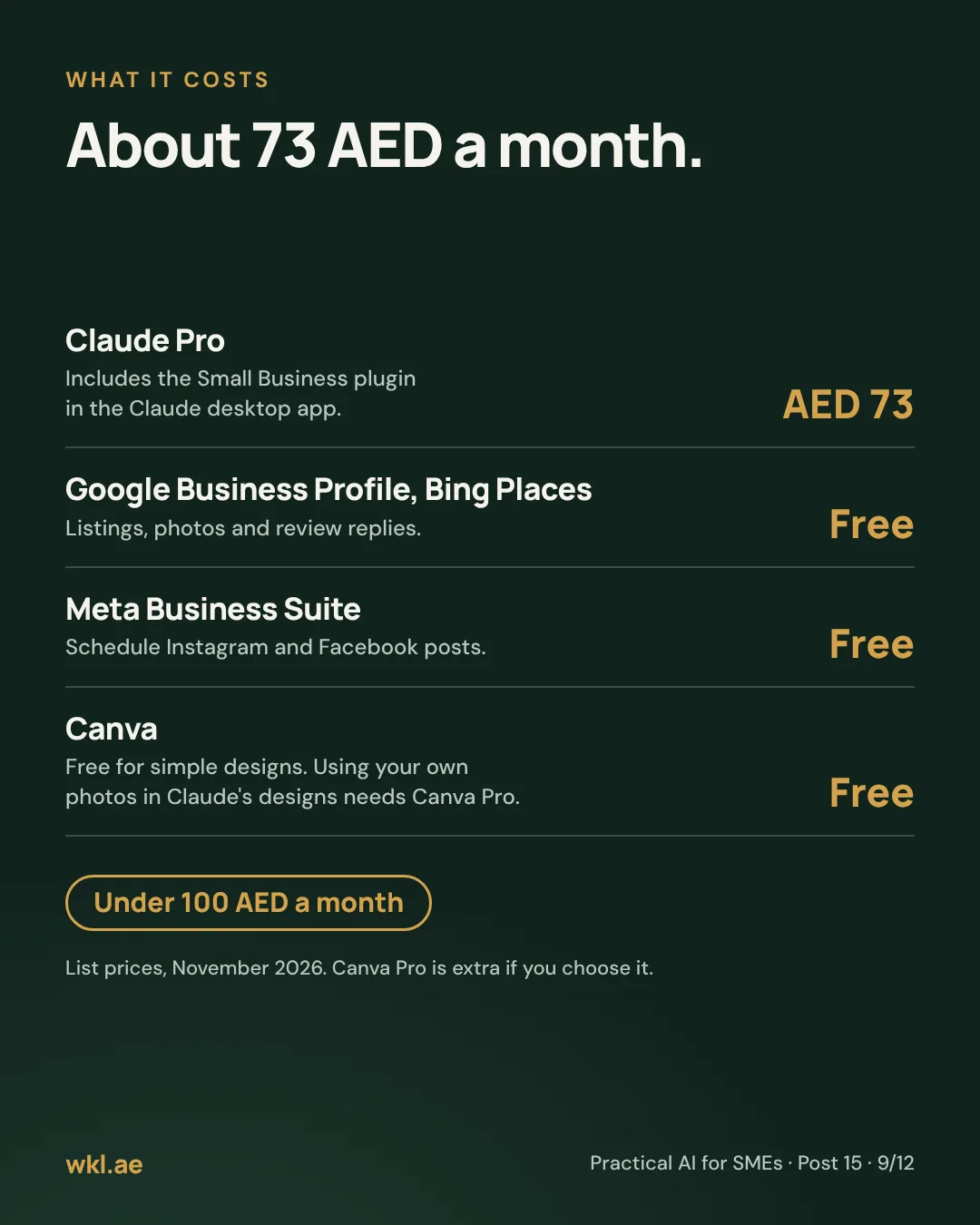
- About 73 AED a month
- First setup
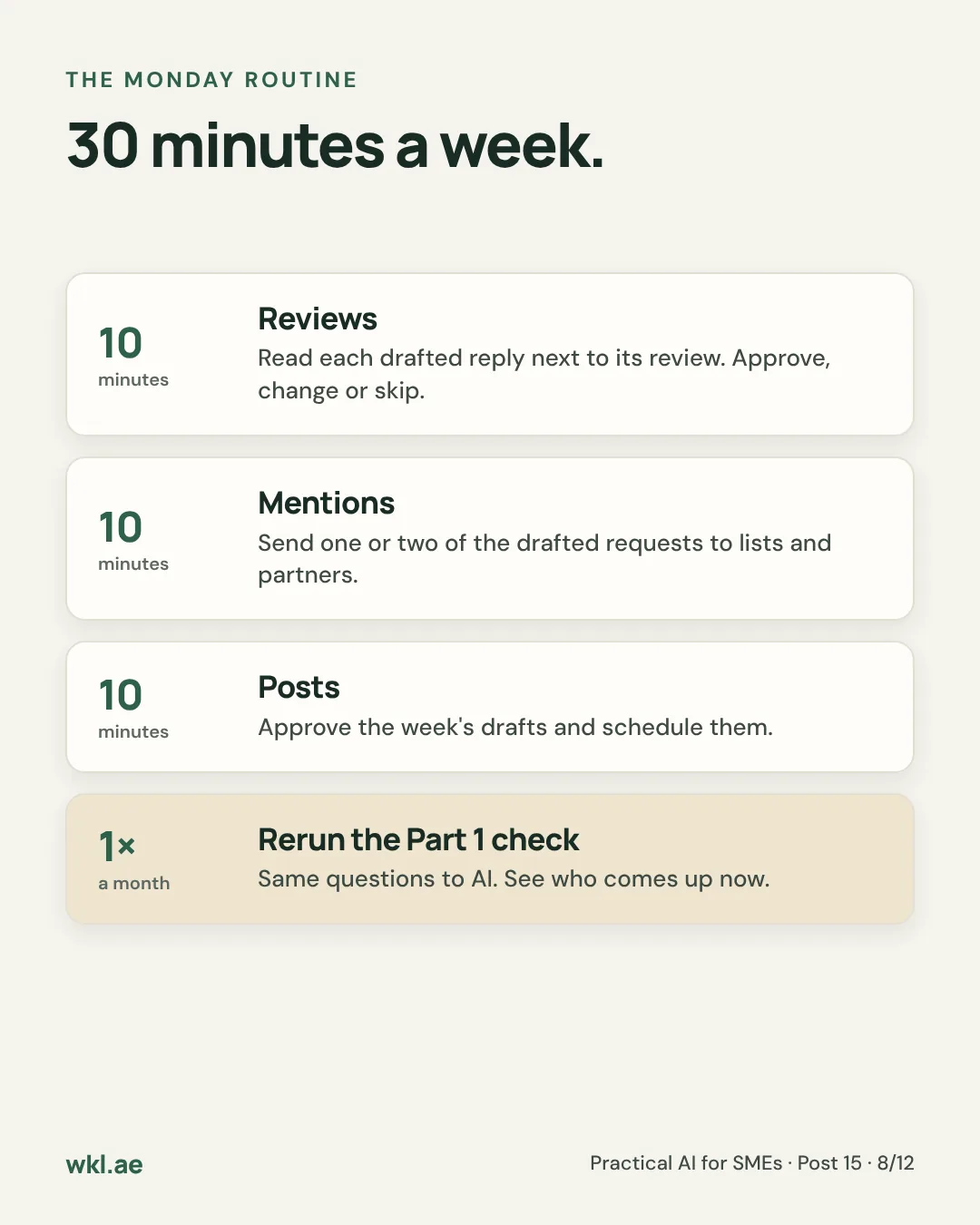
- About two hours, then 30 minutes every Monday
- Stays with you
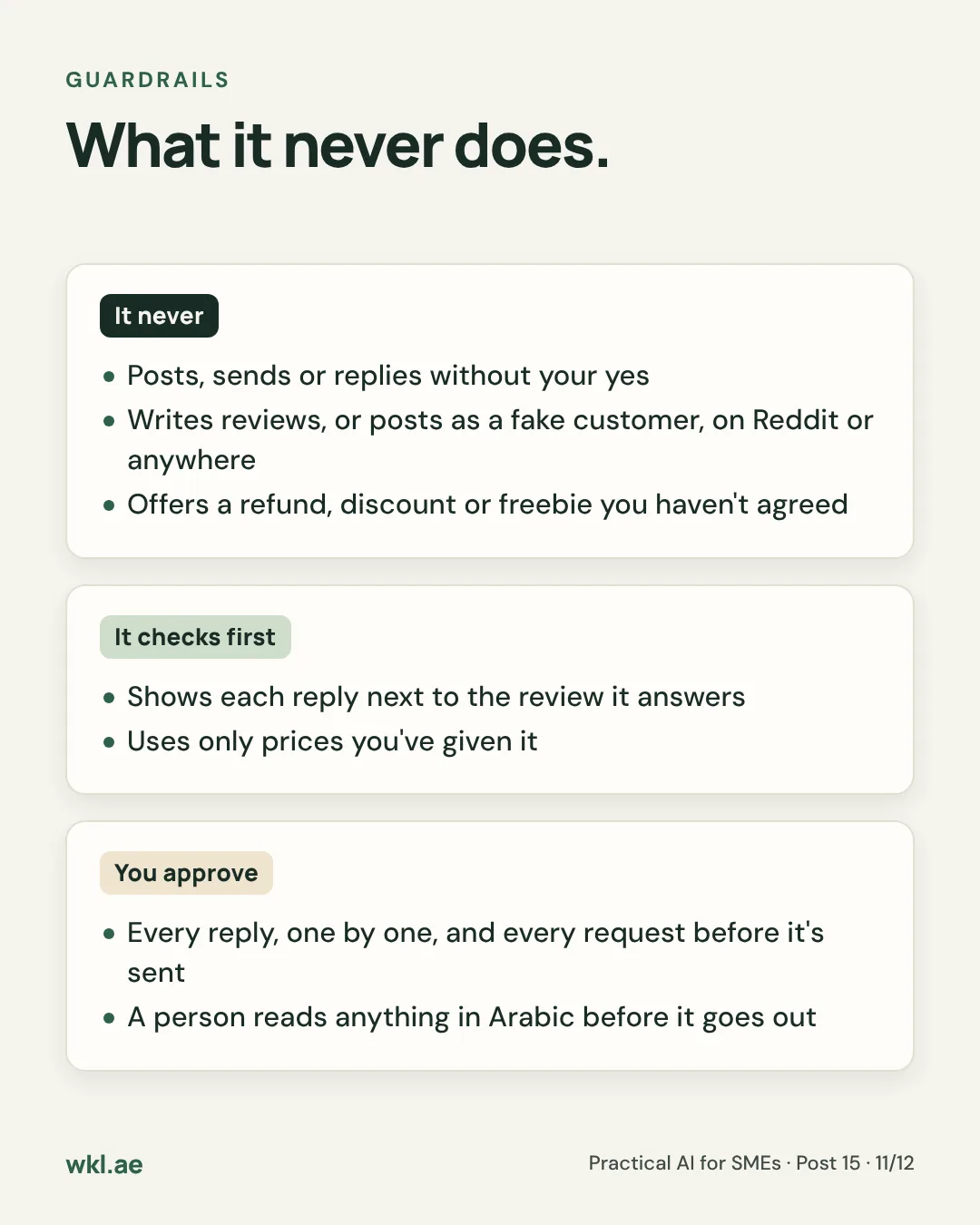
- It never posts, sends or replies on its own. Every word waits for your yes.
- Last updated

Download the 12 slides as a PDF (1 MB)
The problem
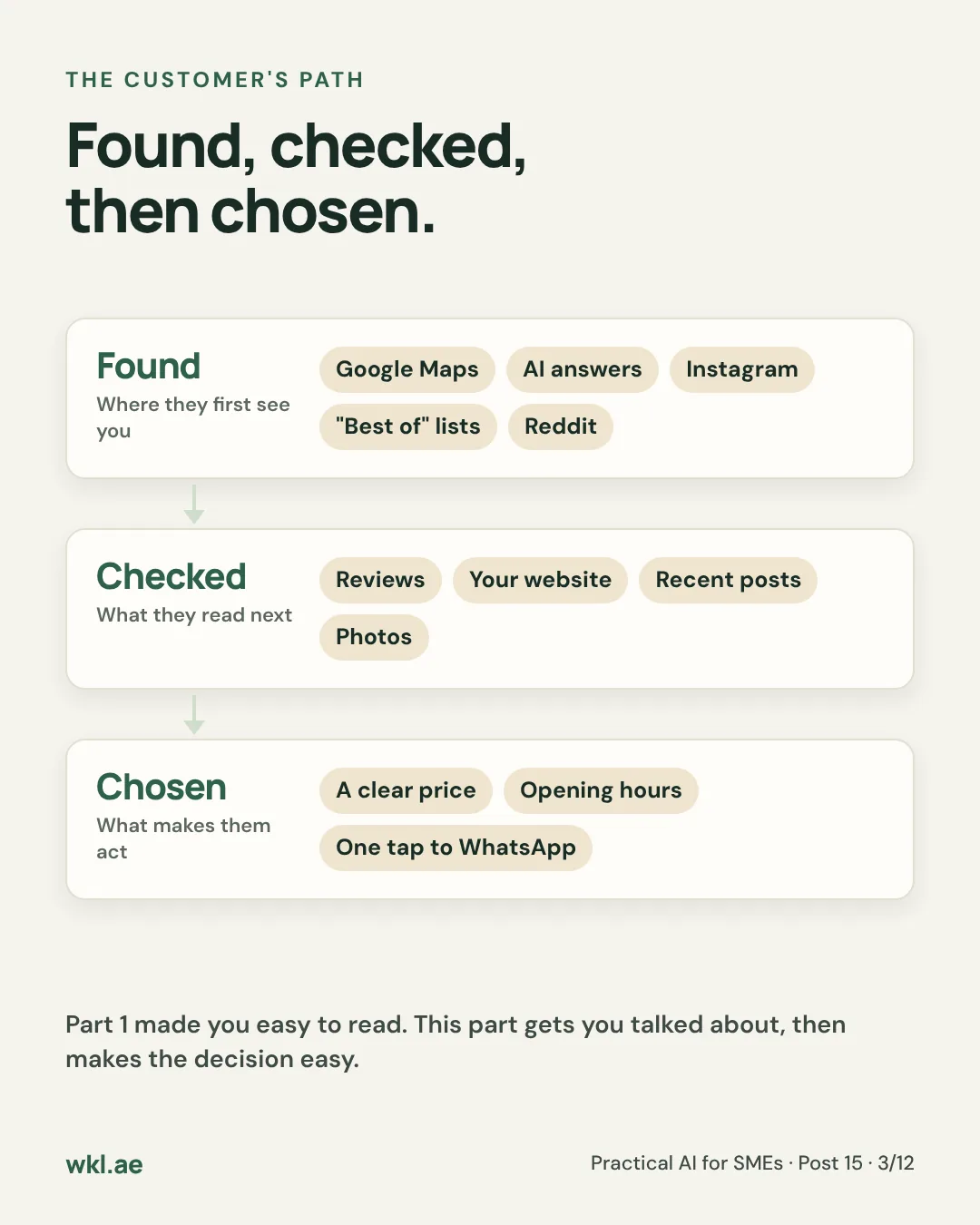
Being found is half the job. A customer who finds you on Google Maps or in a ChatGPT answer doesn’t message you straight away. They read your last few reviews, open your website for the price and check when you last posted. A two-star review with no reply, or an Instagram page that went quiet in March, and they move on to the next name.
The numbers point the same way. In Tabby’s 2026 shopping survey of the UAE and Saudi Arabia, 43% of shoppers said they use AI to help decide what to buy, but only 30% fully trust what it recommends. In an earlier Kearney study, 69% of UAE consumers named other customers’ reviews as a top source before buying. AI makes the shortlist. Your reviews and your own pages decide who gets the call.
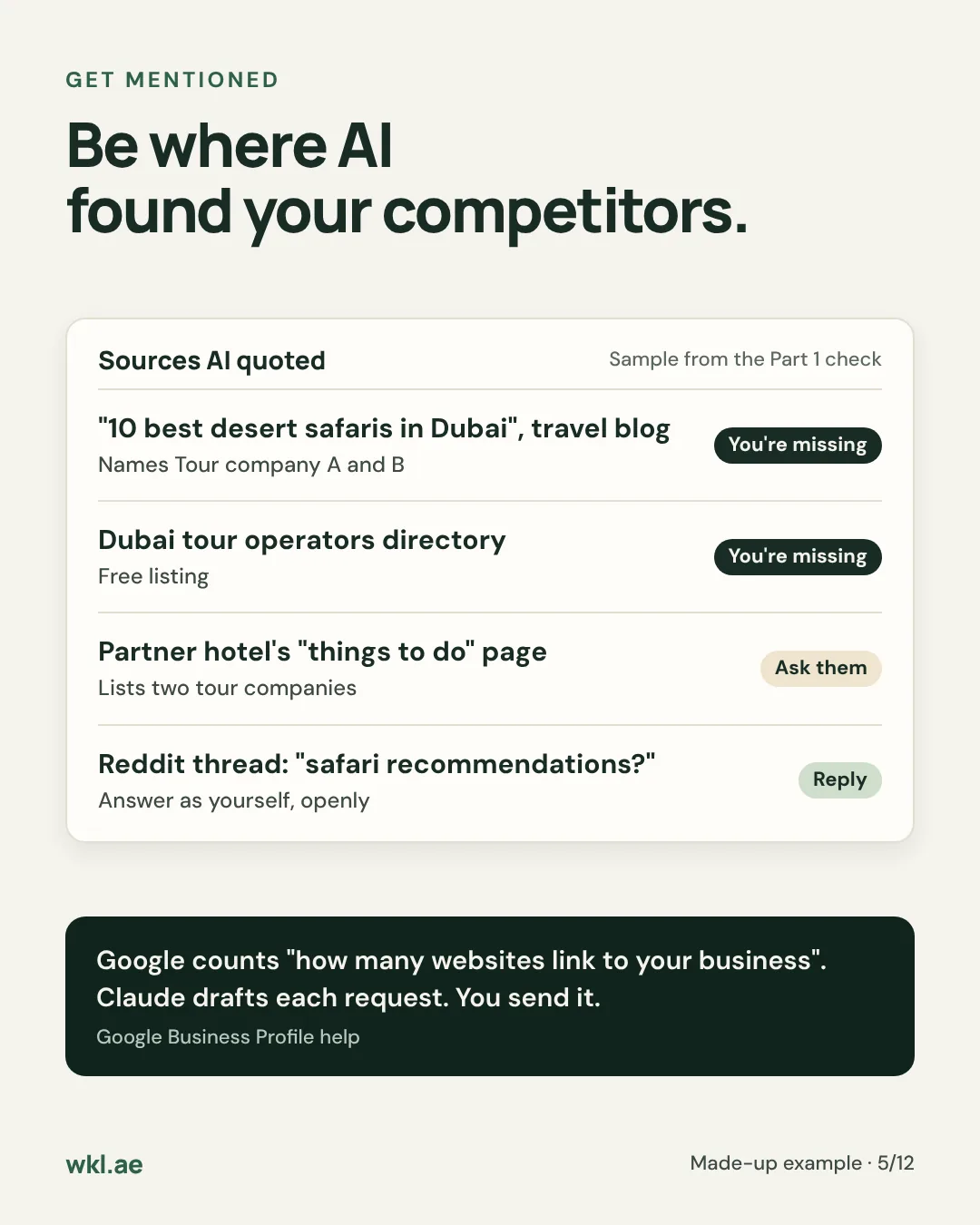
There’s a second gap most owners never look at. Google says local ranking depends partly on prominence, which it describes as “based on info like how many websites link to your business and how many reviews you have.” AI assistants quote the same kinds of pages: best-of lists, directories, partner sites, forums. If a travel blog’s “best desert safaris in Dubai” names three of your competitors and not you, that’s a gap one polite email can close.
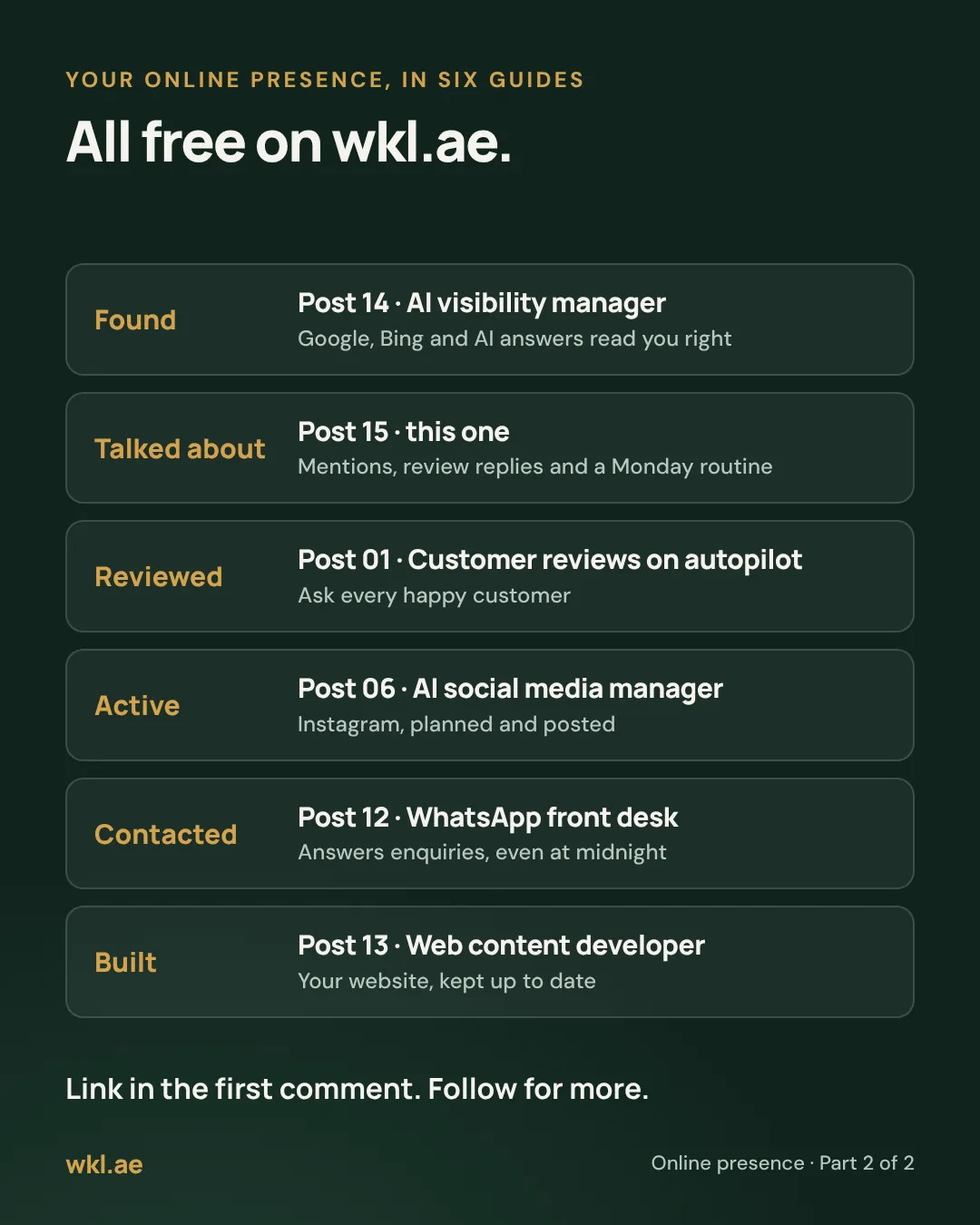
This guide is part 2 of 2 on your online presence. Part 1 made sure Google and AI can find you and read your facts correctly. This part gets you talked about, then makes the decision easy, in a 30-minute routine every Monday. We use Sand & Star Tours, the same made-up Dubai tour company, as the example. The same steps work for a clinic, a salon, a restaurant or any business customers check before they buy.
What it can do, and what nobody can
Nobody can buy you a better ranking. Google says it plainly: “There’s no way to request or pay for a better local ranking on Google.” What you can do is earn the things it counts: more real reviews, replies to every one, and more websites that mention you.
Claude’s Small Business plugin does the slow parts: it reads your reviews and drafts the replies, finds the pages that list your competitors and drafts the request to be added, and plans the week’s posts in your style. It never posts, sends or replies on its own. Every word that goes out in your name waits for your yes.
What you need
- Claude Pro
The worker. Pro includes the Small Business plugin, which runs in the Claude desktop app for Mac or Windows. USD 20 a month, or USD 17 a month paid yearly. If you set up Part 1, you already have it.~73 AED / mo - Google Business Profile
Where most of your reviews arrive and where you post the replies and new photos.Free - Meta Business Suite
Schedules your Instagram and Facebook posts. Claude hands you the posts ready to schedule.Free - Canva
For the post designs. On the free plan Claude can create simple designs. To use your own photos in them, you need Canva Pro. Filling your brand templates automatically needs Canva’s Enterprise plan.Free, Pro extra - Your fact sheet from Part 1
Prices, times and details. Claude uses nothing else for prices in replies and posts.Free - Your website
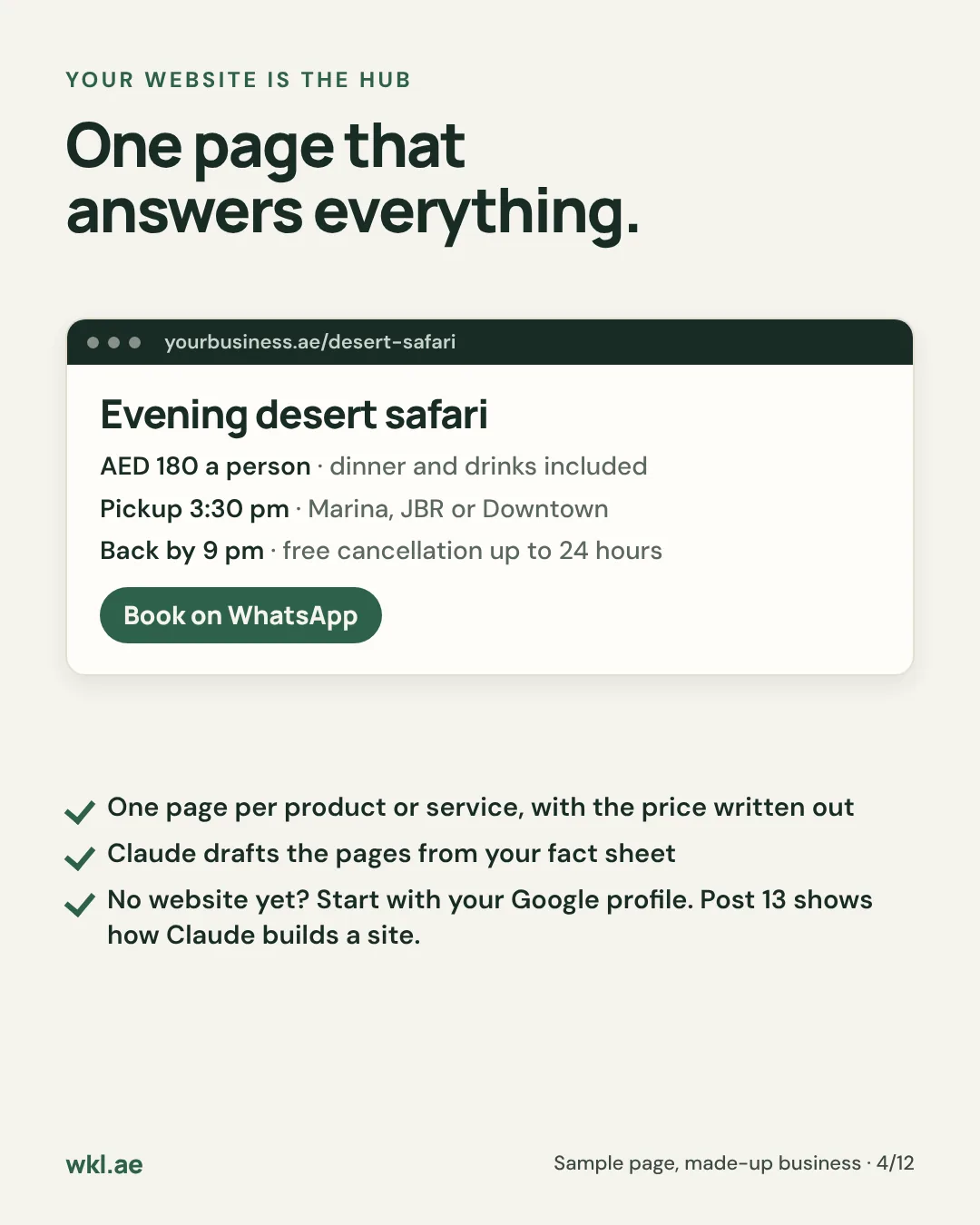
Helpful, not required. One page per product or service, with the price written out. Post 13 shows how Claude can build and update one.You have it
That’s about 73 AED a month, or about 62 AED if you pay for Claude yearly. Canva Pro is the only optional extra.
How it works
-
One-time You
Claude learns your brand
Paste your website link or describe your style in plain words. Claude saves your colours, fonts and voice, and every post and reply follows them.
-
Every Monday On its own
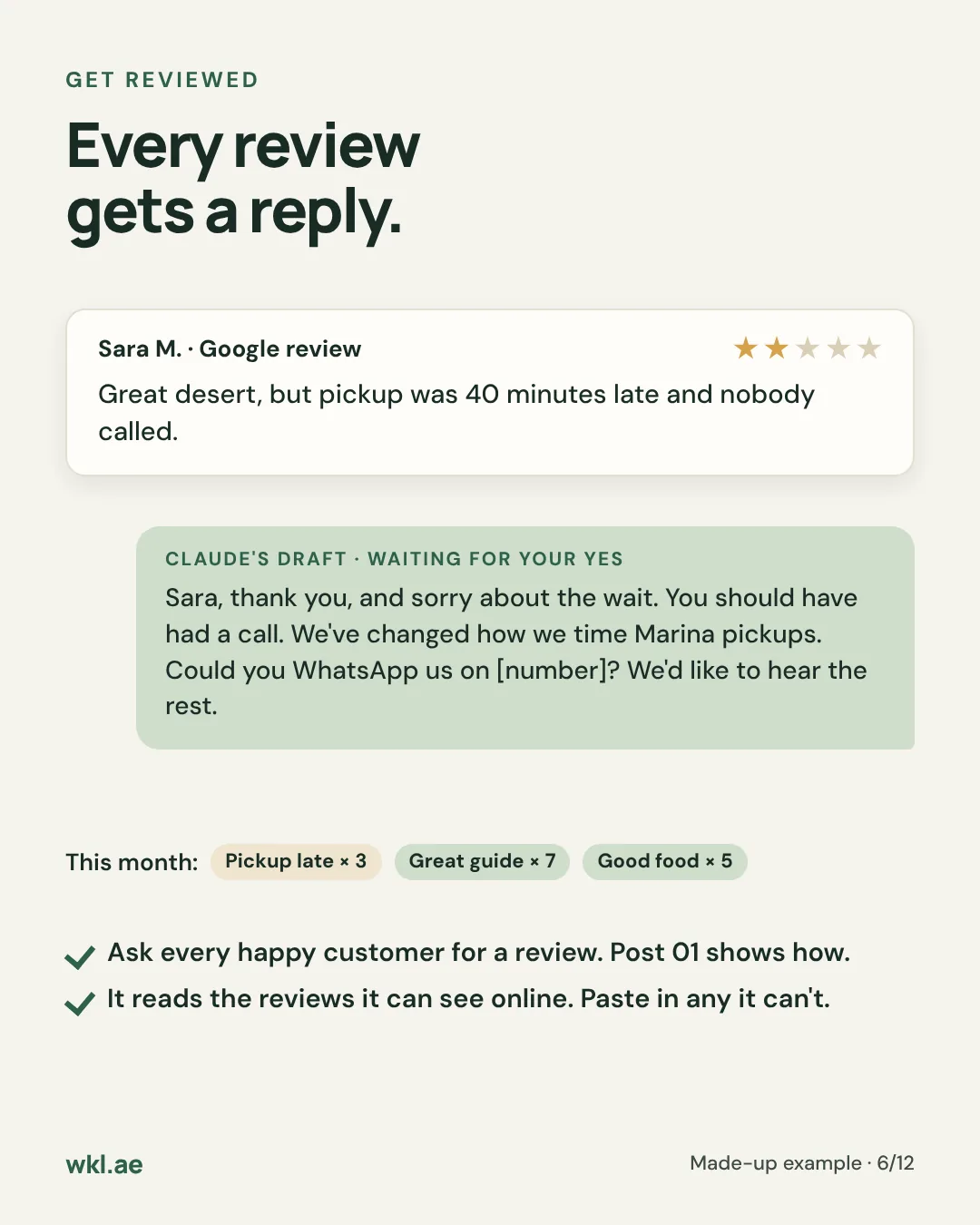
It reads your reviews and drafts the replies
It gathers the reviews it can see online, groups them into themes with the customers’ own words, and drafts a reply to each one in your voice.
-
Every Monday On its own
It finds where you’re missing
From the sources AI quoted in your Part 1 check, it lists the pages that name your competitors but not you, and drafts a short request to each for you to send.
-
Every Monday On its own
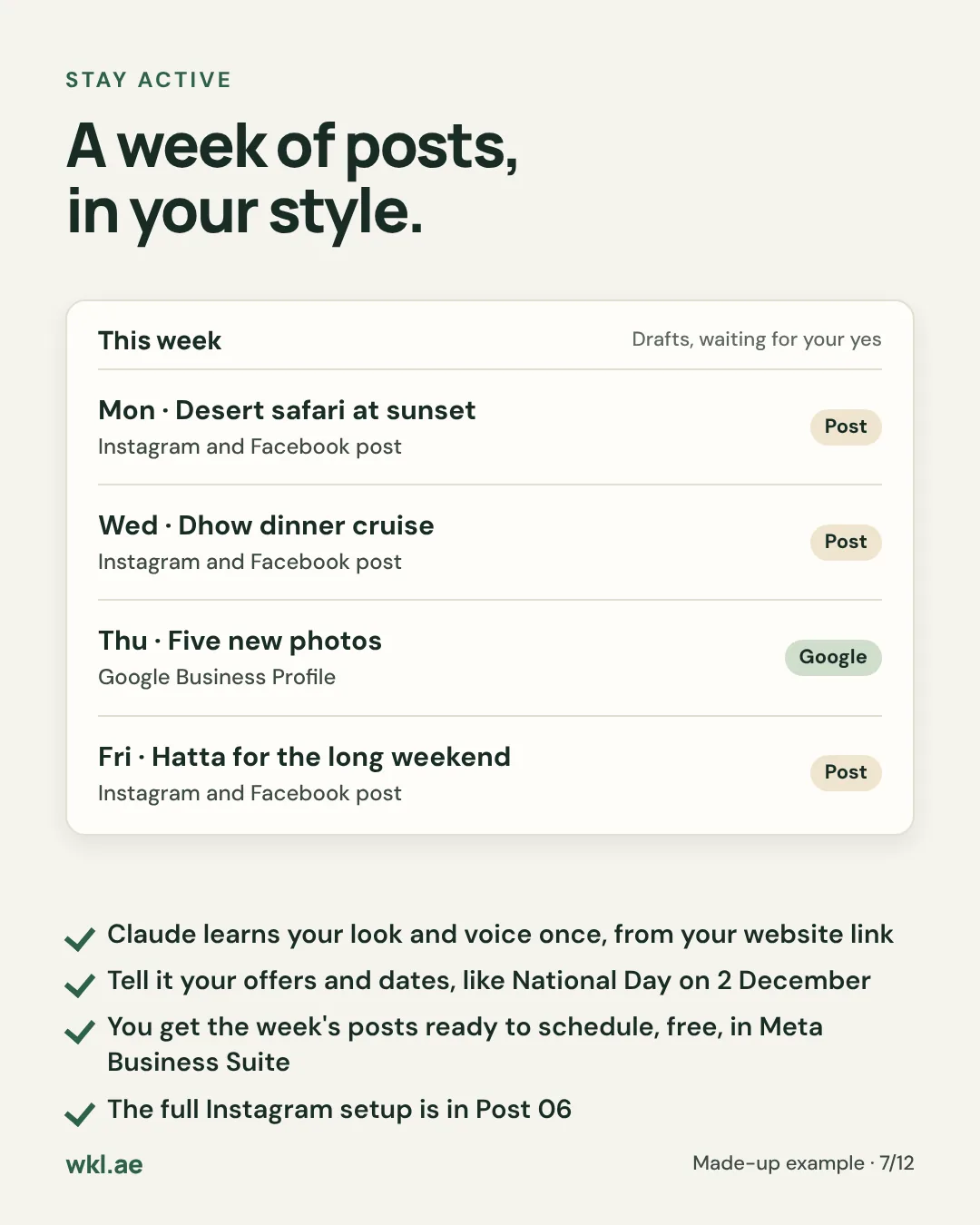
It plans the week’s posts
A few posts across your products and offers, with captions in your voice and designs in Canva, plus new photos for your Google profile.
-
Every Monday You approve
You approve, send and schedule
Replies one by one, requests one by one, posts as a week. Then you post the replies, send the emails and schedule the posts.
Your rule: Claude reads and drafts. Nothing goes out in your name until you’ve said yes.
How to set it up, step by step
Allow about two hours the first time. After that, the routine takes 30 minutes on a Monday. If you haven’t done Part 1 yet, start there: this part builds on its fact sheet, listings and check.
Before you start, have these ready
- Your fact sheet and the results of your Part 1 check.
- Access to your Google Business Profile and your Meta Business Suite.
- Your website link, or a few words on your style: colours, tone, how you talk to customers.
- Your reviews from any site Claude can’t read, such as Tripadvisor, copied or exported.
- A list of offers and dates for the next few weeks, such as National Day on 2 December.
Check the Small Business plugin is installed2 minutes · included with Claude Pro
- Open the Claude desktop app. In the left sidebar, click Customize.
- Under Plugins, look for Small Business. If it isn’t there, click +, find Small Business and click Install.
Done when: Small Business shows in your list of plugins.
Set your brand once10 minutes
- Start a new task and write: “Set up our brand. Our website is [link].” No website? Describe your style instead, for example “warm, plain, no hype, green and sand colours”.
- Claude reads it, shows you a sample page in that style and asks how you want its reports delivered.
- Correct anything that’s off, then say yes to save it.
Done when: Claude confirms your brand is saved and the sample looks like you.
Connect Canva, if you want designs5 minutes · free, Pro optional
- In Customize, open Connectors and connect Canva with your Canva account.
- On Canva’s free plan, Claude creates simple designs. With Canva Pro, it can also use your own photos.
Skip this step if you’d rather design posts yourself. Claude still plans the week and writes the captions.
Done when: Canva shows as connected, or you’ve decided to design posts yourself.
Run your first review sweep20 minutes
- Write: “What are people saying about us? Draft a reply to every review from the last three months.” Paste in any reviews from sites Claude can’t read.
- Claude groups the reviews into themes with the customers’ own words, for example “pickup late” three times and “great guide” seven times, and drafts a reply to each.
- Read each reply next to its review. Approve it, change it or skip it.
- Post the approved replies yourself in Google Business Profile, or wherever the review is.
A theme that keeps coming back is a fix for the business, not for the reply. Three late pickups is a scheduling problem.
Done when: every review from the last three months has a reply, and you know your top complaint.
Find where you’re missing30 minutes
- Attach or paste the results of your Part 1 check and write: “List the sites AI quoted that name our competitors but not us. Check each one and tell me how to get listed.”
- Claude goes through each page: a blog’s best-of list, a directory, a partner’s “things to do” page, a forum thread. It notes who runs it and whether there’s a form or an email.
- Ask it to draft a short request to each, in your voice, with your facts. It shows you the drafts and sends nothing without your yes.
- Send one or two a week from your own email. A personal note beats a burst of twenty.
Done when: you have a short list of pages to be on, and the first requests are sent.
Plan the week’s posts20 minutes
- Write: “Plan this week’s posts for Instagram and Facebook from our products and these offers: [offers and dates].”
- Claude shows the calendar first. Fix any wrong date or product before it designs anything.
- It writes the captions in your voice and, with Canva connected, makes the designs. Approve each one.
- Schedule the approved posts in Meta Business Suite, and add any new photos to your Google profile.
For a fuller Instagram setup that also answers comments, see Post 06.
Done when: the week’s posts are scheduled.
Save the Monday prompt and set a reminder5 minutes
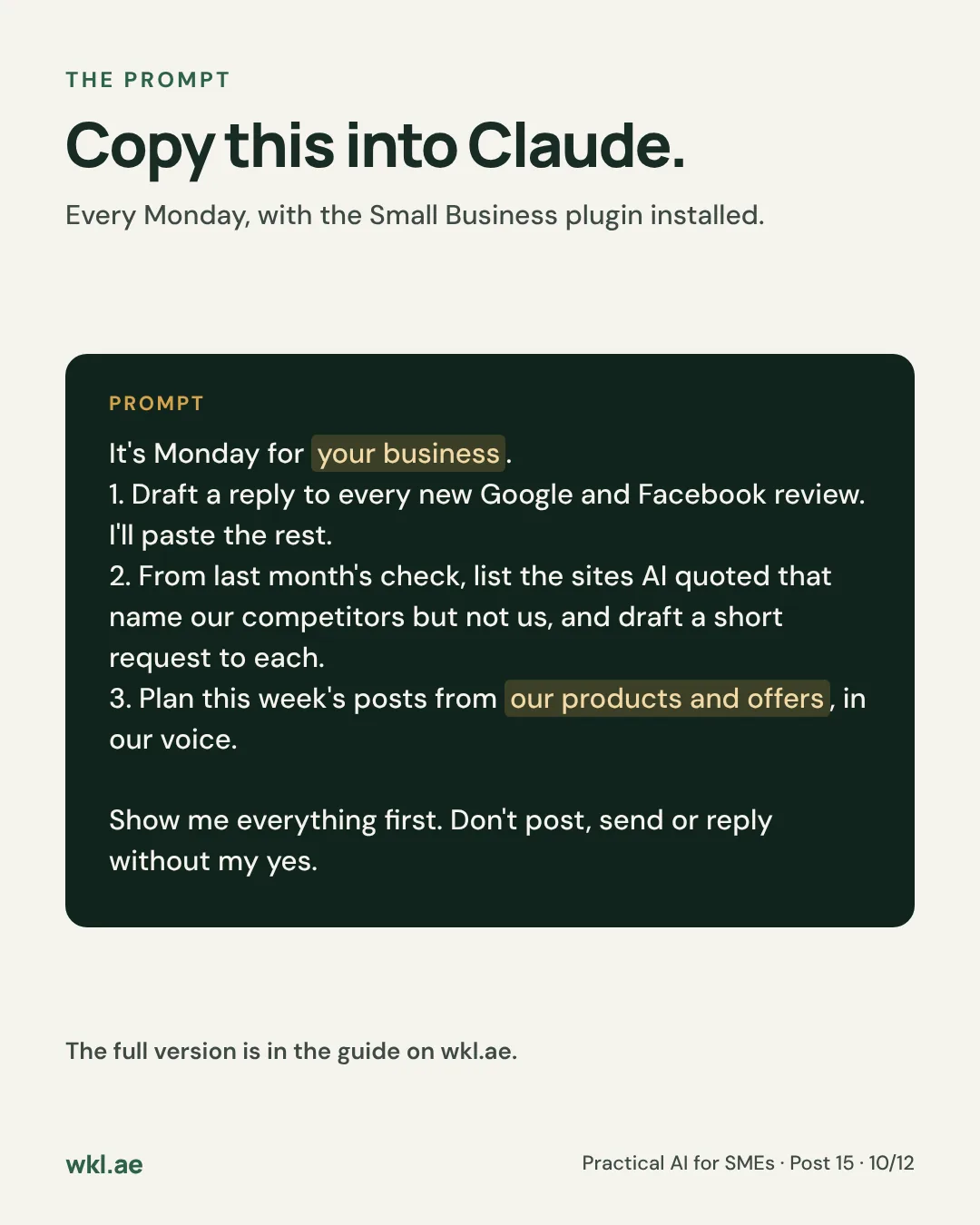
- Copy the prompt below into a note you can find, with your details filled in.
- Put a weekly reminder in your calendar for Monday morning, and a monthly one to rerun the Part 1 check.
Done when: both reminders are in your calendar.
What a good review reply looks like
Check each draft for these
- The customer’s name and the same language they wrote in.
- Thanks first, even for a bad review. Then own the problem without excuses.
- What changed, if something did. Only say it if it’s true.
- A way to talk privately, such as your WhatsApp number, for anything that needs sorting out.
- No offer you haven’t agreed. No refund, discount or freebie in a public reply unless you decided it.
- Short. Three or four sentences. Future customers read the reply more than the reviewer does.
Where to ask to be listed
| Type of page | Example | What to ask |
|---|---|---|
| Best-of lists | A travel blog’s “10 best desert safaris in Dubai” | Ask: To be considered next time it’s updated, with your facts and a few photos |
| Directories | A tour operators directory, your free zone or chamber listing | Ask: A listing with the same name, address and phone as your Google profile |
| Partners | A hotel concierge page, a travel agent, a supplier | Ask: A line and a link on their “things to do” or “partners” page |
| Local news and guides | Community news sites, local event guides | Ask: Only when you have something new: a new tour, an award, a local story |
| Forums | A Reddit thread asking for recommendations | Ask: Nothing. Answer openly as the owner where the community’s rules allow it |
Some sites charge for a listing. That’s your call. If you pay, it should be labelled as sponsored on their side.
What to ask it for
| You write | What it does | What you check |
|---|---|---|
| “Draft replies to this week’s new reviews.” | A reply to each review, in your voice and the reviewer’s language | Check: Every reply against its review, one by one |
| “What do customers complain about most this quarter?” | Themes with the customers’ own words and how often each came up | Check: Whether the top theme is something you can fix |
| “Which lists and directories name our competitors but not us?” | A short list of pages, with who runs each and how to get on it | Check: That each page is real and worth being on |
| “Draft a request to the hotel’s concierge page.” | A short email in your voice with your facts | Check: The facts, then send it yourself |
| “Plan two weeks of posts around National Day.” | A calendar, captions and designs for your approval | Check: Every price and date against your fact sheet |
Suggested guardrails
Set these before the first Monday. They’re in the prompt below, so Claude reads them every time.
| Guardrail | What it means for Sand & Star |
|---|---|
| What it can’t touch | Your Google profile, your social accounts and your email, except to save drafts. It never posts, sends or replies itself. It never writes reviews, for you or about anyone else, and never posts as a customer, on Reddit or anywhere. |
| What it checks before it acts | Every price, time and offer against your fact sheet. It shows each reply next to the review it answers, names any review site it couldn’t read and asks before mentioning anything not in your facts. |
| What you approve | Every review reply, one by one. Every request to a list or partner before it’s sent. Every post before it’s scheduled. Anything in Arabic gets read by an Arabic speaker before it goes out. |
The test: if it would be public, permanent or in your name, it waits for you.
The prompt
It's Monday for [business name], a [type of business] in [area], UAE. Use the Small Business plugin and our saved brand.

OUR FACTS (the only source for prices, times and offers)
[paste your fact sheet, or say where it is]
This week's offers and dates: [offers, events, holidays]

1. REVIEWS
- Read our new reviews on Google and Facebook since last Monday. Here are the ones from other sites: [paste].
- Group them into themes, with the customers' own words.
- Draft a reply to each, in the reviewer's language, in three or four sentences.

2. MENTIONS
- From our last visibility check (attached), list the sites AI quoted that name our competitors but not us.
- For the top three, say who runs the page and how to get listed, and draft a short request in our voice.

3. POSTS
- Plan this week's Instagram and Facebook posts from our products and offers. Show me the calendar first.
- Then write the captions and make the designs.

RULES
- Show me everything first. Don't post, send or reply without my yes.
- Use only the facts above. If something is missing, ask me.
- Never offer a refund, discount or freebie in a reply unless I've agreed it.
- Never write reviews, and never post as a customer anywhere.
- Write in British English. Write prices as "AED 180".
Your Monday routine
- Reviews, 10 minutes. Read each draft next to its review. Approve, change or skip, then post the replies.
- Mentions, 10 minutes. Send one or two of the drafted requests from your own email.
- Posts, 10 minutes. Approve the week’s posts and schedule them in Meta Business Suite.
- Once a month, rerun the Part 1 check with the same questions and see who comes up now.
If something goes wrong
- Claude can’t see some of your reviews
- It reads what’s visible online. For any site it can’t read, copy the reviews or export them and paste them into the task.
- A reply went out with a mistake
- Edit or delete it in Google Business Profile. Then tell Claude what was wrong so the next drafts avoid it.
- A review looks fake
- Report it through Google Business Profile, then reply calmly and briefly. Don’t argue in public, and never answer with fake reviews of your own.
- Canva says it can’t use your photos
- That needs Canva Pro. On the free plan, use the simple designs or add your photos yourself in Canva.
- A list owner asks for payment
- Your call. Ask whether it’s labelled as sponsored, and whether customers like yours actually read the page.
- Nothing has changed after a month
- Normal. Reviews and mentions build slowly. Keep the routine going and compare three months of the same Part 1 questions.
⚠️ Good to know
- Better odds, not a guarantee. Google says you can’t pay for a better local ranking, and nobody controls what AI recommends. This earns the things they count.
- Never pay or reward people for reviews. Ask every happy customer instead. Post 01 shows a simple way.
- Read each community’s rules. Forums like Reddit have their own rules on businesses joining in. When you post, say who you are.
- Arabic needs a person. Have an Arabic speaker read Arabic replies and captions before they go out.
- How we wrote this guide. It follows the Small Business plugin’s own instructions for reviews, posts, brand and outreach, Google’s help page on local ranking, Tabby’s 2026 shopping survey and Kearney’s UAE consumer study, as of November 2026. Menus get renamed, so if a screen looks different, look for the same idea under a nearby name.
Rather have it done for you?
We can set up a Review replier for your business on the tools you already use, and agree with you what needs your approval. Send us a WhatsApp message: an AI receptionist replies first with a few questions, then a person takes it from there.
When did you last reply to a review?Tell me how many are sitting unanswered on your Google profile.